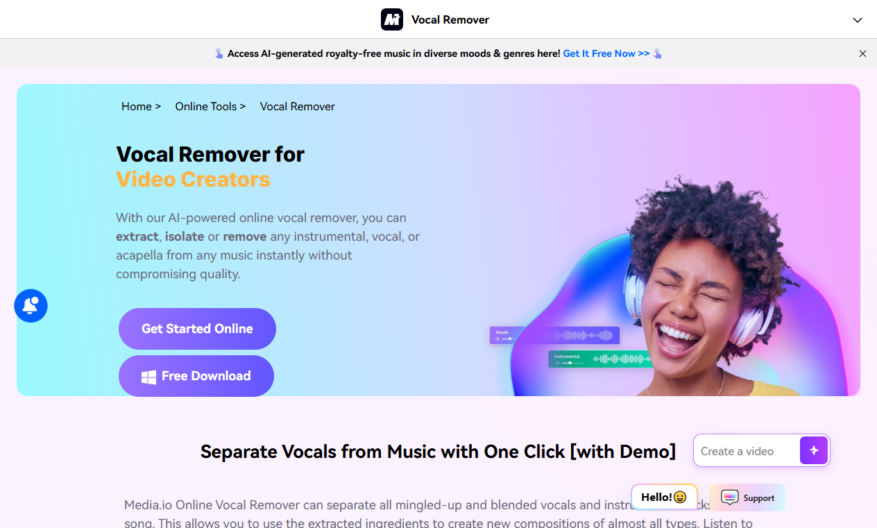
Introducing an innovative tool designed for professionals seeking to enhance their productivity and streamline their daily tasks. This tool offers a user-friendly interface that allows users to easily navigate through various features, enabling effortless integration into any workflow. With a focus on efficiency, it provides customizable...
Introducing an innovative tool designed for professionals seeking to enhance their productivity and streamline their daily tasks. This tool offers a user-friendly interface that allows users to easily navigate through various features, enabling effortless integration into any workflow. With a focus on efficiency, it provides customizable options that adapt to individual preferences and requirements. The built-in analytics and reporting functions empower users to make data-driven decisions, providing valuable insights at their fingertips. Whether you are managing projects, collaborating with teams, or organizing tasks, this tool serves as a powerful digital assistant. Its robust compatibility ensures it works seamlessly with other platforms, enhancing overall functionality. Users can expect consistent performance and reliable support, making it an indispensable resource in today's fast-paced environment. Enjoy the benefits of innovation and efficiency with a tool that prioritizes your needs. Discover how this tool can transform your approach to work and maximize productivity whether you are in the office or working remotely. Embrace a smarter way to manage your tasks and unleash your potential today.
Remove vocals from songs in a few seconds with high-quality audio output.
Isolate vocals from instrumentals with ease using AI-powered algorithms.
Supports various audio file formats including MP3, WAV, and OGG.
Upload files from local storage or directly from YouTube URLs.
Real-time preview of vocal removal process for quality control.
Adjustable sensitivity settings for optimal vocal removal results.
Batch processing for removing vocals from multiple tracks simultaneously.
Download processed tracks in original quality with no watermarks or limitations.
You Got Questions,We Got Answers
What is Vocal Remover
Vocal Remover is an online tool that separates vocals from instrumentals in any song, allowing you to create karaoke tracks, instrumental versions, or even isolate vocals for sampling or remixing purposes
How does it work
Vocal Remover uses AI-powered algorithms to analyze the audio file, identifying and separating the vocal frequencies from the instrumental frequencies, resulting in a high-quality output
Is it free
Yes, Vocal Remover is completely free to use, with no hidden fees or subscription models, allowing you to remove vocals from as many tracks as you want
What file formats are supported
Vocal Remover supports a wide range of file formats, including MP3, WAV, OGG, and more, ensuring that you can work with your preferred file type
How long does it take
The processing time depends on the file size and complexity, but on average, it takes around 30 seconds to 1 minute to remove vocals from a standard 3-4 minute song
Can I upload large files
Yes, Vocal Remover allows you to upload files up to 100MB in size, making it suitable for larger tracks or high-quality audio files
Is the output quality good
Yes, Vocal Remover's output quality is excellent, with clear and crisp vocals and instrumentals, making it suitable for professional use or personal projects
Are there any limitations
While Vocal Remover is a powerful tool, it may not work perfectly with all songs, especially those with complex vocal harmonies or layered instrumentals, so some manual editing may be required
Use cases
Healthcare
Isolating vocals from medical training recordings helps instructors focus on critical care procedures, enhancing student engagement and improving patient outcomes
Finance
Removing vocals from earnings call recordings enables financial analysts to focus on key metrics, identify trends, and make informed investment decisions
Retail
Isolating vocals from customer feedback recordings helps retailers pinpoint areas for improvement, enhancing customer experience, and increasing loyalty
Marketing
Separating vocals from product demo recordings enables marketers to create engaging, voiceover-free content, increasing brand awareness and driving sales
Education
Removing vocals from educational videos allows teachers to create interactive, immersive learning experiences, increasing student participation and improving learning outcomes
Manufacturing
Isolating vocals from factory floor recordings helps engineers identify and address equipment malfunctions, reducing downtime, and increasing productivity
Traffic and Engagement
Mar 2026 - May 2026
World wide
Monthly visitors (May)
221.2k
Page/Visit
2.3
Visit Duration
1m 26s
Bounce Rate
0.7%
Pricing
Freemium
$19.99
Vocal Remover by Media.io Embeds
Copied!
Let your community know you're live on Skillcurb! Just drop a badge on your site’s homepage with just a few clicks. Showcasing the badge helps increase your visibility and connects you with users actively exploring top AI tools.