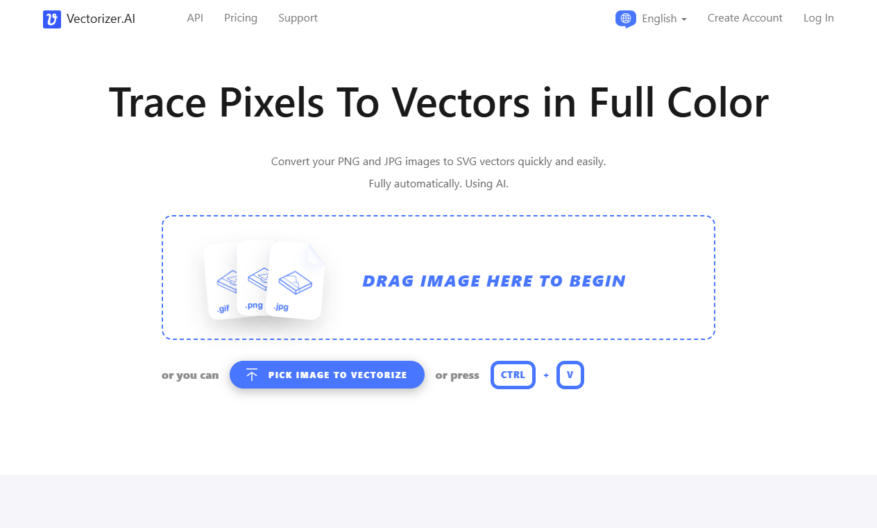
Vectorizer is an innovative online platform designed to effortlessly convert raster images into high-quality SVG vectors using advanced artificial intelligence technology. Users can easily upload PNG or JPG images by simply dragging and dropping them onto the interface. The AI analyzes the input, transforming it into...
Vectorizer is an innovative online platform designed to effortlessly convert raster images into high-quality SVG vectors using advanced artificial intelligence technology. Users can easily upload PNG or JPG images by simply dragging and dropping them onto the interface. The AI analyzes the input, transforming it into scalable geometric shapes while preserving color fidelity. This powerful tool supports a variety of output formats, including SVG, PDF, EPS, and DXF, making it versatile for numerous design and printing applications. With its deep learning algorithms, Vectorizer AI ensures efficient and precise processing to meet the needs of designers and creators. Ideal for producing graphics suitable for laser engraving, vinyl cutting, and screen printing, it serves as an essential solution for anyone seeking to elevate their visual projects. Experience seamless vectorization with an interactive preview feature, allowing users to inspect their results before downloading in their preferred format. For more information about Vectorizer AI, including support and pricing details, visit their official website. This platform is truly a game-changer for artists and professionals alike, enhancing the quality of digital graphics with ease.
Automatically converts text descriptions into custom, scalable vector logos.
Generates unique, royalty-free icons and graphics for personal or commercial use.
Offers a user-friendly interface for effortless vector design and editing.
Provides a vast library of customizable templates and design assets.
Enables real-time collaboration and feedback through shareable design links.
Allows for seamless integration with popular design tools and workflows.
Features an advanced AI-driven design engine for precise vector rendering.
Delivers high-quality, pixel-perfect vector graphics for any digital platform.
You Got Questions,We Got Answers
What is Vectorizer.ai?
Vectorizer.ai is an AI-powered platform that enables users to convert raster images into scalable vector formats, ensuring lossless quality and flexibility for various applications, including graphics, logos, and icons
What file formats are supported?
Vectorizer.ai supports a wide range of file formats, including JPEG, PNG, GIF, BMP, TIFF, and more, allowing users to convert their images into scalable vector formats like SVG, EPS, and DXF
Is Vectorizer.ai free to use?
Vectorizer.ai offers a free plan with limited conversions and watermarked output, ideal for testing and evaluation, while the premium subscription provides unlimited access to advanced features, high-quality output, and priority support
How does the conversion process work?
The conversion process involves uploading the raster image, selecting the desired vector format, and letting Vectorizer.ai's AI algorithms work their magic, producing a scalable vector output with optimized quality and accuracy
Can I edit the output vectors?
The output vectors from Vectorizer.ai are fully compatible with popular graphic design software like Illustrator, Inkscape, and CorelDRAW, allowing users to refine and customize their designs with ease
What is the typical conversion time?
The conversion time on Vectorizer.ai depends on the complexity and size of the input image, but on average, it takes only a few seconds to a minute to produce a high-quality output, making it an efficient solution for designers and artists
Use cases
Healthcare
Healthcare professionals can use Vectorizer.AI to convert raster medical illustrations, diagrams, or charts into scalable vector formats for presentations, publications, or educational materials, ensuring high-quality visuals for various platforms.
Finance
Financial institutions can use Vectorizer.AI to vectorize company logos, branding elements, or complex infographic designs from raster images for use in high-resolution financial reports, marketing materials, or digital platforms, ensuring crisp visuals.
Retail
Retail businesses can use Vectorizer.AI to convert low-resolution product photos or brand assets into scalable vector graphics for large-format printing (e.g., posters, banners), packaging design, or consistent digital branding across e-commerce platforms.
Manufacturing
Manufacturing companies can use Vectorizer.AI to convert raster blueprints, schematics, or product designs into vector formats for CAD/CAM systems, technical documentation, or laser cutting, ensuring precision and scalability for production.
Marketing
Marketing teams can use Vectorizer.AI to vectorize logos, illustrations, or campaign graphics from raster images for use in print ads, website design, or social media campaigns, maintaining visual quality across all media.
Education
Educators can use Vectorizer.AI to convert diagrams, charts, or hand-drawn illustrations from textbooks or presentations into scalable vector graphics for digital learning platforms, print materials, or interactive whiteboards, improving visual clarity.
Traffic and Engagement
Mar 2026 - May 2026
World wide
Monthly visitors (May)
1.8m
Page/Visit
5.9
Visit Duration
5m 8s
Bounce Rate
0.3%
Pricing
Paid
$9.99
Vectorizer Embeds
Copied!
Let your community know you're live on Skillcurb! Just drop a badge on your site’s homepage with just a few clicks. Showcasing the badge helps increase your visibility and connects you with users actively exploring top AI tools.