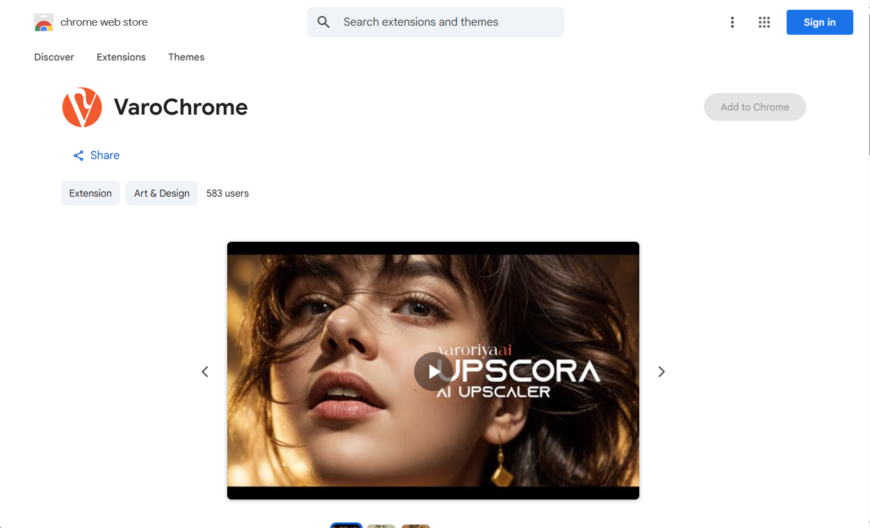
Varochrome is a Chrome extension that enhances your browsing experience with a customizable and dynamic new tab page. It offers a range of features including a clock, weather forecast, to-do list, and inspirational quotes. Users can personalize the layout, add widgets, and change the background image....
Varochrome is a Chrome extension that enhances your browsing experience with a customizable and dynamic new tab page. It offers a range of features including a clock, weather forecast, to-do list, and inspirational quotes. Users can personalize the layout, add widgets, and change the background image. Varochrome also integrates with Google Calendar and allows users to set reminders and events. With its clean design and user-friendly interface, Varochrome is a great alternative to the default new tab page, providing a more engaging and productive start to your browsing sessions.
Customize website colors with a single click using Varochrome's intuitive color picker.
Automatically switch between light and dark modes based on system settings.
Easily toggle between multiple custom color schemes for different websites.
Quickly reset to default website colors with a single button click.
Access Varochrome's features with a convenient browser action icon.
Customize website fonts, including font family, size, and style options.
Apply custom colors and fonts to specific website elements, such as headers.
Sync customizations across devices with Google account integration.
You Got Questions,We Got Answers
What is Varochrome?
Varochrome is a Chrome extension that allows users to customize their browser's appearance by changing the theme, colors, and layout, providing a personalized browsing experience with a wide range of customization options
Is Varochrome free?
Yes, Varochrome is a free Chrome extension, and users can download and use it without any cost or subscription, with no hidden fees or charges, and enjoy its features and customization options
How do I install Varochrome?
To install Varochrome, simply click the "Add to Chrome" button on the Chrome Web Store, then click "Add extension" in the pop-up window, and wait for the extension to download and install, then click "Launch" to start customizing
Can I customize Varochrome?
Yes, Varochrome offers a wide range of customization options, including theme, color, and layout changes, allowing users to personalize their browsing experience, with options to change background images, button styles, and more
Is Varochrome compatible with all devices?
Varochrome is compatible with most devices that run Google Chrome, including Windows, Mac, and Linux computers, as well as Chromebooks, with no specific hardware requirements, making it accessible to a wide range of users
How do I access Varochrome settings?
To access Varochrome settings, click the Varochrome icon in the top right corner of the Chrome browser, then click "Options" from the dropdown menu, and adjust the settings to your liking, with options to reset to default or import/export settings
Use cases
Healthcare
Medical researchers use Varochrome to visualize complex genomic data, identifying patterns and correlations that inform new treatments and therapies, improving patient outcomes and advancing disease understanding
Finance
Portfolio managers leverage Varochrome to analyze market trends and optimize investment strategies, reducing risk and increasing returns for clients, while enhancing decision-making transparency
Retail
E-commerce teams employ Varochrome to visualize customer behavior and preferences, informing targeted marketing campaigns and personalized product recommendations that drive sales and loyalty
Manufacturing
Quality control engineers utilize Varochrome to monitor production workflows and identify inefficiencies, streamlining processes and reducing defects, resulting in cost savings and improved product quality
Marketing
Data analysts use Varochrome to create interactive, data-driven stories that engage audiences and convey complex insights, enhancing brand messaging and campaign effectiveness
Education
Professors and researchers use Varochrome to create immersive, interactive learning experiences, making complex concepts more accessible and engaging for students, and enhancing academic achievement
Traffic and Engagement
Apr 2026 - Jun 2026
World wide
Monthly visitors (June)
209.8m
Page/Visit
2.9
Visit Duration
1m 55s
Bounce Rate
0.6%
Pricing
FREE
$0
Varoriya AI Browser Integration – Chrome Extension Embeds
Copied!
Let your community know you're live on Skillcurb! Just drop a badge on your site’s homepage with just a few clicks. Showcasing the badge helps increase your visibility and connects you with users actively exploring top AI tools.