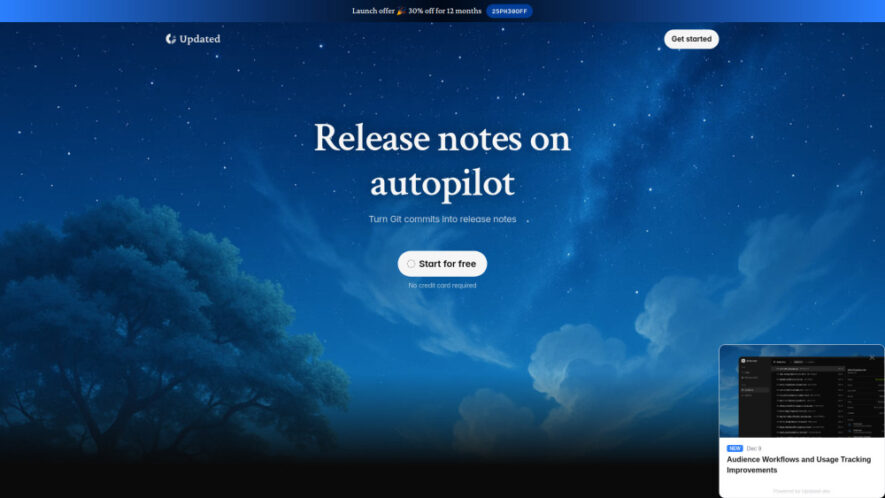
Updated.dev is an AI-powered release note platform that transforms selected Git commits into clean, ready-to-publish product updates within seconds. Users can connect their repository, select relevant commits, review an AI-generated draft, and publish release notes through an in-app widget and public page. By automating manual documentation,...
Updated.dev is an AI-powered release note platform that transforms selected Git commits into clean, ready-to-publish product updates within seconds. Users can connect their repository, select relevant commits, review an AI-generated draft, and publish release notes through an in-app widget and public page. By automating manual documentation, Updated helps developers and product teams communicate new features, improvements, and changes more efficiently while keeping customers and stakeholders informed.
Transforms selected Git commits into clean, structured release notes automatically.
AI generates complete release note drafts from relevant commit information quickly.
Instantly publishes updates through an integrated in-app widget and public page.
Connects repositories easily for streamlined release note creation and management workflows.
Allows users to select specific commits for each release note.
Free plan provides unlimited logs and release notes for users.
Pro features support automatic logging, labeling, custom domains, and notifications.
Simplifies product communication by reducing manual release documentation and publishing work.
You Got Questions,We Got Answers
1. What is Updated and how does its release note generator work?
Updated.dev transforms selected Git commits into polished release notes using AI. Users connect a repository, choose relevant commits, review the generated draft, and publish the finished update through available publishing channels.
2. How does Updated turn Git commits into release notes?
Users connect their repository and select the Git commits relevant to a particular release. Updated then uses AI to analyze those selected commits and create a complete release note draft.
3. Where are published release notes displayed after publishing?
Published release notes appear instantly through Updateds in-app widget and public release notes page, providing customers and stakeholders with an accessible place to view recent product updates and changes.
4. Can users review AI-generated release notes before publishing them?
Yes. After selecting the relevant commits, users can review the AI-generated release note draft before publishing, allowing them to check the content and make sure the update is ready.
5. Does Updated offer unlimited release notes on its free plan?
Yes. The Free plan includes unlimited logs and unlimited release notes, along with a public release notes page, providing useful publishing capabilities without requiring users to purchase a paid plan.
6. What additional capabilities are included with Updated Pro?
The Pro plan includes additional capabilities such as automatic logging, automatic labeling, custom domains, and email notifications, helping teams streamline release communication and customize their publishing workflow.
7. Can Updated connect multiple repositories to one account?
The provided information does not explicitly confirm whether multiple repositories can be connected. Users should check Updateds current documentation or contact its support team for definitive repository limitations.
8. Does Updated charge separately for additional team members?
The available information does not specify whether Updated charges separately for team seats. Pricing details should be confirmed directly with Updated because team-seat policies may depend on the selected plan.
Use cases
Releases
Automate release note creation and publishing directly from selected software development commits.
Updates
Keep customers informed about product improvements, new features, and important software changes.
Documentation
Reduce manual documentation work by automatically transforming development commits into polished updates.
Communication
Improve communication between developers, product teams, customers, and other important stakeholders.
Publishing
Publish product updates instantly through public release pages and integrated application widgets.
Development
Help development teams communicate completed changes without manually writing every release announcement.
Management
Save product managers valuable time by streamlining release documentation and publishing workflows.
Transparency
Maintain clear product update communication so users understand ongoing improvements and changes.
Pricing
Freemium
$34
Updated Embeds
Copied!
Let your community know you're live on Skillcurb! Just drop a badge on your site’s homepage with just a few clicks. Showcasing the badge helps increase your visibility and connects you with users actively exploring top AI tools.