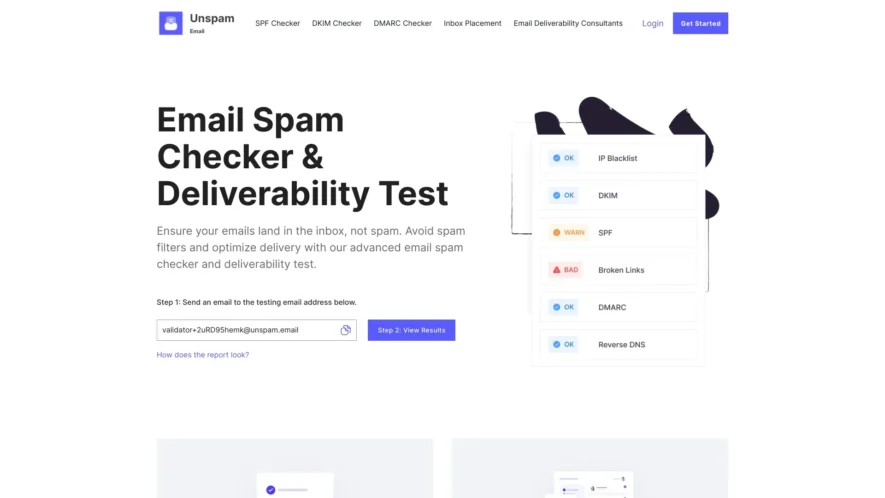
Unspam is a powerful tool designed to help businesses and marketers enhance their email communication strategies. With its advanced AI inboxing capabilities, Unspam allows users to gain valuable insights into how their subscribers interact with emails. The process is straightforward: simply send an email to the...
Unspam is a powerful tool designed to help businesses and marketers enhance their email communication strategies. With its advanced AI inboxing capabilities, Unspam allows users to gain valuable insights into how their subscribers interact with emails. The process is straightforward: simply send an email to the designated testing address and view the results to understand your email's performance. Key features of Unspam include an email spam checker, inbox placement insights, and an AI email scanner, all aimed at improving deliverability and avoiding spam filters. Whether you are looking to optimize your email campaigns or ensure that your messages reach the intended audience, Unspam provides the tools necessary to achieve these goals. With a focus on customer support, users can easily reach out for assistance through their dedicated email service. For those interested, Unspam also offers a user-friendly login and registration process, making it easy to get started. Explore Unspam today and take your email communications to new heights.
Temporary email addresses are generated instantly without requiring any registration.
Email addresses are completely disposable and can be deleted at any time.
All incoming emails are stored securely and can be accessed at any time.
Emails can be replied to directly from the Unspam.email inbox interface.
Email attachments are supported and can be downloaded at any time.
Custom email addresses can be created using a preferred domain and username.
Email filtering and blocking features are available to prevent spam and abuse detection.
Unspam.email provides a simple and intuitive interface for managing email accounts.
You Got Questions,We Got Answers
What is Unspam.email?
Unspam.email is a free email service that allows users to receive emails without revealing their real email address, protecting their privacy and reducing spam.
How does Unspam work?
Unspam.email works by generating a temporary email address that forwards emails to the user's real email address, allowing users to read and respond to emails without revealing their real email address.
Is Unspam.email secure?
Yes, Unspam.email uses SSL encryption to protect user data and ensure that emails are delivered securely and privately.
Can I use Unspam.email for business?
Yes, Unspam.email can be used for business purposes, allowing users to receive emails without revealing their personal email address.
How long do emails stay on Unspam?
Emails are automatically deleted after 24 hours, ensuring that user data is protected and private.
Can I customize my Unspam.email address?
Yes, users can customize their Unspam.email address by adding a prefix or suffix to the temporary email address.
Is Unspam.email free?
Yes, Unspam.email is available in multiple languages and is completely free to use, with no ads or limitations.
How do I delete my Unspam.email account?
Users can easily delete their Unspam.email account by clicking on the "delete account" button in the settings section.
Use cases
Healthcare
A medical research organization uses unspam.email to verify the email addresses of participants in a clinical trial, ensuring that crucial updates and results are received by the intended recipients
Finance
A wealth management firm utilizes unspam.email to validate the email addresses of high-net-worth clients, protecting sensitive financial information from potential fraud
Manufacturing
A supplier of industrial equipment uses unspam.email to verify the email addresses of potential buyers, ensuring that targeted promotional campaigns reach the correct decision-makers
Retail
An e-commerce company leverages unspam.email API to validate customer email addresses during checkout, reducing the risk of fraudulent transactions and improving overall customer experience
Traffic and Engagement
Mar 2026 - May 2026
World wide
Monthly visitors (May)
27.7k
Page/Visit
2.6
Visit Duration
59s
Bounce Rate
0.5%
Pricing
Freemium
9
Unspam Embeds
Copied!
Let your community know you're live on Skillcurb! Just drop a badge on your site’s homepage with just a few clicks. Showcasing the badge helps increase your visibility and connects you with users actively exploring top AI tools.