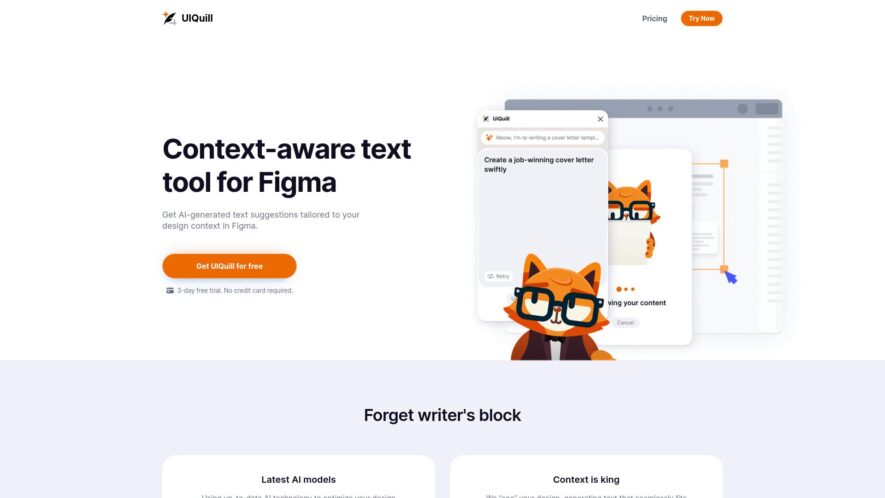
UIQuill is a revolutionary context-aware AI text writer designed specifically for Figma users. This innovative tool delivers intelligent text suggestions that are perfectly tailored to your design context, enhancing both efficiency and quality in your projects. With features like seamless integration into Figma, the ability to...
UIQuill is a revolutionary context-aware AI text writer designed specifically for Figma users. This innovative tool delivers intelligent text suggestions that are perfectly tailored to your design context, enhancing both efficiency and quality in your projects. With features like seamless integration into Figma, the ability to select text layers, groups, frames, or entire pages, UIQuill simplifies the content creation process. It operates in both light and dark modes, making it adaptable to any design setting. Additionally, UIQuill ensures that your content is SEO-optimized, allowing you to enhance visibility effortlessly. Experience a tenfold increase in your design process efficiency with UIQuill, as it provides quick text generation that aligns with your unique design style and tone. Whether you need to craft compelling copy for a project or optimize text for search engines, UIQuill is your reliable companion. Discover the future of design-centric writing with this powerful tool from Karma. Explore pricing options on the UIQuill website today and elevate your Figma experience.
Automatically generate and customize UI components for various design systems.
Design and develop consistent, responsive, and user-friendly interfaces with ease.
Utilize a vast library of pre-built UI elements and templates for efficiency.
Collaborate seamlessly with developers and teams through real-time commenting and feedback.
Easily import and export designs from Figma, Sketch, and Adobe XD.
Streamline the design-to-development process with accurate, auto-generated code snippets.
Effortlessly maintain and update designs with a single source of truth platform.
Scale and optimize design consistency across entire organizations with simplicity.
You Got Questions,We Got Answers
What is UIQuill?
UIQuill is an AI-powered writing assistant that helps users generate high-quality content quickly and efficiently, offering a range of tools and features to streamline the writing process
Is UIQuill free?
UIQuill offers a free plan with limited access to its features, but users can upgrade to a paid subscription for full access to all tools and features, with pricing varying depending on the specific plan chosen
What kind of content can create?
UIQuill supports the creation of various types of content, including articles, blog posts, product descriptions, social media posts, and more, making it a versatile tool for writers and content creators
Can I use UIQuill for SEO?
UIQuill's tools and features are designed to help users optimize their content for search engines, including keyword research and suggestion, content analysis, and optimization recommendations to improve search engine rankings
Is UIQuill suitable for beginners?
Yes, UIQuill is designed to be user-friendly and accessible to writers of all levels, including beginners, offering a range of tutorials and guides to help users get started and make the most of its features
Can I collaborate with others?
UIQuill allows real-time collaboration and feedback, enabling multiple users to work together on a single project, making it an ideal tool for teams and collaborative writing projects
Does UIQuill support multiple languages?
UIQuill currently supports English language content creation, but the platform is constantly evolving, and additional language support may be introduced in the future, so users should check the website for updates
How do I get started?
To get started with UIQuill, simply sign up for an account on the website, and explore the platform's features and tools, with tutorials and guides available to help users make the most of the platform's capabilities
Use cases
Healthcare
Medical researchers use UIQuill to create interactive dashboards for visualizing patient data, identifying trends, and collaborating with clinicians to improve treatment outcomes
Finance
Wealth management firms leverage UIQuill to build custom client portals for tracking investment portfolios, receiving personalized financial advice, and making informed decisions
Retail
E-commerce companies utilize UIQuill to design interactive product configurators, enabling customers to customize products, visualize options, and make purchases with confidence
Marketing
Digital agencies employ UIQuill to create interactive campaign analytics dashboards, tracking key performance indicators, and optimizing marketing strategies in real-time
Manufacturing
Supply chain managers use UIQuill to build interactive production monitoring dashboards, tracking inventory levels, and optimizing manufacturing workflows for increased efficiency
Education
Online course creators use UIQuill to develop interactive learning modules, providing real-time feedback, and enhancing student engagement and knowledge retention
Traffic and Engagement
N/A
World wide
Monthly visitors (January)
N/A
Page/Visit
N/A
Visit Duration
N/A
Bounce Rate
N/A
Pricing
Freemium
$9
UIQuill Embeds
Copied!
Let your community know you're live on Skillcurb! Just drop a badge on your site’s homepage with just a few clicks. Showcasing the badge helps increase your visibility and connects you with users actively exploring top AI tools.