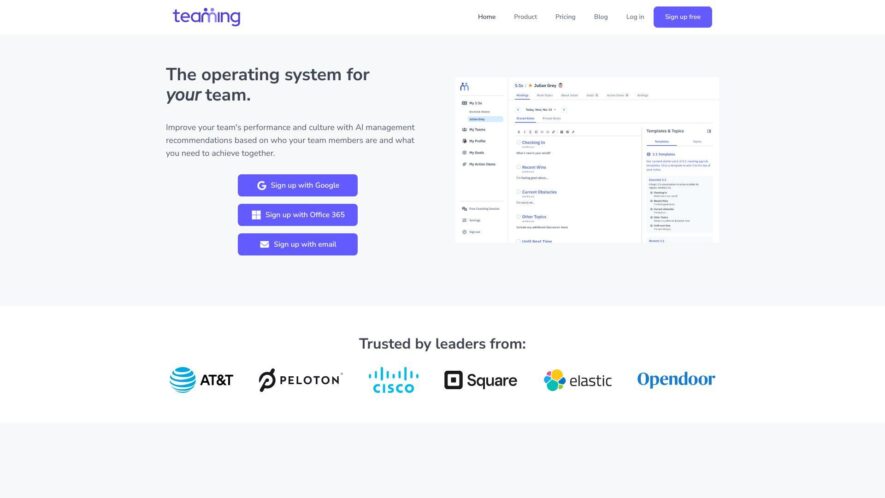
Teaming is a cloud-based platform designed for team collaboration and communication, offering a suite of tools to enhance productivity and workflow management. It enables teams to organize tasks, share files, and engage in discussions, while also providing features for time tracking, project management, and customer relationship...
Teaming is a cloud-based platform designed for team collaboration and communication, offering a suite of tools to enhance productivity and workflow management. It enables teams to organize tasks, share files, and engage in discussions, while also providing features for time tracking, project management, and customer relationship management. With customizable workflows and integrations with popular apps, Teaming aims to streamline team operations and improve overall performance, making it an ideal solution for businesses, freelancers, and remote teams of all sizes.
Customizable virtual offices with flexible layouts and personalized workspaces.
Real-time communication and collaboration tools for efficient teamwork.
Integrations with popular productivity apps and services for seamless workflows.
Secure data storage and encryption for protected file sharing.
Customizable permission controls for secure access and management.
Virtual event and meeting spaces for remote team gatherings.
Personalized onboarding and training for effortless adoption.
Advanced analytics and reporting for data-driven decision making.
You Got Questions,We Got Answers
What is Teaming?
Teaming is a free platform that enables individuals and teams to collaborate and work together on projects, share files, and communicate effectively in a secure and organized environment
How do I create a team?
To create a team, simply sign up for a Teaming account, click on the "Create a Team" button, enter your team name and description, and invite members to join
What features does Teaming offer?
Teaming offers a range of features including team chat, video conferencing, file sharing, task management, and integrations with popular tools like Google Drive and Trello
Is Teaming free?
Yes, Teaming is completely free to use, with no limits on the number of teams, members, or features, making it an ideal solution for teams of all sizes and types
How secure is Teaming?
Teaming takes security seriously, with enterprise-grade security measures in place, including end-to-end encryption, two-factor authentication, and regular security audits to ensure your data is protected
Can I customize my team?
Yes, Teaming allows you to customize your team's appearance and functionality, with options to add custom logos, colors, and integrations, as well as create custom channels and roles
Use cases
Finance
Teaming's virtual offices enable remote financial advisors to collaborate on client portfolios, share market research, and conduct virtual meetings, increasing productivity and enhancing customer experience
Healthcare
Medical teams use Teaming to coordinate patient care, share medical records, and conduct virtual consultations, improving patient outcomes and reducing costs
Education
Teaming's virtual classrooms facilitate online learning, enabling teachers to share resources, conduct virtual lectures, and collaborate with students, increasing student engagement and accessibility
Retail
Sales teams leverage Teaming to collaborate on product launches, share customer insights, and conduct virtual training sessions, driving revenue growth and improving customer satisfaction
Manufacturing
Teaming's virtual workspaces enable cross-functional teams to collaborate on product design, share production schedules, and conduct virtual quality control inspections, streamlining production and reducing costs
Government
Agencies use Teaming to coordinate disaster response efforts, share critical information, and conduct virtual briefings, enhancing situational awareness and response times
Traffic and Engagement
N/A
World wide
Monthly visitors (January)
N/A
Page/Visit
N/A
Visit Duration
N/A
Bounce Rate
N/A
Pricing
Paid
$99
Teaming Embeds
Copied!
Let your community know you're live on Skillcurb! Just drop a badge on your site’s homepage with just a few clicks. Showcasing the badge helps increase your visibility and connects you with users actively exploring top AI tools.