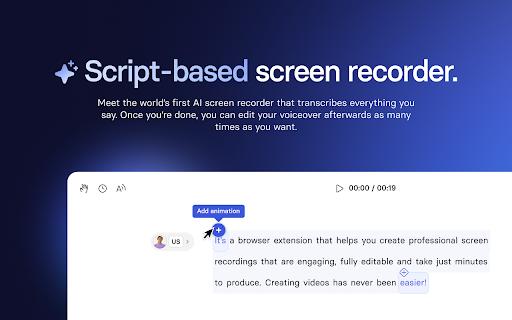
Introducing the Synthesia AI Screen Recorder, a cutting-edge tool designed to transform your screen recordings into high-quality videos effortlessly. This Chrome extension caters to a variety of users, from marketers to educators, enabling them to create professional-looking content without the need for extensive editing expertise. With...
Introducing the Synthesia AI Screen Recorder, a cutting-edge tool designed to transform your screen recordings into high-quality videos effortlessly. This Chrome extension caters to a variety of users, from marketers to educators, enabling them to create professional-looking content without the need for extensive editing expertise. With features like automatic transcription and scene splitting, it streamlines the video production process, making it accessible for anyone looking to enhance their communication. The AI seamlessly manages tasks like voiceover alignment and removes filler words, ensuring a polished final product that captivates viewers. Whether you aim to create compelling product demos, develop engaging tutorials, or showcase features in marketing videos, Synthesia has you covered. Say goodbye to complex editing software and hello to simplicity and clarity with Synthesia AI Screen Recorder. Unlock your potential to craft stunning videos that convey your message effectively and professionally.
Record screen with audio from microphone and system sounds simultaneously.
Capture entire screen, selected region, or single window with ease.
Trim and edit recorded video with precision and speed.
Add text, arrows, and shapes to highlight important information.
Export recordings in MP4, GIF, or WebM formats easily.
Upload videos directly to YouTube, Google Drive, or Dropbox.
Take screenshots and annotate them with text, arrows, and shapes.
Customize video quality, frame rate, and bitrate for optimal results.
You Got Questions,We Got Answers
What is Synthesia AI screen recorder?
Synthesia AI screen recorder is a Chrome extension that allows users to record their screen with audio, webcam, and system audio, providing a comprehensive recording experience with customizable settings and output formats
What features does Synthesia AI offer?
Synthesia AI offers a range of features, including screen recording, webcam recording, system audio recording, customizable video quality, and output formats such as MP4, WebM, and GIF
Is Synthesia AI screen recorder free?
Synthesia AI screen recorder is a free Chrome extension, but it offers in-app purchases for additional features and cloud storage, allowing users to access more advanced recording capabilities and storage options
How do I use Synthesia AI screen recorder?
To use Synthesia AI screen recorder, simply install the Chrome extension, grant the necessary permissions, and click the record button to start recording your screen, with options to pause, stop, and save your recording
Can I edit my recordings with Synthesia AI?
Synthesia AI screen recorder does not offer built-in editing capabilities, but users can edit their recordings using third-party video editing software, such as Adobe Premiere Pro, Final Cut Pro, or DaVinci Resolve
Is Synthesia AI screen recorder secure?
Synthesia AI screen recorder takes user privacy and security seriously, ensuring that all recordings are stored locally on the user's device, with optional cloud storage available for users who require additional storage options
Use cases
Healthcare
Medical professionals use Synthesia AI to record patient consultations, ensuring accurate documentation and reducing administrative burdens, allowing for more focused attention on high-value patient care and improved compliance with regulatory requirements
Finance
Financial advisors leverage Synthesia AI to record client meetings, enabling secure and compliant storage of sensitive information, and facilitating easier review and analysis of client interactions
Retail
Retailers utilize Synthesia AI to record customer interactions, providing valuable insights into customer preferences and pain points, and enabling data-driven improvements to customer service and sales strategies
Manufacturing
Quality control teams employ Synthesia AI to record equipment inspections, ensuring accurate documentation and facilitating swift identification and resolution of potential issues, reducing downtime and increasing overall efficiency
Marketing
Marketing teams use Synthesia AI to record customer feedback sessions, gaining actionable insights into customer needs and preferences, and informing data-driven marketing strategies that drive engagement and conversion
Education
Educators utilize Synthesia AI to record virtual lectures, enabling students to review and reinforce learning, and facilitating more effective assessment and feedback mechanisms, leading to improved student engagement and outcomes
Traffic and Engagement
Mar 2026 - May 2026
World wide
Monthly visitors (May)
197.3m
Page/Visit
2.8
Visit Duration
1m 54s
Bounce Rate
0.6%
Pricing
Free
$0
Synthesia AI Screen Recorder – Chrome Extension Embeds
Copied!
Let your community know you're live on Skillcurb! Just drop a badge on your site’s homepage with just a few clicks. Showcasing the badge helps increase your visibility and connects you with users actively exploring top AI tools.