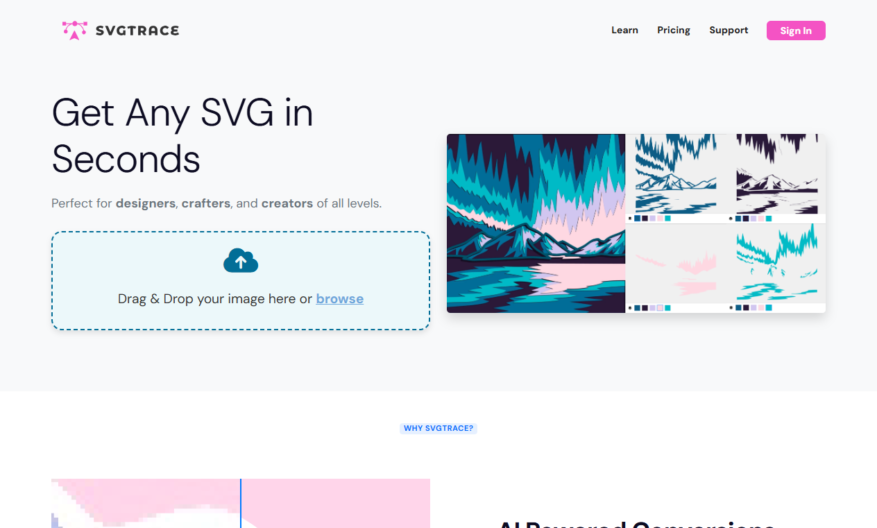
SvgTrace is a free tool designed to effortlessly convert images such as JPG and PNG into SVG format with the help of advanced AI enhancements. To get started, simply upload your image to SvgTrace and watch as it transforms into a high-quality SVG file, ready for...
SvgTrace is a free tool designed to effortlessly convert images such as JPG and PNG into SVG format with the help of advanced AI enhancements. To get started, simply upload your image to SvgTrace and watch as it transforms into a high-quality SVG file, ready for your projects. One of the standout features of SvgTrace is its ability to create color-layered SVG files, making it ideal for detailed cutting projects. With unlimited AI enhanced image conversions, users can expect stunning results every time. Moreover, SvgTrace includes powerful manual SVG editing tools, allowing for precise customization post-conversion. This flexibility enables users to convert low-resolution images into high-quality layered files easily. Whether you are a designer or a hobbyist, SvgTrace is your go-to solution for image conversions. If you have questions, their support team is readily available, ensuring a smooth experience. Start your creative journey with SvgTrace today!
Converts raster images to scalable vector graphics with high accuracy.
Supports various image formats including JPEG, PNG, and GIF.
Allows users to customize tracing options for optimal results.
Provides real-time preview of tracing process for instant feedback.
Supports batch processing for converting multiple images at once.
Offers advanced settings for fine-tuning tracing parameters.
You Got Questions,We Got Answers
What is SVGTrace?
SVGTrace is a free online SVG converter that helps users convert their images into scalable vector graphics (SVG) format, allowing for high-quality images that can be scaled up or down without losing quality
What file formats are supported?
SVGTrace supports a wide range of file formats, including PNG, JPEG, GIF, BMP, and more, making it easy to convert your images into SVG format regardless of the original file type
How does SVGTrace work?
SVGTrace uses advanced algorithms to analyze the uploaded image and recreate it as an SVG, allowing for a high level of accuracy and precision in the converted image
Is SVGTrace free to use?
Yes, SVGTrace is completely free to use, with no hidden fees or subscription costs, making it an affordable option for individuals, businesses, and organizations looking to convert their images into SVG format
Can I edit the SVG output?
Yes, the SVG output from SVGTrace can be easily edited using popular vector graphics editors like Adobe Illustrator, Sketch, or Inkscape, allowing for further customization and refinement of the converted image
What are the benefits of using SVG?
Using SVG format offers several benefits, including scalability, high-quality images, and reduced file sizes, making it an ideal choice for logos, icons, and other applications where high-quality images are required
Use cases
Healthcare
A medical illustrator uses SVGtrace to convert a complex MRI scan into a vector graphic, allowing for precise labeling and annotation for educational materials and presentations
Finance
A financial analyst uses SVGtrace to convert a chart from a legacy system into a vector format, enabling seamless integration with modern reporting tools and dashboards
Retail
An e-commerce company uses SVGtrace to convert product designs into vector formats, streamlining the production of customized merchandise and reducing errors in manufacturing
Marketing
A marketing agency uses SVGtrace to convert hand-drawn illustrations into scalable vector graphics, allowing for flexible branding and consistent visual identity across various campaigns and materials
Manufacturing
A university uses SVGtrace to convert 2D CAD designs into vector format, enabling students to focus on design principles and prototyping rather than manual drafting and redrafting
Education
A teacher uses SVGtrace to convert educational diagrams into interactive vector graphics, enhancing student engagement and understanding of complex concepts in subjects like biology and physics
Traffic and Engagement
Mar 2026 - May 2026
World wide
Monthly visitors (May)
125.9k
Page/Visit
2.5
Visit Duration
33s
Bounce Rate
0.5%
Pricing
Freemium
$12.99
SvgTrace Embeds
Copied!
Let your community know you're live on Skillcurb! Just drop a badge on your site’s homepage with just a few clicks. Showcasing the badge helps increase your visibility and connects you with users actively exploring top AI tools.