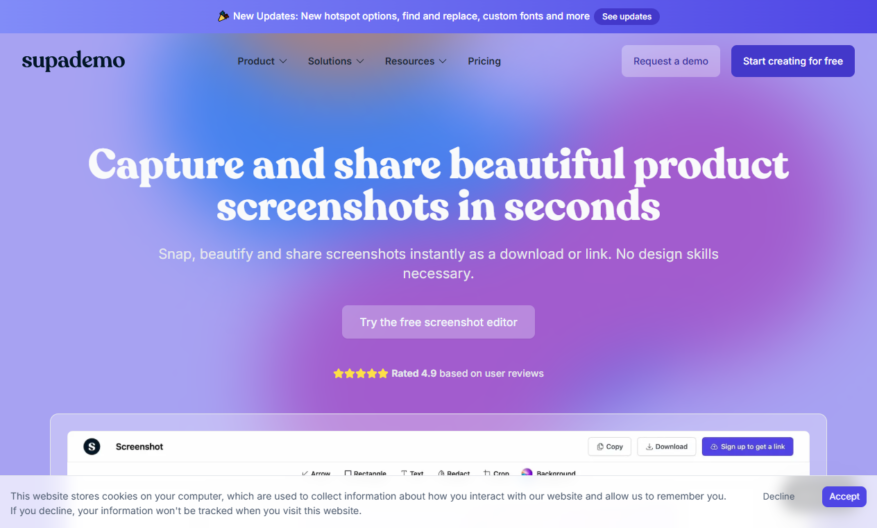
Supa Screenshot is an innovative tool designed to help users create and share stunning screenshots in just seconds. As a comprehensive solution for interactive demos and screen captures, it allows users to quickly capture a browser window or leverage handy shortcut keys for instant screen grabs....
Supa Screenshot is an innovative tool designed to help users create and share stunning screenshots in just seconds. As a comprehensive solution for interactive demos and screen captures, it allows users to quickly capture a browser window or leverage handy shortcut keys for instant screen grabs. With its built-in editing features, users can annotate and redact images efficiently, making it ideal for product marketing and training purposes. The platform also offers advanced analytics and dynamic variables, enhancing the overall user experience. It is free to use, making it accessible to everyone, while providing valuable support options through email and dedicated customer service. For those interested, signing up and logging in is straightforward with easy-to-follow links. Visit the Supademo website for pricing details and supplementary resources. Stay connected with Supa Screenshot on LinkedIn and Twitter for the latest updates and insights.
Capture full-page screenshots of websites with a single click.
Automatically detect and capture long scrolling pages.
Capture screenshots of websites in bulk with batch screenshot feature.
Supports capturing screenshots in various resolutions and custom sizes.
Allows annotating and editing screenshots with text, shapes, and more.
Enables sharing screenshots via links, email, or social media platforms.
Provides a screenshot history and gallery for easy access and management.
Offers a browser extension for quick and easy screenshot capturing.
You Got Questions,We Got Answers
What is Supa Screenshot used for?
Supa Screenshot is a free online tool used to capture and save screenshots of any webpage, article, or website, allowing users to annotate, highlight, and save the screenshot for personal or professional use.
How do I take a screenshot?
Simply enter the URL of the webpage you want to capture, select the desired screenshot size, and click the "Take Screenshot" button, and Supa Screenshot will generate a high-quality screenshot of the webpage.
Can I annotate the screenshot?
Yes, Supa Screenshot allows users to add annotations, highlights, and text to the screenshot, enabling users to emphasize important information, highlight key points, and save the annotated screenshot for future reference.
Is Supa Screenshot free to use?
Yes, Supa Screenshot is completely free to use, with no hidden costs, subscription fees, or limitations, allowing users to capture and save unlimited screenshots without incurring any costs.
Can I save the screenshot?
Yes, once you have taken and annotated the screenshot, you can save it to your local computer or device, or share it directly on social media platforms, via email, or through a link.
Is there a cloud storage option for screenshots?
Supa Screenshot offers optional cloud storage integration, allowing you to save and organize screenshots securely online for easy access from any device.
Use cases
Healthcare
Medical professionals use Supascreenshot to capture and annotate images of patient injuries, share with colleagues for consultation, and store securely in compliance with HIPAA regulations
Finance
Financial analysts use Supascreenshot to capture and highlight key data points in financial reports, share with team members, and track changes over time
Retail
E-commerce teams use Supascreenshot to capture and annotate product images, showcasing product features and defects, and share with quality control teams
Marketing
Marketers use Supascreenshot to capture and annotate website screenshots, track competitor pricing and product offerings, and share with cross-functional teams
Education
Teachers use Supascreenshot to capture and annotate educational resources, such as diagrams and charts, and share with students and colleagues
Manufacturing
Quality control teams use Supascreenshot to capture and annotate images of product defects, track issues, and share with manufacturing teams to improve product quality
Traffic and Engagement
N/A
World wide
Monthly visitors (January)
N/A
Page/Visit
N/A
Visit Duration
N/A
Bounce Rate
N/A
Pricing
Freemium
$36
Supa Screenshot Embeds
Copied!
Let your community know you're live on Skillcurb! Just drop a badge on your site’s homepage with just a few clicks. Showcasing the badge helps increase your visibility and connects you with users actively exploring top AI tools.