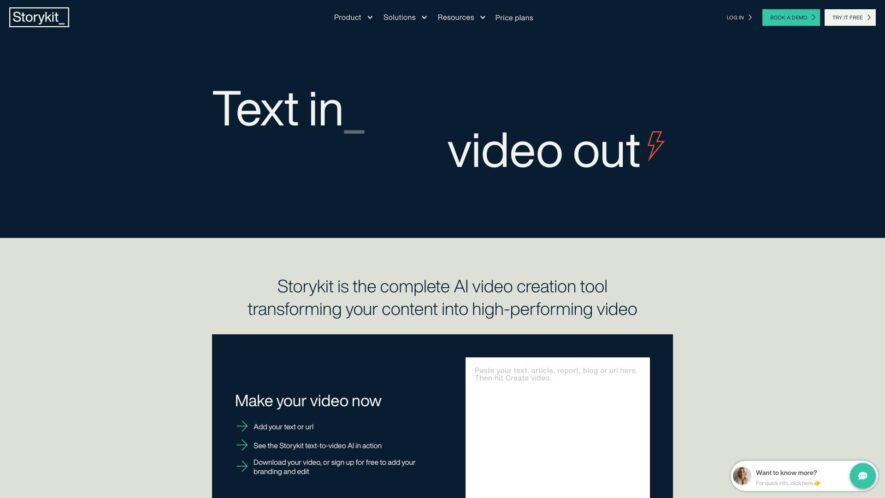
Storykit is a powerful AI video creation tool that transforms any text into engaging video content in just minutes. Designed for seamless collaboration, Storykit enables teams to streamline their video production process, significantly reducing costs while expediting publishing times. Users can effortlessly convert blog posts, reports,...
Storykit is a powerful AI video creation tool that transforms any text into engaging video content in just minutes. Designed for seamless collaboration, Storykit enables teams to streamline their video production process, significantly reducing costs while expediting publishing times. Users can effortlessly convert blog posts, reports, press releases, recruitment ads, and customer reviews into captivating videos, enhancing their digital storytelling capabilities. With its intuitive interface and advanced features, Storykit empowers businesses to elevate their content strategy and reach wider audiences. Whether you are a marketer, content creator, or business owner, Storykit provides the tools you need to create stunning videos that capture attention. For any inquiries or support, Storykit offers customer service and contact options through their website. Explore more about Storykit's pricing plans and sign up to start leveraging the benefits of AI-driven video creation today. Join the community on Facebook and LinkedIn to stay updated on the latest features and tips.
Automated video creation from blog posts and articles in minutes.
Customizable video templates with branding and style options.
Easy integration with popular content management systems like WordPress.
Fast video rendering with global content delivery network support.
High-quality video output with 4K resolution and 60fps frame rate.
Intelligent audio ducking and sound effects for engaging soundtracks.
Real-time collaboration and feedback tools for team workflows.
Seamless publishing to social media, websites, and ad platforms.
You Got Questions,We Got Answers
What is Storykit and what does it do?
Storykit is an all-in-one video creation platform that allows users to create professional-looking videos without requiring any video editing skills or experience, making it accessible to anyone who wants to create engaging video content.
How do I get started with Storykit?
To get started with Storykit, simply sign up for an account, choose a template or start from scratch, add your media and text, customize your video, and then export and download your final video in a matter of minutes, all within the Storykit platform.
Can I use Storykit on my mobile device?
Yes, Storykit is a web-based platform, which means you can use it on any device with a web browser, including desktops, laptops, mobile devices, and smartphones, making it easy to create videos on-the-go.
How do I add my own media to Storykit?
To add your own media to Storykit, simply click on the "Media" tab, select the type of media you want to upload, choose your file from your computer or mobile device, and then drag and drop it into your video project.
Can I customize the templates in Storykit?
Yes, Storykit's templates are fully customizable, allowing you to change the text, colors, fonts, and even add your own logo and branding to make your videos truly stand out and match your brand's identity.
What file formats does Storykit support?
Storykit supports a wide range of file formats, including MP4, AVI, MOV for video files, and JPEG, PNG, and GIF for image files, making it easy to work with a variety of media types.
How long does it take to render in Storykit?
The rendering time in Storykit depends on the complexity of your video project, the type of media used, and the export settings, but on average, rendering times are usually within a few minutes, making it quick and efficient.
Is Storykit suitable for beginners?
Yes, Storykit is designed to be user-friendly and accessible to anyone, regardless of their video editing experience or skills, making it an ideal platform for beginners, as well as professionals, who want to create high-quality video content quickly and easily.
Use cases
Healthcare
Pharmaceutical companies use Storykit to create interactive tutorials for patients on proper medication use, improving adherence rates and reducing hospital readmissions
Finance
Wealth management firms leverage Storykit to create personalized financial planning videos, increasing client engagement and assets under management
Marketing
Industrial equipment suppliers create interactive product demos with Storykit, reducing sales cycles and increasing order accuracy
Education
Agencies use Storykit to produce data-driven video campaigns, increasing click-through rates and conversion rates
Traffic and Engagement
Mar 2026 - May 2026
World wide
Monthly visitors (May)
50.8k
Page/Visit
2.7
Visit Duration
1m 31s
Bounce Rate
0.5%
Pricing
Paid
Contact Sales
Storykit Embeds
Copied!
Let your community know you're live on Skillcurb! Just drop a badge on your site’s homepage with just a few clicks. Showcasing the badge helps increase your visibility and connects you with users actively exploring top AI tools.