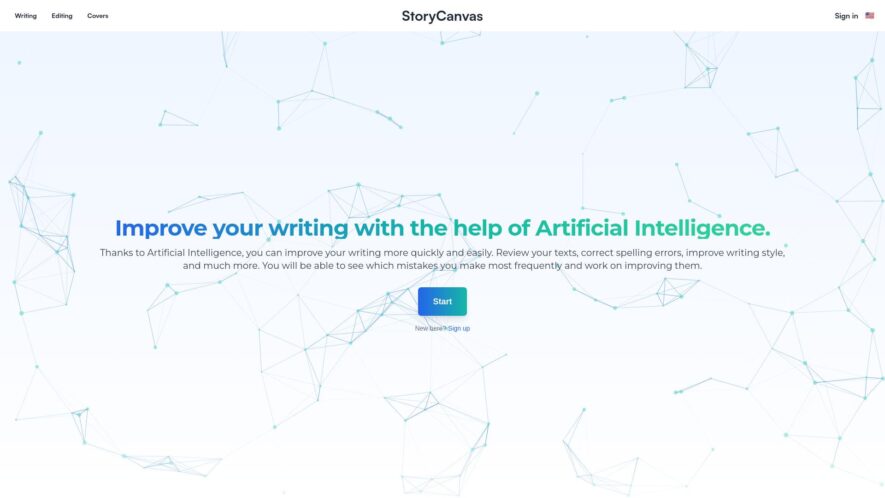
StoryCanvas is a digital storytelling tool that helps users create engaging narratives through a visual canvas, combining text, images, and emotions, allowing users to organize their thoughts, develop characters, and structure their story, with features such as a mood board, scene cards, and a timeline, making...
StoryCanvas is a digital storytelling tool that helps users create engaging narratives through a visual canvas, combining text, images, and emotions, allowing users to organize their thoughts, develop characters, and structure their story, with features such as a mood board, scene cards, and a timeline, making it ideal for writers, filmmakers, and creatives to bring their stories to life.
Organize story beats into a customizable, color-coded, and collapsible outline structure.
Create and arrange scenes, acts, and chapters with drag-and-drop functionality.
Visualize character arcs and story progression with a interactive timeline view.
Import and format manuscripts and screenplays with automatic formatting detection.
Track character appearances, goals, and motivations with a character database.
Analyze story pacing, tone, and conflict with a scene-by-scene breakdown.
Collaborate with others in real-time, with commenting and revision tracking features.
Export story outlines, manuscripts, and reports in various formats, including PDF and CSV.
You Got Questions,We Got Answers
What is StoryCanvas?
StoryCanvas is an AI-powered platform designed to help creators, writers, and storytellers plan, structure, and visualize their stories, making the creative process more efficient and organized.
Who can benefit from using StoryCanvas?
StoryCanvas is ideal for writers, authors, content creators, filmmakers, and game developers who want to map out and organize complex narratives and storylines.
How does StoryCanvas help with storytelling?
StoryCanvas provides a suite of tools for creating character arcs, plot outlines, scene structures, and world-building elements, helping users bring their stories to life with a cohesive structure.
Can I collaborate with others on StoryCanvas?
StoryCanvas allows for collaboration, enabling teams to work together on the same project in real-time, making it easier to brainstorm, organize, and develop stories collectively.
Does StoryCanvas support multimedia elements?
StoryCanvas supports the integration of images, videos, and other multimedia elements, allowing users to visually enrich their stories and make them more engaging.
Is StoryCanvas easy to use?
StoryCanvas is designed with an intuitive interface, making it easy for both experienced and novice storytellers to organize and structure their stories without technical expertise.
Can I export my story plans from StoryCanvas?
StoryCanvas allows users to export their story plans in various formats, including PDF and DOCX, for easy sharing, publishing, or further development.
Is StoryCanvas free to use?
StoryCanvas offers both free and premium plans, with the premium plan unlocking advanced features such as collaborative tools, enhanced export options, and unlimited project storage.
Use cases
Healthcare
A hospital uses StoryCanvas to create interactive patient journeys, visualizing treatment plans, medication schedules, and therapy sessions, improving patient understanding and adherence to care plans
Finance
A wealth management firm utilizes StoryCanvas to illustrate complex investment strategies, helping clients make informed decisions about their financial futures, increasing customer satisfaction and loyalty
Retail
An e-commerce company leverages StoryCanvas to design immersive brand stories, showcasing product features, customer testimonials, driving engagement, and boosting conversion rates
Manufacturing
A global manufacturer employs StoryCanvas to map out production workflows, identifying inefficiencies, and optimizing supply chain logistics, resulting in reduced costs and improved product quality
Marketing
A digital marketing agency uses StoryCanvas to develop compelling narratives for social media campaigns, increasing brand awareness, and driving website traffic
Education
A university deploys StoryCanvas to create interactive lesson plans, making complex concepts more accessible, and increasing student engagement and retention rates
Traffic and Engagement
Feb 2026 - Apr 2026
World wide
Monthly visitors (April)
15.5k
Page/Visit
4.4
Visit Duration
3m 49s
Bounce Rate
0.5%
Pricing
Free
$0
StoryCanvas Embeds
Copied!
Let your community know you're live on Skillcurb! Just drop a badge on your site’s homepage with just a few clicks. Showcasing the badge helps increase your visibility and connects you with users actively exploring top AI tools.