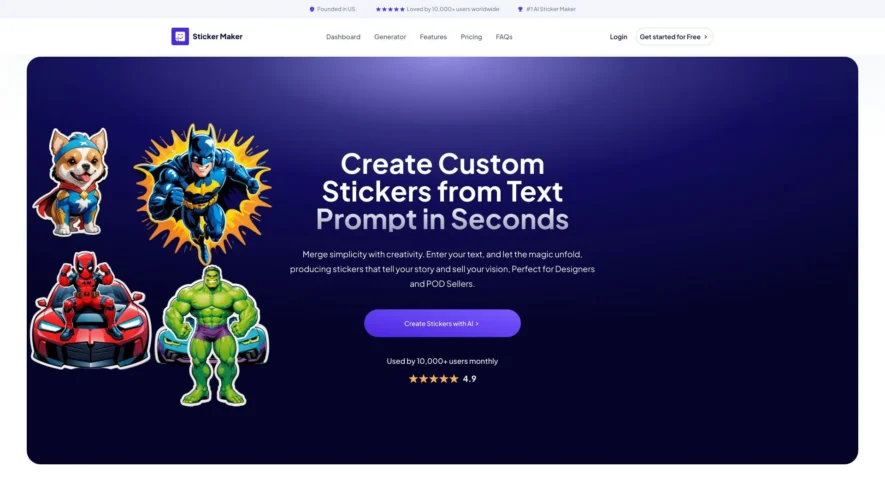
Sticker Maker is a powerful and intuitive tool designed for anyone looking to create custom stickers with ease. You do not need any design skills to get started; simply enter your desired text and let the AI generate unique sticker designs for you. With its advanced...
Sticker Maker is a powerful and intuitive tool designed for anyone looking to create custom stickers with ease. You do not need any design skills to get started; simply enter your desired text and let the AI generate unique sticker designs for you. With its advanced customization tools, Sticker Maker caters especially to print-on-demand sellers, offering features such as dual-image stickers and high-quality upscaling to ensure your creations stand out. You can also choose a transparent background option for a more professional look. Whether you want to personalize laptops, decorate water bottles, or enhance storefronts, Sticker Maker provides versatile use cases to suit your needs. The platform is user-friendly and integrates seamlessly with Photopea for enhanced design capabilities. If you have questions, their dedicated support team can be reached via a straightforward contact email. You can explore the tool further by visiting their website for login, sign up, and pricing details. Discover the joy of sticker creation with Sticker Maker today.
Design and create custom stickers with various shapes, sizes, and colors.
Edit and customize sticker templates with ease using advanced editing tools.
Create stickers with transparent backgrounds for seamless integration.
Choose from a vast library of fonts, icons, and graphics.
Upload custom images and graphics to use in sticker design.
Download stickers in various formats, including PNG, SVG, and JPG.
Share and collaborate on sticker designs in real-time with others.
Access a vast collection of sticker templates and design inspiration resources.
You Got Questions,We Got Answers
What is Sticker Maker used for?
Sticker Maker is a free online tool that allows users to design and generate custom stickers for personal or commercial use, providing a wide range of templates, fonts, and editing features to create unique stickers.
Can I use Sticker Maker for free?
Yes, Sticker Maker is completely free to use, with no hidden fees or subscription plans, allowing users to design and download stickers in various formats, including PNG, JPG, and PDF.
How do I design a sticker on Sticker Maker?
To design a sticker, simply choose a template, add text or images, customize the layout, and adjust the colors and fonts to fit your needs, then download your sticker in your preferred format.
What file formats can I download stickers in?
Sticker Maker allows users to download stickers in PNG, JPG, and PDF, making it easy to use on various platforms, including social media, websites, and printing services.
Can I use Sticker Maker for business use?
Sticker Maker is suitable for business use, allowing companies to create custom stickers for branding, marketing, and promotions, with the ability to download high-resolution stickers for professional printing.
How do I save my sticker design progress?
Sticker Maker does not require users to create an account or log in, however, users can bookmark their design progress or take a screenshot to save their work, allowing them to easily access their design later.
Is Sticker Maker available on mobile devices?
Yes, Sticker Maker is fully compatible with mobile devices, including smartphones and tablets, allowing users to create stickers on-the-go, using their mobile browser.
Can I use Sticker Maker offline?
No, Sticker Maker requires an active internet connection to access the tool and its features, however, users can design stickers online and download them for offline use.
Use cases
Healthcare
Medical offices use StickerMaker to create custom labels for patient files, medical supplies, and equipment, ensuring accurate identification and organization
Finance
Banks design stickers for ATM cards, credit cards, and promotional materials, enhancing brand recognition and customer experience
Retail
Retailers create stickers for product pricing, inventory management, and in-store displays, streamlining operations and improving customer satisfaction
Manufacturing
Manufacturers use StickerMaker to design labels for product packaging, inventory tracking, and quality control, increasing brand visibility and efficiency
Marketing
Agencies design custom stickers for events, promotions, and product launches, generating buzz and driving brand engagement
Education
Teachers create stickers for classroom organization, lesson planning, and student rewards, fostering a positive and engaging learning environment
Traffic and Engagement
N/A
World wide
Monthly visitors (January)
N/A
Page/Visit
N/A
Visit Duration
N/A
Bounce Rate
N/A
Pricing
Paid
Contact Sales
Sticker Maker Embeds
Copied!
Let your community know you're live on Skillcurb! Just drop a badge on your site’s homepage with just a few clicks. Showcasing the badge helps increase your visibility and connects you with users actively exploring top AI tools.