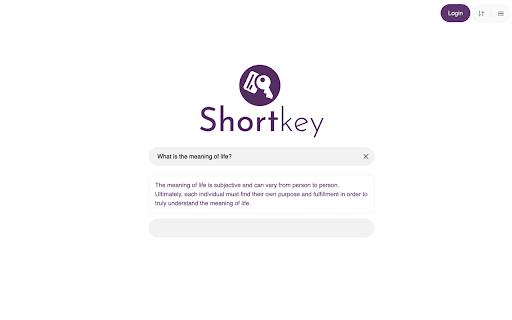
Shortkey is a powerful Chrome extension designed to enhance your browsing experience by allowing you to navigate the internet with exceptional efficiency. With Shortkey, you can create customizable keyboard shortcuts that enable quick access to your favorite websites or specific search actions. This means that instead...
Shortkey is a powerful Chrome extension designed to enhance your browsing experience by allowing you to navigate the internet with exceptional efficiency. With Shortkey, you can create customizable keyboard shortcuts that enable quick access to your favorite websites or specific search actions. This means that instead of typing out long URLs or searching through bookmarks, you can simply press a key or two to get to the content you need. The extension includes an integrated calculator and password generator, making it a versatile tool for both productivity and safety. Whether you want to open frequently visited sites or utilize essential tools, Shortkey streamlines the process with user-friendly commands. Furthermore, its AI feature allows for automated actions, making your online tasks easier than ever. Start using Shortkey today to transform the way you browse the web and improve your overall internet navigation.
Customizable keyboard shortcuts for rapid access to favorite websites and web tools.
Effortless navigation with auto-complete suggestions for swift browsing experience.
Personalized shortcut management with drag-and-drop reordering and deletion.
Comprehensive shortcut search functionality for quick discovery.
Seamless integration with automatic syncing across all Google Chrome devices.
Custom shortcut creation with support for complex keyboard combinations.
Real-time shortcut suggestions based on browsing history and preferences.
Detailed shortcut usage statistics for optimizing workflow and productivity.
You Got Questions,We Got Answers
What is Shortkeys?
Shortkeys is a Chrome extension that allows users to create custom keyboard shortcuts for repetitive tasks, increasing productivity and efficiency in their daily workflow
How do I install Shortkeys?
Install Shortkeys by clicking the "Add to Chrome" on the Chrome Web Store, and following the prompts to complete the installation process, then configure your shortcuts in the options page
What kind of shortcuts can I create?
Create custom shortcuts for tasks like bookmarking, scrolling, switching tabs, and more, with the ability to customize the keyboard shortcut and the action it performs
Can I customize the shortcuts?
Yes, customize your shortcuts by assigning a unique keyboard shortcut to each action, and configure the extension to work with specific websites or in incognito mode
How do I use Shortkeys?
Use Shortkeys by pressing the custom keyboard shortcut you created, and the action will be performed, such as opening a new tab or scrolling to the top of the page
Will Shortkeys work with other extensions?
Yes, Shortkeys is designed to work seamlessly with other Chrome extensions, allowing you to create custom shortcuts that integrate with your existing workflow
Use cases
Healthcare
Medical transcriptionists use ShortKey to quickly insert frequently used medical abbreviations and phrases, increasing productivity and accuracy in electronic health records
Finance
Financial analysts leverage ShortKey to rapidly enter complex financial formulas and notation, streamlining report creation and reducing errors
Manufacturing
Quality control inspectors utilize ShortKey to quickly insert standardized defect codes and descriptions, facilitating efficient data collection and analysis
Marketing
Social media managers employ ShortKey to rapidly enter frequently used hashtags and brand mentions, saving time and increasing engagement
Education
Professors use ShortKey to quickly insert frequently used equations and formulas in online lectures, improving instructional efficiency and student understanding
Retail
Customer service representatives utilize ShortKey to rapidly enter common product descriptions and troubleshooting steps, enhancing customer satisfaction and resolution rates
Traffic and Engagement
Mar 2026 - May 2026
World wide
Monthly visitors (May)
197.3m
Page/Visit
2.8
Visit Duration
1m 54s
Bounce Rate
0.6%
Pricing
Paid
Contact Sales
Shortkey – Chrome Extension Embeds
Copied!
Let your community know you're live on Skillcurb! Just drop a badge on your site’s homepage with just a few clicks. Showcasing the badge helps increase your visibility and connects you with users actively exploring top AI tools.