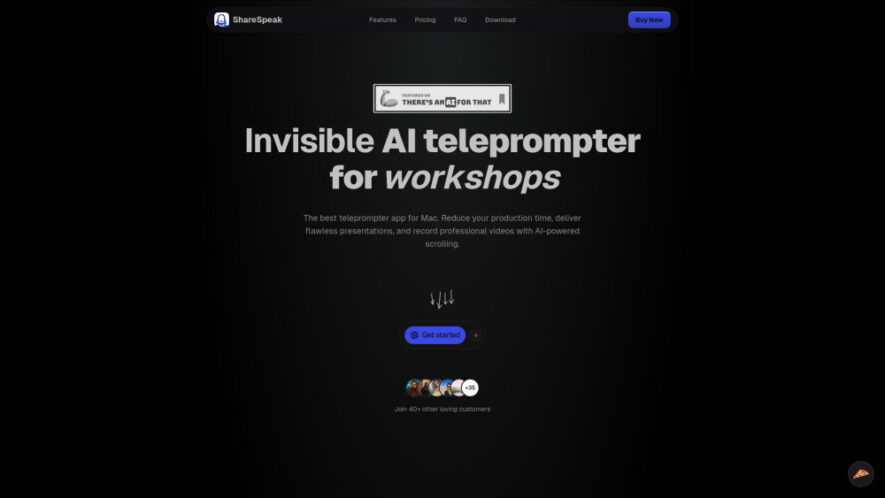
ShareSpeak is an AI-powered invisible teleprompter built for presenters, educators, and content creators who want smooth, confident delivery. It uses voice-activated scrolling that automatically follows natural speech while remaining completely hidden during screen sharing and recordings. With multilingual support, customizable text appearance, adaptive scrolling speed, keyboard...
ShareSpeak is an AI-powered invisible teleprompter built for presenters, educators, and content creators who want smooth, confident delivery. It uses voice-activated scrolling that automatically follows natural speech while remaining completely hidden during screen sharing and recordings. With multilingual support, customizable text appearance, adaptive scrolling speed, keyboard shortcuts, and compatibility with both Mac and Windows, ShareSpeak simplifies presentations, webinars, tutorials, product demos, and professional video production.
Invisible teleprompter remains hidden during screen sharing and video recordings completely.
AI voice-controlled scrolling follows natural speaking pace without manual adjustments automatically.
Automatically detects spoken languages for accurate multilingual teleprompter performance during presentations.
Customize text size, colors, fonts, and scrolling speed for better readability.
Hands-free operation improves presentation confidence and reduces distractions while speaking live.
Keyboard shortcuts provide quick controls for efficient teleprompter navigation during sessions.
Works seamlessly across Mac and Windows for flexible professional presentation workflows everywhere.
Adaptive scrolling ensures scripts remain synchronized with natural speech throughout presentations consistently.
You Got Questions,We Got Answers
1. What makes ShareSpeak different from traditional teleprompters?
ShareSpeak stays completely invisible during screen sharing and recordings while using AI-powered voice-controlled scrolling. This allows presenters to deliver content naturally without viewers seeing the teleprompter or requiring manual scrolling during presentations.
2. Does ShareSpeak support voice-controlled scrolling automatically?
Yes. ShareSpeak uses AI to recognize natural speech and automatically scroll the script at an appropriate pace. This hands-free experience helps presenters stay focused on delivering engaging and confident presentations.
3. Which operating systems are supported by ShareSpeak?
ShareSpeak is available for both Mac and Windows devices. Users can install the application on either platform and enjoy the same invisible teleprompter functionality with voice-controlled scrolling and customization features.
4. Can I customize the teleprompter display settings?
Yes. Users can personalize text size, font style, text color, scrolling speed, and keyboard shortcuts to create a comfortable reading experience that matches their presentation preferences and workflow.
5. Is ShareSpeak visible during screen recordings or sharing?
No. ShareSpeak remains completely invisible while screen sharing and recording. Your audience only sees your presentation or application, making it ideal for webinars, demos, and professional video production.
6. Does the software support multiple languages effectively?
Yes. ShareSpeak includes multilingual support with automatic language detection, allowing presenters to deliver scripts in different languages while maintaining accurate AI-powered voice-controlled scrolling performance throughout presentations.
7. Can users receive refunds after purchasing ShareSpeak?
Yes. ShareSpeak offers a 30-day money-back guarantee. Users who are not satisfied with the software can request a refund according to the company's refund policy and applicable purchase terms.
8. How can customers contact ShareSpeak support quickly?
Users can contact the ShareSpeak support team through the Contact page available in the Legal section of the official website for assistance with technical issues, licensing, or general product questions.
Use cases
Presentations
Deliver professional presentations confidently using invisible AI teleprompting with natural voice-controlled scrolling and customizable display settings.
Demos
Conduct engaging product demonstrations while maintaining eye contact and following scripts without manual scrolling interruptions.
Tutorials
Create educational tutorials with smooth script guidance, improving accuracy, confidence, and overall content delivery quality.
Webinars
Host webinars professionally using invisible teleprompting that keeps presentations organized without distracting the audience.
Videos
Produce high-quality video content with AI-assisted script scrolling for natural, polished, and consistent delivery.
Training
Support employee training sessions using hands-free teleprompting that improves communication and presentation confidence throughout lessons.
Meetings
Lead virtual meetings with prepared talking points while maintaining natural conversation and professional communication flow.
Speaking
Enhance public speaking performance through AI-guided script assistance that keeps presentations smooth, confident, and engaging.
Traffic and Engagement
May 2026 - Jul 2026
World wide
Monthly visitors (July)
4.5k
Page/Visit
2.04
Visit Duration
8s
Bounce Rate
34.03%
Pricing
Paid
$13.50
ShareSpeak Embeds
Copied!
Let your community know you're live on Skillcurb! Just drop a badge on your site’s homepage with just a few clicks. Showcasing the badge helps increase your visibility and connects you with users actively exploring top AI tools.