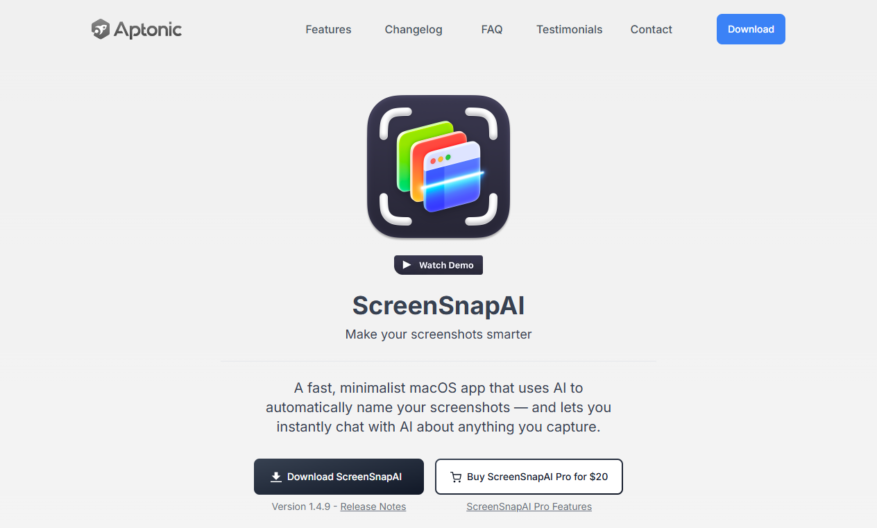
ScreenSnap is an innovative solution designed to revolutionize the way you manage your screenshots on macOS. This powerful tool enables users to effortlessly capture, search, and organize their screenshots with the help of advanced AI technology. By downloading and installing ScreenSnapAI from the Mac App Store,...
ScreenSnap is an innovative solution designed to revolutionize the way you manage your screenshots on macOS. This powerful tool enables users to effortlessly capture, search, and organize their screenshots with the help of advanced AI technology. By downloading and installing ScreenSnapAI from the Mac App Store, you can immediately start benefiting from its robust features. The application automatically generates smart names, descriptions, and keywords for your screenshots using cutting-edge GPT-4 capabilities. With lightning-fast full text search and the ability to filter screenshots with Smart Folders, finding specific images has never been easier. ScreenSnapAI is perfect for those looking to streamline a large collection of screenshots or quickly locate particular images through AI-powered search functionality. Whether you need a free or pro version, the application's flexibility caters to various needs. For any inquiries or support, Aptonic LLC provides dedicated customer service to assist users. Experience the future of screenshot management with ScreenSnapAI today.
Automatically detects and extracts text from screenshots with high accuracy.
Rapidly processes images and returns extracted text in seconds.
Supports multiple languages, including English, Spanish, French, and more.
Integrates with popular platforms, such as Slack, and Google Drive.
Offers a user-friendly API for seamless integration with custom applications.
Provides an intuitive dashboard for easy management and tracking.
Delivers accurate results, even with low-quality or distorted screenshots.
Offers flexible pricing plans, including a free plan, to suit various needs.
You Got Questions,We Got Answers
What is Screensnap.ai?
Screensnap.ai is an AI-powered screenshot generator that helps users create high-quality, customizable screenshots for various purposes, including marketing, social media, and blogging, without requiring any design experience.
Can I customize screenshots?
Yes, Screensnap.ai offers a range of customization options, including font styles, colors, and layouts, allowing users to tailor their screenshots to fit their brand's visual identity and messaging.
Is Screensnap.ai free?
Screensnap.ai offers a free plan with limited features and a paid subscription with additional features, including higher-resolution screenshots and priority customer support, making it accessible to individuals and businesses of all sizes.
How does it work?
Screensnap.ai uses AI algorithms to analyze the input text and generate a visually appealing screenshot, taking into account factors such as color scheme, typography, and composition to create a professional-looking result.
Do I need design skills?
No, Screensnap.ai is designed to be user-friendly, and no design skills are necessary to use the platform, making it accessible to anyone who wants to create professional-looking screenshots without the need for extensive training.
Can I use it for commercial purposes?
Yes, Screensnap.ai is suitable for commercial use, and many businesses and entrepreneurs use the tool to create high-quality screenshots for marketing campaigns, social media, and website content.
What file formats are supported?
Screensnap.ai supports various file formats, including PNG, JPG, and GIF, allowing users to choose the format that best suits their needs and ensure compatibility with different platforms and devices.
Is customer support available?
Yes, Screensnap.ai takes the security and integrity of its users' data seriously and offers priority customer support to help with any questions or issues, ensuring a smooth and hassle-free experience.
Use cases
Healthcare
Doctors use Screensnap.ai to capture and annotate medical records, streamlining patient consultations and reducing errors
Finance
Financial analysts leverage Screensnap.ai to create interactive reports, enhancing client understanding and decision-making
Retail
E-commerce teams utilize Screensnap.ai-powered product demos, increasing customer engagement and conversion rates
Manufacturing
Quality control inspectors employ Screensnap.ai to document and analyze product defects, improving production efficiency and reducing costs
Marketing
Influencers and content creators use Screensnap.ai to create interactive tutorials and how-to guides, boosting audience engagement and brand loyalty
Education
Teachers and instructors integrate Screensnap.ai into their lesson plans, creating immersive and interactive learning experiences that enhance student understanding and retention
Traffic and Engagement
Mar 2026 - May 2026
World wide
Monthly visitors (May)
5.7k
Page/Visit
1.2
Visit Duration
6s
Bounce Rate
0.7%
Pricing
Freemium
$20
ScreenSnap Embeds
Copied!
Let your community know you're live on Skillcurb! Just drop a badge on your site’s homepage with just a few clicks. Showcasing the badge helps increase your visibility and connects you with users actively exploring top AI tools.