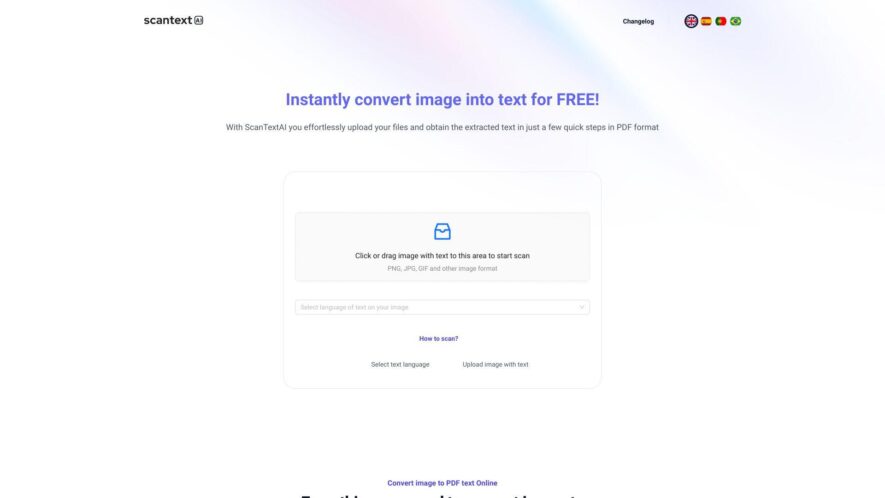
ScanText AI is an AI-powered tool that extracts and converts text from images, PDFs, and scanned documents into editable formats effortlessly. By leveraging advanced OCR technology, it ensures high accuracy and supports multiple languages. Users can quickly digitize printed materials, making data accessible and searchable. Ideal...
ScanText AI is an AI-powered tool that extracts and converts text from images, PDFs, and scanned documents into editable formats effortlessly. By leveraging advanced OCR technology, it ensures high accuracy and supports multiple languages. Users can quickly digitize printed materials, making data accessible and searchable. Ideal for students, professionals, and businesses, ScanText AI streamlines document management and reduces the time spent on manual data entry or transcription tasks.
AI-powered OCR technology that accurately extracts text from images, scanned documents, and screenshots.
Supports multiple image formats, including JPG, PNG, BMP, GIF, TIFF, and WEBP, ensuring versatility in file handling.
Recognizes text in over 50 languages, facilitating multilingual document processing.
Allows users to edit extracted text before saving, enabling corrections and customizations.
Provides options to save extracted text in PDF or Word (DOCX) formats for easy sharing and storage.
Ensures user privacy by processing files locally without uploading them to external servers.
User-friendly interface with drag-and-drop functionality for seamless operation.
Completely free to use, with no registration required, making it accessible to all users.
You Got Questions,We Got Answers
What is Scantext AI?
Scantext AI is an online OCR tool that converts images containing text into editable digital text.
How does Scantext AI work?
Scantext AI uses advanced Optical Character Recognition to extract text from uploaded images.
What image formats does Scantext AI support?
Scantext AI supports common formats like JPG, PNG, BMP, GIF, TIFF, and WEBP for image uploads.
Is Scantext AI free to use?
Scantext AI appears to offer a free service with limitations, and paid options for more features.
Can I edit the text extracted by Scantext AI?
Scantext AI Yes,it allows you to edit the extracted text before saving or exporting it.
In how many languages does Scantext AI recognize text?
Scantext AI supports text recognition in over 50 different languages for its users.
Does Scantext AI store my uploaded files?
Scantext AI states that user files are only stored on the user's device during processing, prioritizing privacy.
Can I save the extracted text as a PDF?
Scantext AI Yes,it provides the option to save the converted text in a searchable PDF format.
Use cases
Marketing
Marketers leverage ScanTextAI to swiftly convert images of promotional materials such as flyers and posters into editable text, facilitating quick updates and repurposing of content across various campaigns and platforms.
Education
Educational institutions utilize ScanTextAI to digitize handwritten notes and printed study materials, enabling easier distribution, editing, and archiving of educational content for students and faculty.
Retail
Retailers employ ScanTextAI to extract product information from images and scanned documents, streamlining inventory management and enhancing the accuracy of product listings in online and physical stores.
Manufacturing
Manufacturers use ScanTextAI to digitize equipment manuals and maintenance records from scanned documents, improving accessibility to critical information and supporting efficient operational workflows.
Healthcare
Healthcare providers apply ScanTextAI to convert scanned medical records and prescriptions into editable text, enhancing patient data management and ensuring quick access to accurate information.
Finance
Financial institutions utilize ScanTextAI to extract data from scanned financial documents such as invoices and receipts, facilitating efficient processing, record-keeping, and compliance with regulatory requirements.
Traffic and Engagement
Feb 2026 - Apr 2026
World wide
Monthly visitors (April)
1k
Page/Visit
5
Visit Duration
1m 4s
Bounce Rate
N/A
Pricing
Free
$0
Scantext AI Embeds
Copied!
Let your community know you're live on Skillcurb! Just drop a badge on your site’s homepage with just a few clicks. Showcasing the badge helps increase your visibility and connects you with users actively exploring top AI tools.