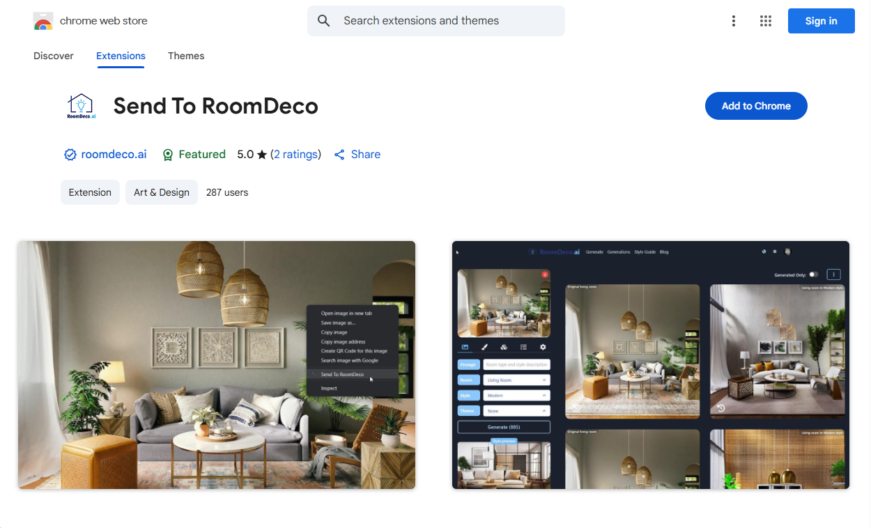
Send to RoomDECo is a Chrome extension that allows users to easily share web pages, images, and text with RoomDECo, a 3D room design and decoration platform, with just a few clicks. The extension adds a "Send to RoomDECo" button to the browser toolbar, enabling users...
Send to RoomDECo is a Chrome extension that allows users to easily share web pages, images, and text with RoomDECo, a 3D room design and decoration platform, with just a few clicks. The extension adds a "Send to RoomDECo" button to the browser toolbar, enabling users to quickly send content to their RoomDECo account for use in their 3D room designs. This extension is ideal for interior designers, architects, and homeowners looking to visualize and design their spaces more efficiently.
Send products from any website directly to Room Decor's shopping cart.
Automatically extract product information including images and descriptions.
Easily organize and categorize products using Room Decor's folders.
Quickly add products to existing or new boards with a single click.
View product details and prices in Room Decor's product viewer.
Search and filter products by name, price, or category.
Add products to Room Decor's wishlist for later reference.
Access Room Decor's product recommendations and design inspiration.
You Got Questions,We Got Answers
What is Send to Roomdeco?
Send to Roomdeco Send to Roomdeco is a Chrome extension designed to help users send and organize content directly to their Roomdeco account. It simplifies the process of saving and managing items for interior design projects.
How does Send to Roomdeco work?
Send to Roomdeco The extension allows users to send images, links, and other content directly to their Roomdeco account with a single click. It integrates seamlessly with the browser to streamline the saving process.
Is Send to Roomdeco free to use?
Send to Roomdeco Yes, Send to Roomdeco is free to use. Users can download and install the extension from the Chrome Web Store without any cost.
Can I customize Send to Roomdeco's features?
Send to Roomdeco The extension offers basic customization options, such as organizing saved content into specific categories or projects within the Roomdeco platform.
Is Send to Roomdeco available on mobile?
Send to Roomdeco Currently, Send to Roomdeco is only available as a Chrome extension for desktop browsers. Mobile support may be added in the future.
Does Send to Roomdeco store user data?
Send to Roomdeco The extension may store user data temporarily to facilitate the sending process, but it adheres to privacy policies to ensure data security.
How accurate is Send to Roomdeco?
Send to Roomdeco The extension is highly accurate in sending content to the Roomdeco platform, ensuring that saved items are correctly organized and accessible.
Can I integrate Send to Roomdeco with other platforms?
Send to Roomdeco The extension is specifically designed for use with the Roomdeco platform and does not support integration with other tools or services.
Is Send to Roomdeco safe to use?
Send to Roomdeco Yes, Send to Roomdeco is safe to use. It follows standard security practices to protect user data and ensure a secure experience.
How can I contact Send to Roomdeco support?
Send to Roomdeco Users can contact Send to Roomdeco support through the official Roomdeco website or the Chrome Web Store support page for assistance.
Use cases
Healthcare
Doctors can use Send to RoomDecko to share 3D models of patient scans with colleagues, facilitating collaborative diagnosis and treatment planning, and improving patient outcomes
Finance
Financial advisors can utilize Send to RoomDecko to share interactive 3D models of investment portfolios with clients, enhancing understanding and engagement, and driving more informed investment decisions
Retail
Retailers can leverage Send to RoomDecko to create immersive, interactive 3D product demonstrations, allowing customers to explore products from every angle, and increasing online sales and customer satisfaction
Manufacturing
Design engineers can employ Send to RoomDecko to share complex 3D designs with cross-functional teams, streamlining collaboration, and accelerating product development and prototyping
Marketing
Marketers can use Send to RoomDecko to create engaging, interactive 3D experiences for customers, enhancing brand storytelling, and driving emotional connections and brand loyalty
Education
Teachers can utilize Send to RoomDecko to create interactive 3D lessons, making complex concepts more accessible and engaging for students, and improving learning outcomes and student motivation
Traffic and Engagement
Apr 2026 - Jun 2026
World wide
Monthly visitors (June)
209.8m
Page/Visit
2.9
Visit Duration
1m 55s
Bounce Rate
0.6%
Pricing
FREE
$0
RoomDeco AI – Chrome Extension Embeds
Copied!
Let your community know you're live on Skillcurb! Just drop a badge on your site’s homepage with just a few clicks. Showcasing the badge helps increase your visibility and connects you with users actively exploring top AI tools.