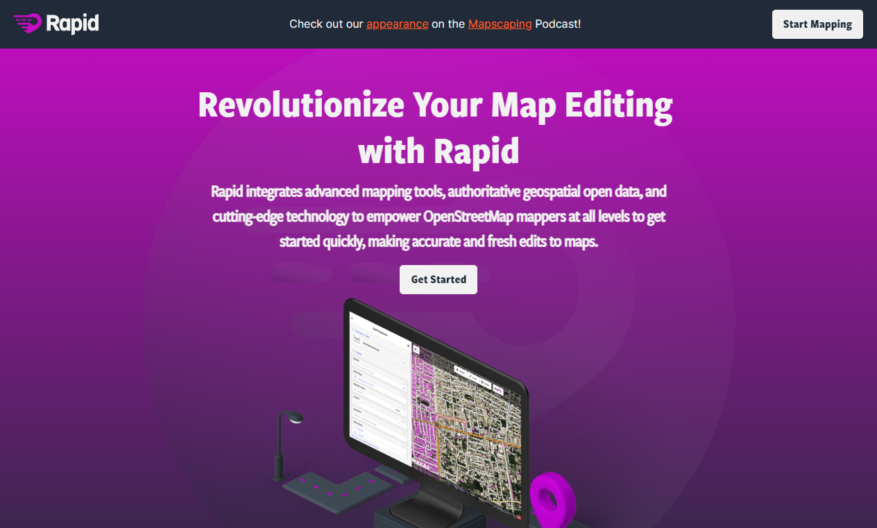
Introducing our revolutionary tool that transforms the way you manage your tasks and projects. This tool is designed to enhance your productivity by offering a user-friendly interface and powerful features that streamline your workflow. With its intuitive design , you can easily create, organize, and prioritize...
Introducing our revolutionary tool that transforms the way you manage your tasks and projects. This tool is designed to enhance your productivity by offering a user-friendly interface and powerful features that streamline your workflow. With its intuitive design , you can easily create, organize, and prioritize tasks, ensuring you stay on top of your deadlines. The tool also incorporates advanced analytics to provide insights into your performance, helping you identify areas for improvement. Additionally, seamless collaboration options allow team members to communicate effectively, enhancing overall project efficiency. Experience the benefits of utilizing automation features that take care of repetitive tasks, giving you more time to focus on creative solutions. Whether you are a solo entrepreneur or part of a large organization, this tool adapts to your needs, ensuring scalability and flexibility. You will appreciate the customizability that lets you tailor the tool to fit your unique workflow. Join the countless users who have positively transformed their productivity and discover an experience that is both enriching and empowering. Unlock your potential with this innovative tool today.
Real-time collaboration with multiple users editing simultaneously.
Automatic saving with version history and rollback.
Customizable interface with themes, layouts, and shortcuts.
Advanced code completion with syntax highlighting and suggestions.
Integrated debugging with error reporting and code inspection.
Support for over 100 programming languages and file types.
Seamless integration with GitHub, GitLab, and other version control systems.
Extensive plugin library with additional features and functionality.
You Got Questions,We Got Answers
What is RapidEditor?
RapidEditor is a free, open-source, and web-based code editor that allows users to edit files and projects online, providing a collaborative environment with real-time feedback and syntax highlighting
What platforms does it support?
RapidEditor supports a wide range of platforms, including Windows, macOS, and Linux, and is accessible via web browsers such as Google Chrome, Mozilla Firefox, and Microsoft Edge
Is RapidEditor free to use?
Yes, RapidEditor is completely free to use, with no subscription fees or hidden costs, making it an ideal solution for individuals, teams, and organizations of all sizes
What programming languages does it support?
RapidEditor supports a wide range of programming languages, including HTML, CSS, JavaScript, PHP, Python, Ruby, and many more, with syntax highlighting and code completion features
Can I use RapidEditor offline?
No, RapidEditor is a web-based application and requires a stable internet connection to function, but it does offer a responsive design that adapts to different screen sizes and devices
How do I get started with RapidEditor?
To get started with RapidEditor, simply visit the website, create an account, and start creating a new project or uploading existing files, with optional tutorials and guides available to help you get familiar with the interface
Is RapidEditor secure?
Yes, RapidEditor takes security seriously, with data encryption, secure authentication, and regular backups, ensuring that your files and projects are safe and protected from unauthorized access
Can I customize RapidEditor?
Yes, RapidEditor offers a range of customization options, including theme selection, layout adjustments, and plugin integrations, allowing you to tailor the editor to your specific needs and preferences
Use cases
Healthcare
RapidEditor enables medical researchers to collaboratively review and edit clinical trial protocols, ensuring accuracy and compliance with regulatory requirements, and accelerating the discovery of new treatments and therapies
Finance
RapidEditor streamlines the review and editing of financial reports, allowing investment banks to quickly and accurately analyze market trends, identify opportunities, and make informed investment decisions
Retail
E-commerce companies use RapidEditor to review and edit product descriptions, ensuring consistency and accuracy across all platforms, and enhancing the overall customer shopping experience
Manufacturing
RapidEditor facilitates the collaborative review and editing of technical documentation, enabling manufacturers to quickly update product manuals, and reduce errors and downtime in production
Marketing
Marketing agencies leverage RapidEditor to review and edit campaign materials, ensuring brand consistency, and accelerating the launch of targeted and effective marketing campaigns
Education
Educators use RapidEditor to review and edit educational content, creating engaging and accurate lesson plans, and improving student outcomes in a rapidly changing educational landscape
Traffic and Engagement
Mar 2026 - May 2026
World wide
Monthly visitors (May)
1.6k
Page/Visit
5.4
Visit Duration
3m 9s
Bounce Rate
0.4%
Pricing
Free
$0
RapidEditor Embeds
Copied!
Let your community know you're live on Skillcurb! Just drop a badge on your site’s homepage with just a few clicks. Showcasing the badge helps increase your visibility and connects you with users actively exploring top AI tools.