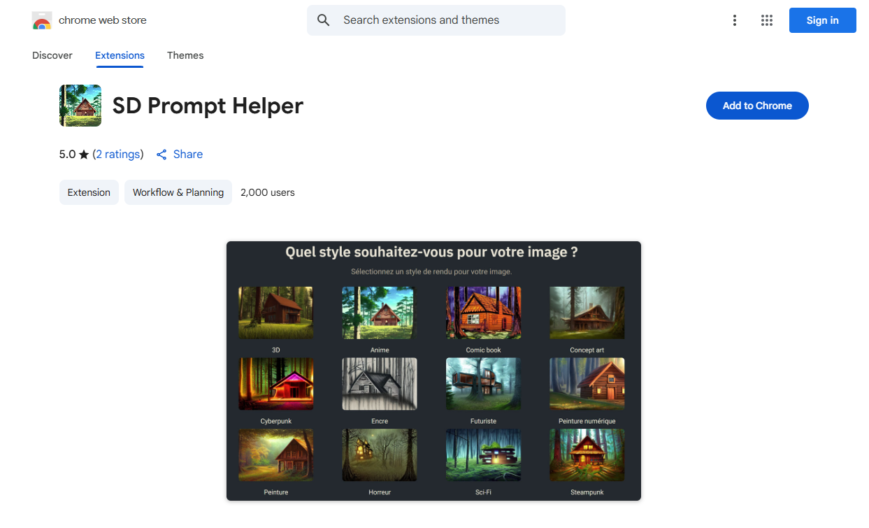
SD Prompt Helper is a Chrome extension that assists with generating prompts for AI models like Stable Diffusion, Midjourney, and DALL-E, helping users create high-quality images with ease. It provides features like prompt templates, keyword suggestions, and a built-in thesaurus to refine prompts. The extension also...
SD Prompt Helper is a Chrome extension that assists with generating prompts for AI models like Stable Diffusion, Midjourney, and DALL-E, helping users create high-quality images with ease. It provides features like prompt templates, keyword suggestions, and a built-in thesaurus to refine prompts. The extension also includes a community-driven prompt library, allowing users to share and discover new prompts. With SD Prompt Helper, users can unlock the full potential of AI image generation models and create stunning images with minimal effort.
Automatically suggests relevant prompts for SD and LLAMa models.
Provides instant access to a library of pre-written prompts and examples.
Enables users to save and organize their favorite prompts for future use.
Offers a customizable interface to fit individual workflow and preferences.
Supports integration with popular AI models and tools for seamless interaction.
Allows users to create and share custom prompt templates with others.
You Got Questions,We Got Answers
What is SD Prompt Helper?
SD Prompt Helper is a Chrome extension designed to assist users in generating and managing prompts for Stable Diffusion. It provides tools to enhance prompt creation, making it easier for users to structure and refine their input for AI-generated images.
How does SD Prompt Helper work?
SD Prompt Helper offers a user-friendly interface where users can quickly generate, edit, and optimize prompts for Stable Diffusion. The extension provides suggestions, syntax enhancements, and other helpful features to streamline the prompt creation process.
Is SD Prompt Helper free to use?
SD Prompt Helper is available for free on the Chrome Web Store. However, it may include premium features or future updates with additional functionalities that require a paid subscription.
Can I customize the prompts using SD Prompt Helper?
SD Prompt Helper Yes, the extension provides customizable options for enhancing and refining prompts. Users can tweak parameters, add specific keywords, and structure prompts to generate desired outputs with Stable Diffusion.
Is SD Prompt Helper compatible with all Stable Diffusion versions?
SD Prompt Helper is designed to work with most Stable Diffusion implementations, but compatibility may vary depending on updates and third-party integrations. Users should check for extension updates and supported versions.
Does SD Prompt Helper store user data?
SD Prompt Helper prioritizes user privacy and does not store personal data. Some settings and preferences may be saved locally to enhance the user experience. Users should review the extensions privacy policy for more details.
Can I use SD Prompt Helper on mobile?
SD Prompt Helper is a Chrome extension and is primarily designed for desktop users. It may not function on Chrome mobile browsers. Users can try alternative methods to access Stable Diffusion prompt tools on mobile devices.
How do I install SD Prompt Helper?
SD Prompt Helper can be installed from the Chrome Web Store by visiting its official page and clicking "Add to Chrome." Once installed, it appears in the Chrome extensions toolbar for easy access.
Is SD Prompt Helper safe to use?
SD Prompt Helper follows standard security practices and is verified by the Chrome Web Store. Users should download the extension only from the official store to ensure safety.
How can I get support for SD Prompt Helper?
SD Prompt Helper Users can find support through the extensions official Chrome Web Store page, which may include documentation, FAQs, or a contact form. Developer support may vary based on availability.
Use cases
Healthcare
A nurse uses SD Prompt Helper to quickly generate patient education materials, ensuring consistency and accuracy in care instructions, improving patient outcomes and reducing readmissions
Finance
A financial analyst leverages SD Prompt Helper to create detailed reports, automating data analysis and visualization, and providing stakeholders with actionable insights to inform investment decisions
Retail
A product manager utilizes SD Prompt Helper to craft compelling product descriptions, streamlining the content creation process, and enhancing the online shopping experience for customers
Manufacturing
A quality control engineer employs SD Prompt Helper to generate standardized operating procedures, ensuring consistency and efficiency in production, and reducing the risk of errors and defects
Marketing
A content marketer uses SD Prompt Helper to develop targeted social media campaigns, automating the creation of engaging content, and increasing brand awareness and customer engagement
Education
A teacher uses SD Prompt Helper to create personalized lesson plans, tailoring instruction to individual student needs, and improving learning outcomes and student achievement
Traffic and Engagement
Apr 2026 - Jun 2026
World wide
Monthly visitors (June)
209.8m
Page/Visit
2.9
Visit Duration
1m 55s
Bounce Rate
0.6%
Pricing
FREE
$0
Prompt Generator for Stable Diffusion – Chrome Extension Embeds
Copied!
Let your community know you're live on Skillcurb! Just drop a badge on your site’s homepage with just a few clicks. Showcasing the badge helps increase your visibility and connects you with users actively exploring top AI tools.