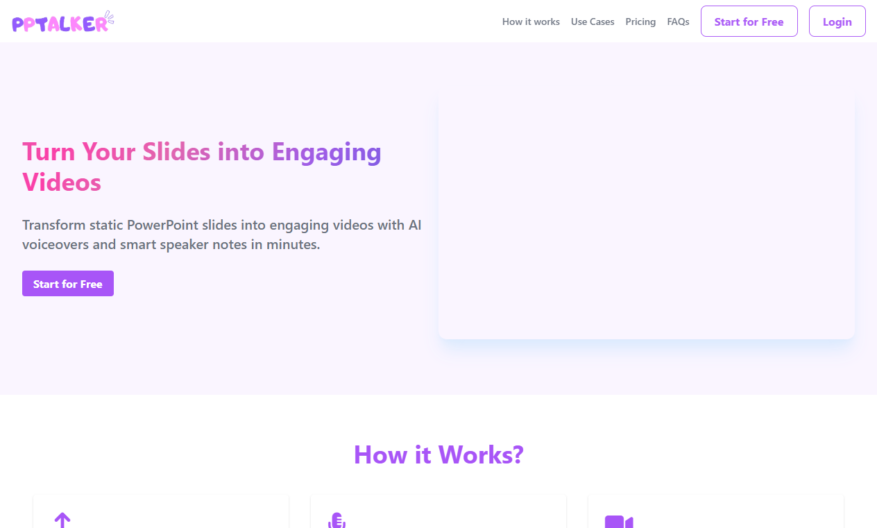
PPTalker is a powerful tool designed to transform PowerPoint presentations into high-quality videos complete with multilingual AI voiceovers and subtitles. This user-friendly platform allows you to easily upload your slides, configure voice settings, and generate engaging video content for download. Ideal for teachers looking to create...
PPTalker is a powerful tool designed to transform PowerPoint presentations into high-quality videos complete with multilingual AI voiceovers and subtitles. This user-friendly platform allows you to easily upload your slides, configure voice settings, and generate engaging video content for download. Ideal for teachers looking to create captivating video lectures, PPTalker enhances learning experiences through its seamless video generation process. With features such as customizable voiceovers and easy slide uploads, users can craft videos that cater to diverse audiences. The confidentiality of your uploaded PPT files is a top priority, ensuring privacy while you create. To start using PPTalker, simply register on the website and explore the various pricing options available. Whether for educational purposes or professional presentations, PPTalker revolutionizes the way you share your ideas through video content. Visit the PPTalker website today to discover how this tool can elevate your presentations.
Convert text to speech with natural sounding voices in multiple languages.
Customize speech rate, pitch, and volume to meet specific needs.
Choose from a wide range of file formats, including MP3, WAV, and OGG.
Easily convert written content into engaging audio files for various uses.
Utilize the built-in text editor to create and edit content quickly.
Preview and adjust audio output before finalizing the conversion.
Save and download converted audio files for future use or distribution.
Integrate Pptalker's text-to-speech functionality with other tools and platforms.
You Got Questions,We Got Answers
What is PPTalker?
PPTalker is a free online text-to-speech converter that allows users to convert written text into a spoken audio file in various voices and languages
Is PPTalker free to use?
Yes, PPTalker is completely free to use, with no hidden fees or subscription requirements, making it an excellent tool for personal or commercial use
What languages does PPTalker support?
PPTalker supports a wide range of languages, including English, Spanish, French, German, Italian, Portuguese, Chinese, Japanese, and many more
Can I change the speaking speed?
Yes, you can adjust the speaking speed to suit your needs, from slow to fast, allowing you to customize the audio output
Can I download the audio file?
Yes, once the text is converted, you can download the audio file in MP3 format, making it easy to share or use in presentations
Is PPTalker with mobile devices?
PPTalker is fully compatible with mobile devices, allowing you to access and use the tool from your smartphone or tablet
What is the character limit?
PPTalker has a generous character limit of 2000 characters, making it suitable for short to medium-length texts, articles, and scripts
Can I use PPTalker for commercial use?
Yes, PPTalker is suitable for commercial use, such as creating audio content for advertisements, podcasts, or educational materials, with no restrictions or royalties required
Use cases
Healthcare
Medical professionals use PPTalker to create interactive patient education materials, enhancing understanding and adherence to treatment plans, while also reducing readmission rates and improving overall health outcomes
Finance
Financial advisors leverage PPTalker to create engaging, interactive presentations that help clients better understand complex investment strategies, increasing trust and driving business growth
Retail
Sales teams utilize PPTalker to create immersive, interactive product demos, increasing customer engagement, and driving sales conversions
Manufacturing
Training teams use PPTalker to create interactive, step-by-step guides for equipment operation and maintenance, reducing downtime, and improving worker safety
Marketing
Agencies employ PPTalker-powered, interactive ads, increasing brand awareness, and driving conversions, while also providing valuable customer insights
Education
Teachers create interactive lesson plans with PPTalker, increasing student engagement, and improving knowledge retention, while also providing real-time feedback and assessments
Traffic and Engagement
Mar 2026 - May 2026
World wide
Monthly visitors (May)
0.3k
Page/Visit
2.9
Visit Duration
2m 8s
Bounce Rate
0.3%
Pricing
Freemium
$3.99
PPTalker Embeds
Copied!
Let your community know you're live on Skillcurb! Just drop a badge on your site’s homepage with just a few clicks. Showcasing the badge helps increase your visibility and connects you with users actively exploring top AI tools.