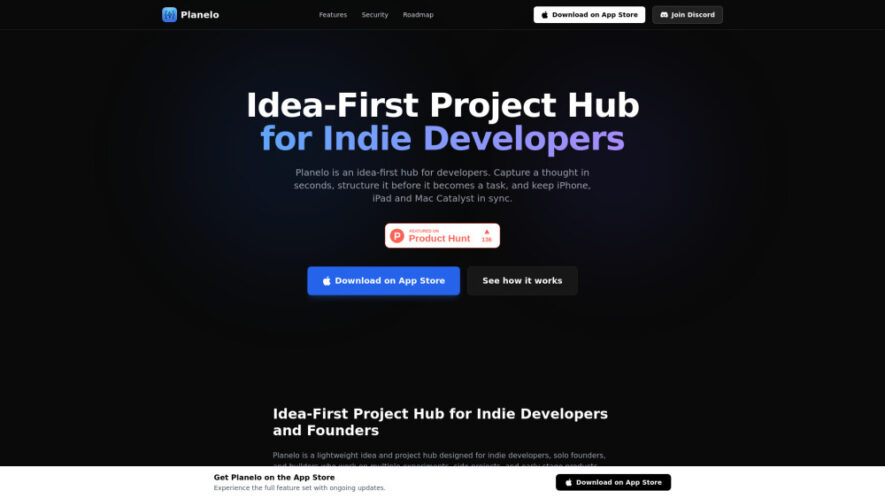
Planelo is an idea-first project hub built for indie developers, solo founders, and creators who want to transform rough concepts into organized execution. It bridges the gap between note-taking and traditional project management by providing structured idea workflows, encrypted cross-device synchronization, and developer-friendly APIs. With keyboard-first...
Planelo is an idea-first project hub built for indie developers, solo founders, and creators who want to transform rough concepts into organized execution. It bridges the gap between note-taking and traditional project management by providing structured idea workflows, encrypted cross-device synchronization, and developer-friendly APIs. With keyboard-first navigation, Markdown support, and automation capabilities, Planelo helps users securely capture, refine, organize, and execute projects without unnecessary complexity.
Capture ideas instantly with fast keyboard shortcuts and distraction-free workflow experience.
Organize projects, ideas, and specifications using structured idea-first workspace architecture.
Secure encrypted synchronization protects data across iPhone, iPad, and macOS devices.
Generate API keys for powerful automations and custom developer workflow integrations.
Refine concepts inside dedicated scratchpads before converting them into actionable projects.
Enjoy Markdown support for clean documentation, planning, and technical project organization.
Navigate efficiently using keyboard-first controls designed for maximum productivity and focus.
Zero-knowledge architecture ensures complete privacy without third-party access to stored information.
You Got Questions,We Got Answers
1. How does Planelo organize ideas before they become structured actionable projects?
Planelo captures raw thoughts inside an idea-first workspace where concepts are refined, organized into projects and specifications, then gradually transformed into clear execution plans without forcing users into immediate task management.
2. Which Apple devices currently support Planelo with seamless encrypted synchronization capabilities?
Planelo supports iPhone, iPad, and macOS through Mac Catalyst while securely synchronizing encrypted data across devices, allowing users to continue planning and developing projects from anywhere without losing progress.
3. Can developers integrate Planelo with automation tools using available API endpoints?
Yes, developers can generate API keys and connect Planelo with AI agents, scripts, or external automation platforms to automate idea collection, project updates, workflow management, and customized productivity processes.
4. What security measures protect sensitive project information stored inside the Planelo platform?
Planelo uses AES-256 encryption, secure synchronization, and a zero-knowledge architecture that keeps project information private, ensuring only authorized users can access their ideas, notes, and development plans.
5. Why is Planelo better than traditional note-taking or project management applications?
Planelo combines structured idea management, secure synchronization, developer-focused APIs, and lightweight workflows, creating a balanced environment between simple note-taking applications and complex enterprise project management software.
6. Does Planelo support Markdown documentation for technical planning and development workflows?
Yes, Planelo includes Markdown support, allowing users to create readable technical documentation, project specifications, developer notes, and organized planning documents within a unified productivity workspace.
7. Is Planelo designed for enterprise organizations or independent software creators primarily?
Planelo is primarily designed for indie developers, solo founders, and independent creators seeking focused productivity rather than enterprise collaboration, management hierarchies, or complex corporate workflow requirements.
8. How quickly can new users begin capturing and organizing project ideas effectively?
New users can immediately capture ideas using quick keyboard shortcuts, organize them into structured projects, and refine concepts with minimal setup, making the onboarding experience fast, intuitive, and productive.
Use cases
Brainstorming
Capture spontaneous ideas instantly, organize concepts logically, and refine creative thoughts before transforming them into actionable development projects.
Planning
Structure product roadmaps, technical specifications, milestones, and development priorities inside one organized workspace for faster project execution.
Automation
Connect APIs with custom scripts or AI agents to automate idea collection, project updates, and repetitive productivity workflows efficiently.
Documentation
Create Markdown documentation, technical notes, feature specifications, and organized knowledge bases linked directly to active development projects.
Productivity
Reduce distractions through keyboard-first navigation, streamlined workflows, and focused planning tools built specifically for independent software creators.
Collaboration
Share structured project information selectively while maintaining secure organization, clear documentation, and consistent planning across supported Apple devices.
Prototyping
Transform rough concepts into structured specifications, helping founders validate product ideas before investing significant development time and resources.
Security
Protect confidential project ideas using encrypted synchronization, zero-knowledge architecture, and secure storage across all supported Apple devices.
Pricing
Free
$0
Planelo Embeds
Copied!
Let your community know you're live on Skillcurb! Just drop a badge on your site’s homepage with just a few clicks. Showcasing the badge helps increase your visibility and connects you with users actively exploring top AI tools.