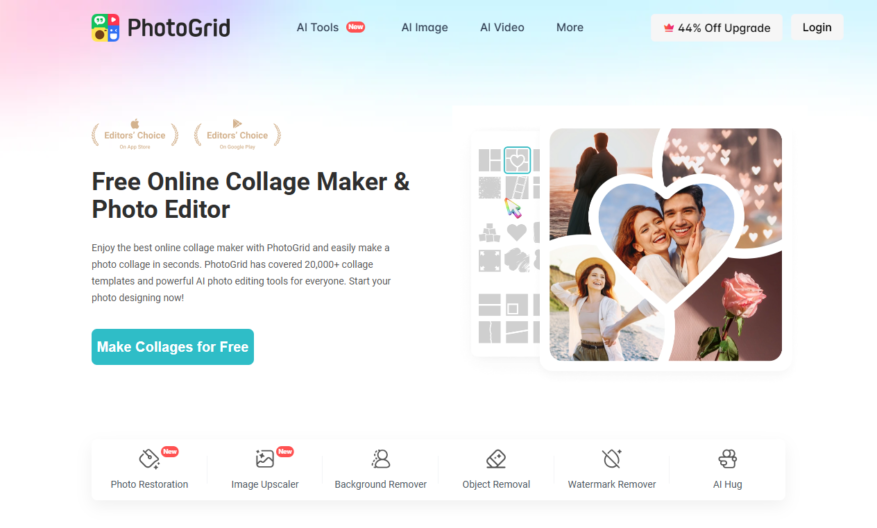
PhotoGrid is a popular mobile app for creating stunning photo collages, edits, and designs. With a user-friendly interface, it offers a range of features including templates, filters, text, and stickers to enhance your photos. The app allows you to combine multiple photos into a single collage,...
PhotoGrid is a popular mobile app for creating stunning photo collages, edits, and designs. With a user-friendly interface, it offers a range of features including templates, filters, text, and stickers to enhance your photos. The app allows you to combine multiple photos into a single collage, adjust layouts, and customize designs to share on social media or save to your device. PhotoGrid also provides advanced editing tools, such as adjustments for brightness, contrast, and saturation, making it a one-stop-shop for all your photo editing needs.
Easily create stunning photo collages with various layouts and customization options.
Edit photos with a wide range of filters, effects, and adjustments.
Design unique Instagram stories and Facebook posts with customizable templates.
Add text, stickers, and emojis to photos to make them more engaging.
Remove backgrounds from images with a single click using AI technology.
Make professional-looking videos with photos, music, and transitions.
Share creations directly to social media platforms or save to camera roll.
Access a vast library of free fonts, stickers, and backgrounds for design.
You Got Questions,We Got Answers
What is PhotoGrid?
PhotoGrid PhotoGrid is a versatile photo editing and collage-making app that allows users to create stunning visuals. It offers a wide range of tools, filters, and templates to enhance photos and create unique designs. The app is suitable for both personal and professional use.
How does PhotoGrid work?
PhotoGrid PhotoGrid works by providing users with an intuitive interface to upload photos, apply edits, and create collages. It uses advanced editing tools and templates to help users design visually appealing content. The app is designed to be user-friendly, making it accessible to all skill levels.
Is PhotoGrid free to use?
PhotoGrid PhotoGrid offers both free and premium versions. The free version includes basic editing tools and templates, while the premium version unlocks advanced features, additional templates, and ad-free usage. Users can choose a plan based on their needs.
Can I customize PhotoGrid's features?
PhotoGrid Yes, PhotoGrid allows users to customize various features such as filters, layouts, and text styles. Users can also adjust settings to create personalized designs. The app provides flexibility to tailor visuals according to individual preferences.
Is PhotoGrid available on mobile?
PhotoGrid Yes, PhotoGrid is available as a mobile app for both iOS and Android devices. It is optimized for mobile use, ensuring a smooth and responsive experience. Users can edit and create visuals on the go.
Does PhotoGrid store user data?
PhotoGrid PhotoGrid may store some user data to improve app performance and provide better services. Users can manage their privacy settings to control data retention. The app complies with standard data protection regulations to ensure user privacy.
How accurate is PhotoGrid?
PhotoGrid PhotoGrid provides high-quality editing and collage-making tools, ensuring accurate and visually appealing results. The app is regularly updated to enhance its features and maintain precision. Users can achieve professional-level designs with ease.
Can I integrate PhotoGrid with other platforms?
PhotoGrid PhotoGrid supports integration with various social media platforms, allowing users to share their creations directly. While it may not integrate with all third-party tools, it offers seamless sharing options for popular platforms like Instagram, Facebook, and Twitter.
Is PhotoGrid safe to use?
PhotoGrid Yes, PhotoGrid follows strict security protocols to ensure user safety. It uses encryption and secure access controls to protect user data. Regular updates help maintain security against potential threats.
How can I contact PhotoGrid support?
PhotoGrid Users can contact PhotoGrid support through the app's help center, email, or official website. The support team provides assistance with FAQs, tutorials, and troubleshooting. Response times may vary based on the support plan.
Use cases
Healthcare
Medical professionals use Photogrid to create engaging visual aids for patient education, showcasing treatment options and procedures through collaged images and videos, enhancing patient understanding and improving health outcomes
Finance
Financial advisors utilize Photogrid to create interactive, data-driven presentations for clients, illustrating investment strategies and portfolio performance through visually appealing grids and charts
Retail
E-commerce businesses leverage Photogrid to craft stunning product showcases, combining high-quality images and videos to demonstrate product features and benefits, increasing customer engagement and driving sales
Manufacturing
Quality control teams employ Photogrid to document and analyze product defects, creating detailed visual reports that facilitate root cause analysis and process improvement
Marketing
Social media managers use Photogrid to design eye-catching campaigns, combining brand assets and customer testimonials into compelling, shareable content that boosts brand awareness and drives conversions
Education
Teachers and students utilize Photogrid to create interactive, multimedia lesson plans, incorporating images, videos, and audio to enhance learning outcomes and increase student engagement
Traffic and Engagement
Apr 2026 - Jun 2026
World wide
Monthly visitors (June)
1.6m
Page/Visit
2.4
Visit Duration
1m 3s
Bounce Rate
0.5%
Pricing
Freemium
$7.99
PhotoGrid | Collage Maker Embeds
Copied!
Let your community know you're live on Skillcurb! Just drop a badge on your site’s homepage with just a few clicks. Showcasing the badge helps increase your visibility and connects you with users actively exploring top AI tools.