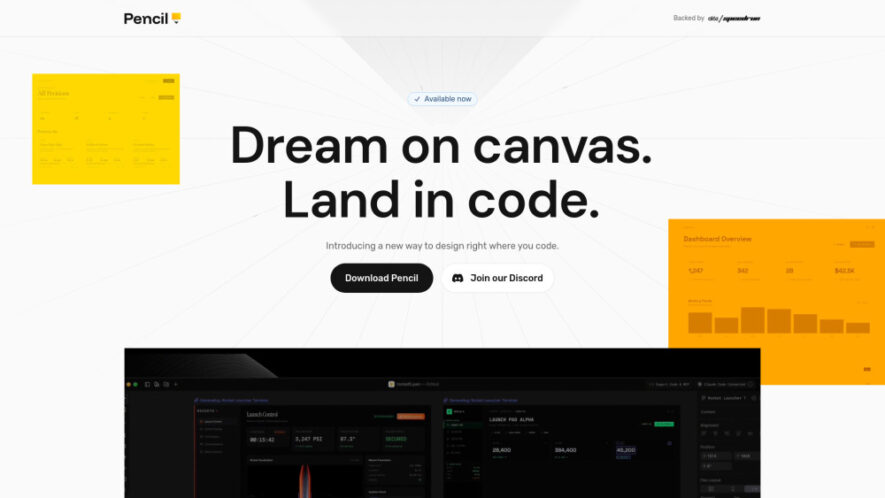
Pencil is an agent-driven design canvas built directly into your development environment, enabling seamless collaboration between design and code. It helps developers and designers create pixel-perfect interfaces while maintaining alignment with actual code implementation. By combining AI assistance with real-time editing and IDE integration, Pencil accelerates...
Pencil is an agent-driven design canvas built directly into your development environment, enabling seamless collaboration between design and code. It helps developers and designers create pixel-perfect interfaces while maintaining alignment with actual code implementation. By combining AI assistance with real-time editing and IDE integration, Pencil accelerates UI/UX workflows, reduces inconsistencies, and improves productivity, making it easier to design, iterate, and ship polished digital products efficiently.
Integrated design canvas within IDE for seamless development workflow
AI-driven design assistance for faster UI creation and iteration
Pixel-perfect alignment between design elements and actual production code
Real-time synchronization between design updates and code implementation
Supports collaborative workflows for developers and designers working together
Instant preview of UI changes directly inside development environment
Component-based design system for reusable and consistent UI elements
Improves productivity by reducing back-and-forth between design and development
You Got Questions,We Got Answers
1. What is Pencil and how does it improve design workflows?
Pencil is an AI-powered design canvas integrated into your IDE that allows you to design interfaces alongside code. It streamlines workflows by keeping design and development aligned, reducing inconsistencies and speeding up iteration.
2. Does Pencil require switching between design tools and code editors?
No, Pencil eliminates the need to switch tools by embedding the design canvas directly into your IDE. This allows you to design, edit, and implement UI elements in one unified environment.
3. Can developers and designers collaborate using Pencil platform together?
Yes, Pencil supports collaboration between developers and designers. Teams can work together in real time, ensuring design consistency and faster delivery of user interfaces.
4. How does Pencil ensure pixel-perfect alignment with production code?
Pencil uses AI and code-aware design tools to match design elements precisely with actual code. This reduces discrepancies between mockups and final implementation, ensuring consistent UI output.
5. Is Pencil suitable for both small projects and large applications?
Yes, Pencil is scalable and works for both small projects and large applications. Its component-based system and integration capabilities make it adaptable for different project sizes and complexities.
6. Does Pencil support real-time preview of design changes in projects?
Yes, Pencil provides instant previews of UI changes within the IDE. This allows users to see how updates will look and behave in real time, improving design accuracy and efficiency.
Use cases
UI Design
Design user interfaces directly within the IDE while ensuring accurate implementation, reducing design inconsistencies and improving development speed.
Frontend Dev
Accelerate frontend development by combining design and coding workflows, allowing faster iteration and immediate visual feedback.
Prototyping
Quickly create interactive UI prototypes aligned with real code to test ideas and gather feedback efficiently.
Design Systems
Build and maintain reusable UI components and consistent design systems across projects for better scalability and uniformity.
Collaboration
Enable seamless teamwork between designers and developers, reducing communication gaps and improving overall productivity.
Product Design
Streamline end-to-end product design by integrating UI creation, iteration, and implementation into a single workflow.
Pricing
Paid
Contact Sale
Pencil Embeds
Copied!
Let your community know you're live on Skillcurb! Just drop a badge on your site’s homepage with just a few clicks. Showcasing the badge helps increase your visibility and connects you with users actively exploring top AI tools.