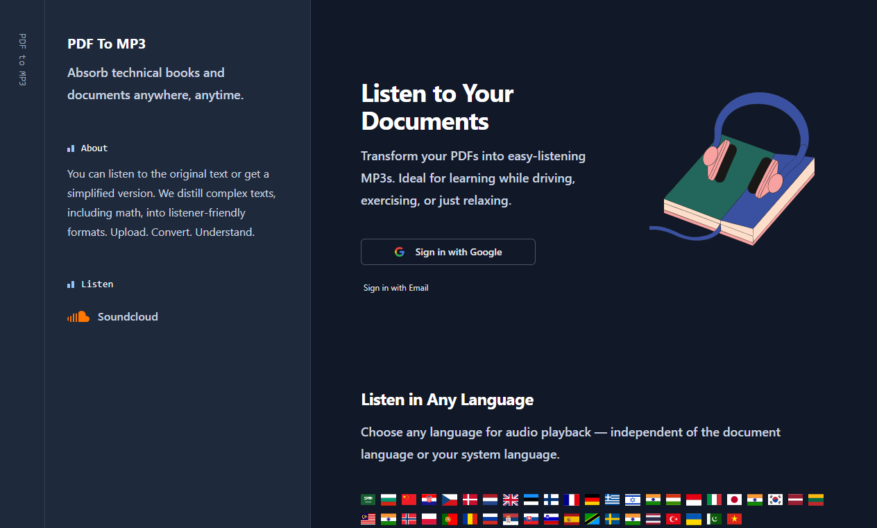
Transform your PDFs into easy-listening MP3s with PDFToMP3, the ideal solution for anyone looking to learn on the go. Whether you are driving, exercising, or simply relaxing, this innovative tool allows you to absorb knowledge in a more convenient format. The user-friendly platform enables you to...
Transform your PDFs into easy-listening MP3s with PDFToMP3, the ideal solution for anyone looking to learn on the go. Whether you are driving, exercising, or simply relaxing, this innovative tool allows you to absorb knowledge in a more convenient format. The user-friendly platform enables you to sign in with your Google account or email, making the upload process seamless. Simply select your PDF document, choose between simplified content or the original text, and watch as it converts into a digestible audio format. PDFToMP3 features chapter summaries to enhance your learning experience, ensuring you stay engaged with the material. Perfect for busy individuals, this tool helps you maximize your time while still focusing on personal growth. With PDFToMP3, learning has never been more accessible or enjoyable. Explore the potential of turning your reading materials into audio and elevate your daily routine. Start your journey to knowledge today with PDFToMP3.
Converts PDF files to MP3 audio files with a few clicks.
Supports PDF files of all sizes and complexities.
Converts PDFs to human-readable and natural-sounding audio files to be played anywhere.
Allows users to select the language of the audio output.
Enables users to adjust the speed of the audio output.
Supports batch conversions of multiple files at once.
Offers a completely free online service with no hidden fees.
Provides a secure and reliable platform for file conversions.
You Got Questions,We Got Answers
What is PDF to MP3 converter?
PDF to MP3 is a free online converter that allows users to convert PDF files to MP3 audio files without any software installation or registration, making it easy to access and use anywhere.
How does PDF to MP3 converter work?
The converter uses OCR technology to recognize text in PDF files and then converts it into an MP3 audio file, which can be downloaded instantly, allowing users to listen to their PDF files on-the-go.
Can I convert multiple files at once?
No, currently the converter only supports single file conversion, but users can convert multiple files one by one, and the process is quick and easy, so it won't take much time to convert all your files.
What file formats are supported?
The converter supports PDF file format as input and produces MP3 as output, which is a widely supported format that can be played on most devices, including smartphones, tablets, and computers.
Is the converter free to use?
Yes, the converter is completely free to use, with no hidden charges or subscription fees, and users can convert as many files as they want without paying a single penny.
How long does the conversion take?
The conversion process is quick and usually takes a few seconds to a minute, depending on the file size and complexity of the PDF file, making it a fast and efficient solution.
Can I edit the converted MP3 file?
Yes, the converted MP3 file can be edited using any audio editing software, allowing users to make changes to the audio file, such as cutting, trimming, or adding effects to the audio.
Does PDFToMP3 allow saving audio files in different formats?
Yes, PDFToMP3 supports exporting audio in popular formats like MP3 and WAV, giving users flexibility for playback on various devices and platforms.
Use cases
Healthcare
Doctors can use pdftomp3 to convert medical reports into audio files, allowing visually impaired patients to medical information independently, improving patient autonomy and care
Finance
Auditors can convert financial reports into audio files, enabling them to review and analyze data more efficiently, reducing errors and improving compliance
Manufacturing
Quality control inspectors can convert PDF instructions into audio guides, ensuring accurate assembly and reducing production errors
Marketing
Marketers can convert blog posts into audio files, expanding their content reach to commuters and multitaskers, increasing brand engagement and loyalty
Retail
Retailers can convert product manuals into audio files, providing customers with an alternative to written instructions, improving customer satisfaction and reducing support queries
Education
Teachers can convert educational materials into audio files, enabling students with learning disabilities to access curriculum content more easily, promoting inclusive education
Traffic and Engagement
Mar 2026 - May 2026
World wide
Monthly visitors (May)
2.6k
Page/Visit
5.6
Visit Duration
3m 38s
Bounce Rate
0.4%
Pricing
Free
$0.00
PDFToMP3 Embeds
Copied!
Let your community know you're live on Skillcurb! Just drop a badge on your site’s homepage with just a few clicks. Showcasing the badge helps increase your visibility and connects you with users actively exploring top AI tools.