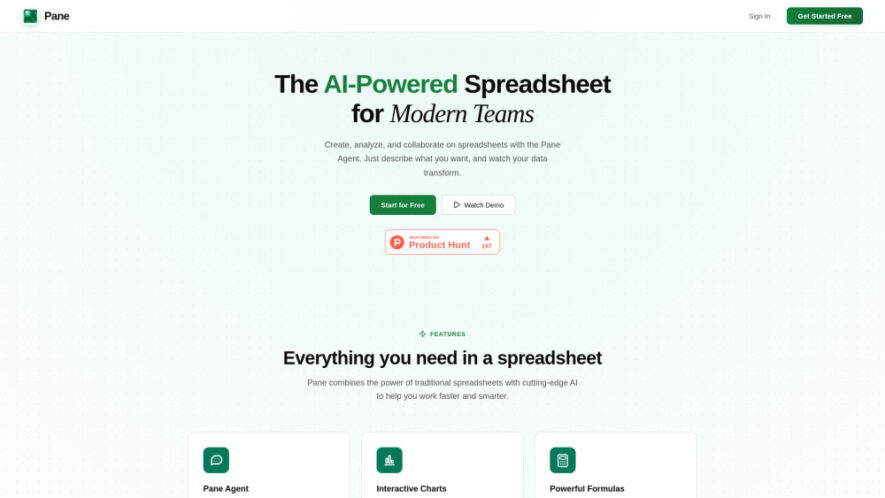
Pane is an AI-native spreadsheet platform that enables users to edit data, build formulas, analyze information, and generate professional dashboards using natural language. Combining traditional spreadsheet functionality with an intelligent AI agent, Pane simplifies complex data tasks, supports CSV, Excel, and PDF imports, provides powerful HyperFormula...
Pane is an AI-native spreadsheet platform that enables users to edit data, build formulas, analyze information, and generate professional dashboards using natural language. Combining traditional spreadsheet functionality with an intelligent AI agent, Pane simplifies complex data tasks, supports CSV, Excel, and PDF imports, provides powerful HyperFormula calculations, cloud synchronization, interactive charts, and seamless collaboration, helping modern teams work faster, make informed decisions, and improve productivity effortlessly.
Interactive charts transform spreadsheet data into meaningful visual business insights quickly.
Simplifies complex data analysis through conversational AI-powered spreadsheet automation workflows efficiently.
Enables seamless team collaboration with shared spreadsheets and synchronized project updates.
You Got Questions,We Got Answers
1. What makes Pane different from traditional spreadsheet software and data analysis tools?
Pane combines a fully AI-native spreadsheet with an intelligent agent that edits data, creates formulas, generates dashboards, analyzes datasets, and performs spreadsheet tasks using natural language, eliminating the need for complex manual spreadsheet operations.
2. Can Pane automatically edit spreadsheet data and formulas using simple natural language?
Yes, Pane allows users to describe spreadsheet tasks conversationally, enabling its AI agent to sort, filter, calculate, transform data, edit formulas, and perform advanced spreadsheet operations accurately without manual coding or scripting.
3. Which file formats can users import into Pane for spreadsheet analysis easily?
Pane supports importing CSV, Excel, and PDF files with intelligent parsing, allowing users to quickly organize, analyze, transform, and visualize data regardless of file size or complexity within a unified spreadsheet workspace.
4. Does Pane automatically generate professional dashboards and interactive charts from imported datasets?
Yes, Pane instantly converts imported spreadsheet data into professional dashboards, visual reports, key performance metrics, and interactive charts, making business analysis and stakeholder reporting significantly faster and more efficient.
5. Is Pane suitable for collaborative data analysis across distributed business teams securely?
Absolutely. Pane offers secure cloud synchronization, allowing multiple team members to collaborate on shared spreadsheets, monitor updates, access data from anywhere, and maintain consistent workflows across devices in real time.
6. What spreadsheet formulas and calculation functions are supported inside the Pane platform?
Pane is powered by HyperFormula, supporting popular spreadsheet functions including SUM, AVERAGE, VLOOKUP, logical formulas, mathematical calculations, lookup functions, and advanced data processing capabilities for comprehensive spreadsheet management.
7. Can beginners use Pane without advanced spreadsheet knowledge or technical experience?
Yes, Pane is designed for users of all skill levels, enabling beginners to perform advanced spreadsheet tasks simply by describing desired actions in natural language while AI automatically executes complex operations accurately.
8. How does Pane improve productivity for teams handling large and complex datasets daily?
Pane reduces manual spreadsheet work by automating calculations, organizing imported data, generating dashboards, creating visualizations, simplifying analysis, and enabling collaborative workflows, allowing teams to focus on insights instead of repetitive spreadsheet tasks.
Use cases
Analysis
Analyze large datasets using conversational AI commands that automatically organize, calculate, filter, and generate meaningful business insights from spreadsheet data.
Dashboards
nstantly create professional dashboards with charts, key metrics, and visual reports for presentations, business reviews, and stakeholder decision-making.
Importing
Import CSV, Excel, and PDF files with intelligent parsing for seamless spreadsheet organization, analysis, and visualization without manual formatting.
Collaboration
Collaborate securely with team members through cloud-synced spreadsheets, enabling shared editing, updates, and efficient project coordination across devices.
Automation
Automate repetitive spreadsheet tasks, formula creation, calculations, sorting, filtering, and data transformation using simple natural language instructions.
Reporting
Generate accurate reports with automated calculations, interactive charts, and organized data summaries that improve business communication and strategic planning.
Forecasting
Perform spreadsheet calculations and trend analysis to support forecasting, planning, budgeting, and data-driven business decision-making efficiently.
Productivity
Eliminate manual spreadsheet work through AI-powered automation, allowing teams to complete complex data tasks faster with greater accuracy.
Traffic and Engagement
May 2026 - Jul 2026
World wide
Monthly visitors (July)
0.3k
Page/Visit
1.07
Visit Duration
0s
Bounce Rate
33.85%
Pricing
Free
$0
Pane Embeds
Copied!
Let your community know you're live on Skillcurb! Just drop a badge on your site’s homepage with just a few clicks. Showcasing the badge helps increase your visibility and connects you with users actively exploring top AI tools.