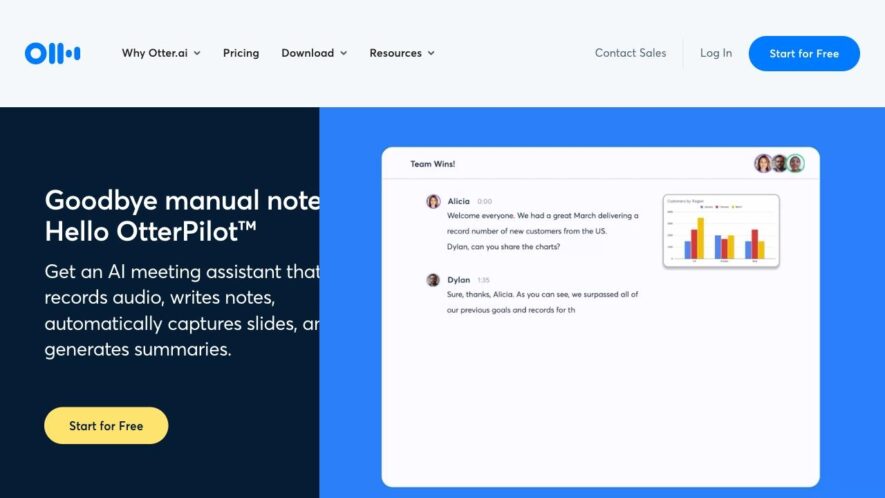
Otter.ai is an AI-powered meeting note-taker and collaboration tool that helps users save time, increase understanding, and enhance collaboration, allowing teams to focus on what matters most. With Otter, users can automatically generate meeting notes, highlight key points, and action items, and share them with others....
Otter.ai is an AI-powered meeting note-taker and collaboration tool that helps users save time, increase understanding, and enhance collaboration, allowing teams to focus on what matters most. With Otter, users can automatically generate meeting notes, highlight key points, and action items, and share them with others. Otter also integrates with popular calendar and video conferencing apps, making it easy to incorporate into daily workflows.
Accurate transcription of audio and video files in minutes.
Automatic identification and separation of speakers in recordings.
Real-time transcription and captioning for live events and meetings.
Customizable and exportable transcripts with timestamps and speaker tags.
Keyword search and filtering of transcripts to find specific moments.
Integration with popular video conferencing platforms and calendars.
Secure and GDPR-compliant data management and storage practices.
Collaborative editing and commenting features for teams and partners.
You Got Questions,We Got Answers
What is Otter.ai?
Otter.ai is an AI-powered note-taking app that helps users capture, review, and share meeting conversations, lectures, and interviews with ease, providing a more accurate and efficient way to process information.
How does Otter.ai offer?
Otter.ai offers a range of features, including real-time transcription, speaker identification, and customizable playback speed, allowing users to review and share meeting notes quickly and efficiently, saving time and increasing productivity.
Can I use Otter.ai for free?
Otter.ai offers a free plan that includes 600 minutes of recording per month, with the option to upgrade to a paid plan for additional features and minutes, making it accessible to individuals and teams of all sizes.
What devices support Otter.ai?
Otter.ai is compatible with both iOS and Android devices, as well as web browsers, allowing users to access and use the app on a range of devices, making it easy to capture and review meeting notes on-the-go.
How accurate is Otter.ai?
Otter.ai uses advanced AI technology to provide highly accurate transcriptions, with an accuracy rate of over 90%, making it a reliable and efficient way to capture meeting notes and conversations.
Can I share Otter.ai notes?
Yes, Otter.ai users to share meeting notes and conversations with others, either by copying and pasting the transcript or by sharing a direct link to the conversation, making it easy to collaborate and share information.
How do I get started with Otter.ai?
To get started with Otter.ai, simply download the app, create an account, and start recording and transcribing meetings and conversations, with easy-to-use features and an intuitive interface making it easy to get started.
What support does Otter.ai offer?
Otter.ai offers a range of support options, including email support, FAQs, and a knowledge base, providing users with the help and resources they need to get the most out of the app.
Use cases
Healthcare
Otter.ai's automatic note-taking capabilities enable healthcare professionals to focus on patient care while accurately capturing medical histories, diagnoses, and treatment plans
Finance
Financial advisors use Otter.ai to record and transcribe client meetings, ensuring accurate documentation of investment strategies and portfolio discussions
Manufacturing
Quality control teams utilize Otter.ai to document equipment inspections, identifying areas for improvement and reducing downtime
Marketing
Marketers leverage Otter.ai to capture customer feedback and sentiment analysis, informing product development and marketing campaigns
Education
Educators use Otter.ai to record and transcribe lectures, seminars, and meetings, enhancing student accessibility and learning outcomes
Retail
Sales teams use Otter.ai to record and analyze customer interactions, identifying opportunities to improve customer service and drive sales growth
Traffic and Engagement
Feb 2026 - Apr 2026
World wide
Monthly visitors (April)
7.4m
Page/Visit
5.7
Visit Duration
5m 23s
Bounce Rate
0.3%
Pricing
Free
$0
Otter Embeds
Copied!
Let your community know you're live on Skillcurb! Just drop a badge on your site’s homepage with just a few clicks. Showcasing the badge helps increase your visibility and connects you with users actively exploring top AI tools.