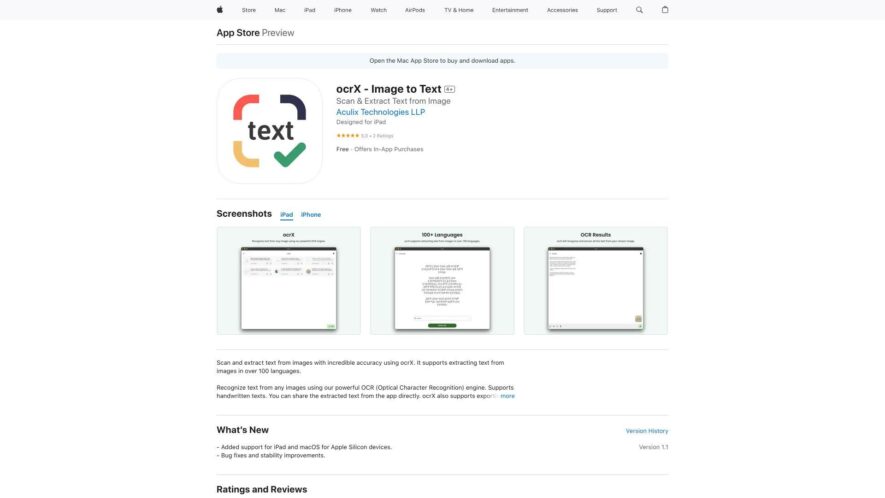
OCR-X is a powerful image-to-text converter that extracts text from images, documents, and PDFs with high accuracy. Using advanced OCR technology, the app recognizes and converts text in over 30 languages, including handwritten and printed text. It also supports batch processing, allowing users to convert multiple...
OCR-X is a powerful image-to-text converter that extracts text from images, documents, and PDFs with high accuracy. Using advanced OCR technology, the app recognizes and converts text in over 30 languages, including handwritten and printed text. It also supports batch processing, allowing users to convert multiple images at once. With a simple and intuitive interface, OCR-X is ideal for students, professionals, and anyone looking to digitize paper documents, receipts, or whiteboard notes, making it easy to edit, share, and search text.
Accurately extracts text from images, documents, and receipts with high precision.
Supports over 30 languages, including English, Spanish, French, and many more.
Recognizes and extracts text from tables, forms, and invoices with ease.
Automatically detects and corrects orientation, skew, and perspective of images.
Provides instant translation of extracted text to multiple languages simultaneously.
Allows users to edit and correct extracted text for maximum accuracy.
Enables sharing of extracted text via email, message, or social media.
Supports batch processing of multiple images for efficient text extraction.
You Got Questions,We Got Answers
What is OCRx Image to Text?
OCRx Image to Text is an innovative app that utilizes advanced Optical Character Recognition (OCR) technology to convert images into editable text with high accuracy and speed, allowing users to extract text from photos, screenshots, and documents
How does OCRx work?
OCRx works by using AI-powered algorithms to identify and recognize text within images, then converting it into editable text that can be copied, shared, or saved for further use, making it an indispensable tool for students, professionals, and individuals alike
Is OCRx accurate?
OCRx boasts an impressive accuracy rate of over 95%, thanks to its sophisticated OCR engine and advanced image processing capabilities, ensuring that the extracted text is reliable and error-free, even with low-quality images
Can I use OCRx for other languages?
Yes, OCRx supports text recognition in multiple languages, including English, Spanish, French, German, Italian, Portuguese, and many more, making it a versatile tool for users from diverse linguistic backgrounds
How do I use OCRx?
To use OCRx, simply open the app, select the image you want to convert, and tap the "Recognize" button â the app will then process the image and display the extracted text, which can be copied, shared, or saved as needed
What file formats are supported?
OCRx supports a wide range of image file formats, including JPEG, PNG, GIF, BMP, and TIFF, as well as screenshots and photos taken directly from your device's camera roll
Can I edit the extracted text?
Yes, OCRx allows you to edit the extracted text directly within the app, using a built-in text editor that enables you to correct any errors, add or remove text, and format the content as needed
Is OCRx safe and secure?
OCRx takes user privacy and security seriously, ensuring that all image processing and text recognition occur locally on your device, without uploading or sharing your data with third-party servers or services, providing a safe and secure experience
Use cases
Archive
Digitize historical documents and records by capturing images and extracting text using OCRx, enabling efficient search and retrieval of archived information
Healthcare
Extract text from medical records, prescriptions, and lab results to populate electronic health records, reducing errors and increasing data accuracy
Finance
Automate data entry by capturing images of receipts, invoices, and statements, and extracting relevant information using OCRx, streamlining accounting and bookkeeping processes
Education
Convert handwritten notes and textbook pages into editable digital text, enabling students to focus on learning and reducing manual transcription efforts
RealEstate
Extract property details from listing documents, contracts, and marketing materials, and populate CRM systems, reducing data entry time and increasing agent productivity
Logistics
Capture and extract text from shipping labels, invoices, and delivery receipts, automating data entry and reducing errors in inventory management and order fulfillment processes
Traffic and Engagement
Apr 2026 - Jun 2026
World wide
Monthly visitors (June)
112.9m
Page/Visit
1.6
Visit Duration
50s
Bounce Rate
0.8%
Pricing
Freemium
$1.99
ocrX – Image to Text Embeds
Copied!
Let your community know you're live on Skillcurb! Just drop a badge on your site’s homepage with just a few clicks. Showcasing the badge helps increase your visibility and connects you with users actively exploring top AI tools.