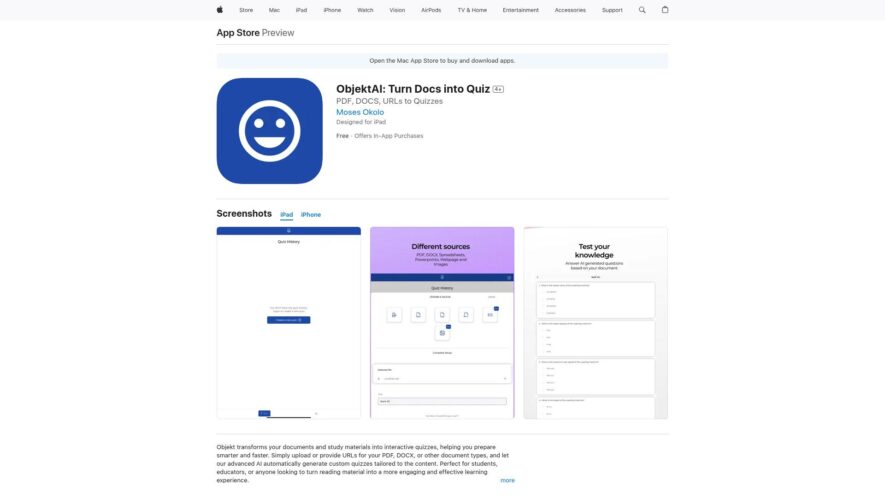
Objektai is a PDF to Quiz Maker app that converts PDF files into interactive quizzes, making learning and teaching more engaging. With a simple and intuitive interface, users can upload PDFs, select questions, and customize quiz settings. The app supports multiple question types, including multiple-choice, true/false,...
Objektai is a PDF to Quiz Maker app that converts PDF files into interactive quizzes, making learning and teaching more engaging. With a simple and intuitive interface, users can upload PDFs, select questions, and customize quiz settings. The app supports multiple question types, including multiple-choice, true/false, and open-ended questions. Quizzes can be shared via link or exported as PDFs, and users can track student progress and scores. Ideal for educators, students, and professionals, Objektai enhances learning experiences and saves time on quiz creation.
Automatically converts PDF files to interactive quizzes with multiple question types.
Supports various PDF formats, including scanned documents and digital files.
Extracts questions and answers from PDFs, saving time and effort.
Offers customizable quiz settings, including font, color, and layout options.
Allows users to add images, audio, and video to quiz questions.
Provides real-time preview and editing capabilities for quizzes.
Supports multiple languages, making it accessible to a global audience.
Exports quizzes in various formats, including PDF, CSV, and online links.
You Got Questions,We Got Answers
What is Objektai PDF to Quiz Maker?
Objektai PDF to Quiz Maker is a revolutionary app that converts PDF files into interactive quizzes, making learning and teaching more engaging and fun. It's perfect for educators, students, and professionals looking to create assessments, exams, or study materials.
How does the app work?
The app uses AI-powered technology to analyze and extract relevant information from PDF files, allowing users to create quizzes with multiple-choice questions, true/false questions, and open-ended questions. Users can customize the quiz layout, add images, and adjust settings to suit their needs.
What types of PDF files can I use?
The app supports a wide range of PDF files, including textbooks, articles, research papers, and more. Users can upload PDF files from their device or import them from cloud storage services like Google Drive or Dropbox.
Can I customize the quiz layout?
Yes, the app offers a range of customization options, including font styles, sizes, and colors. Users can also add images, logos, or branding elements to make their quizzes more visually appealing.
Is the app suitable for all ages?
Yes, the app is designed to be user-friendly and accessible for users of all ages and skill levels. It's an ideal tool for educators, students, and professionals looking to create engaging learning materials.
Can I share the quizzes with others?
Yes, the app allows users to share quizzes via email, messaging apps, or social media platforms. Users can also export quizzes as PDF files or CSV files for further analysis or grading.
Does the app offer any analytics or tracking?
Yes, the app provides basic analytics and tracking features, allowing users to monitor quiz performance, track student progress, and identify areas for improvement.
Is the app available on other platforms?
Currently, the app is only available on iOS devices, but the developers are working on releasing versions for Android and web platforms in the near future. Stay tuned for updates!
Use cases
Education
Teachers can create interactive quizzes from PDF textbooks to engage students and assess their understanding of complex concepts in a fun and interactive way
Healthcare
Medical professionals can convert PDF patient education materials into quizzes to ensure patients understand their treatment plans and medications
Finance
Financial advisors can create quizzes from PDF investment reports to help clients understand their investment portfolios and make informed decisions
Marketing
Marketers can convert PDF product brochures into interactive quizzes to educate customers about product features and benefits
Training
Corporate trainers can create quizzes from PDF training manuals to assess employee knowledge and understanding of company policies and procedures
Research
Researchers can convert PDF research papers into quizzes to test hypotheses and validate findings in a more engaging and interactive way
Traffic and Engagement
May 2026 - Jul 2026
World wide
Monthly visitors (July)
117.3m
Page/Visit
1.6
Visit Duration
48s
Bounce Rate
0.8%
Pricing
Freemium
$4.99
ObjektAI Embeds
Copied!
Let your community know you're live on Skillcurb! Just drop a badge on your site’s homepage with just a few clicks. Showcasing the badge helps increase your visibility and connects you with users actively exploring top AI tools.