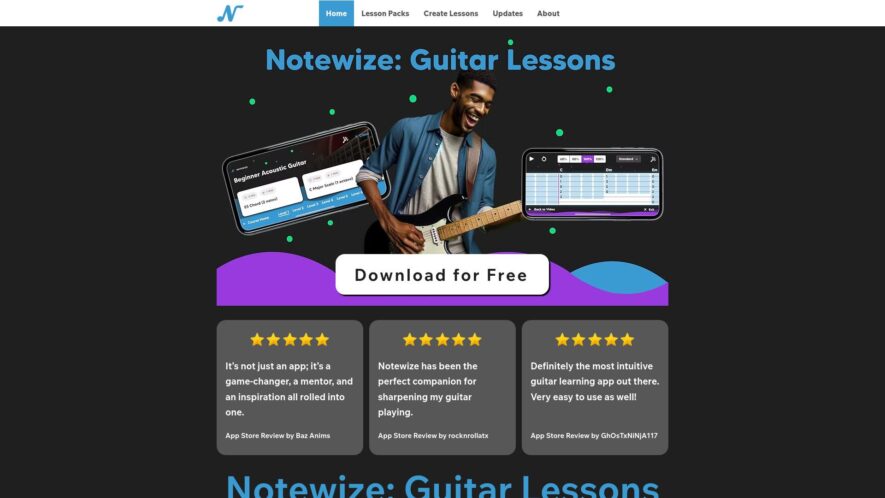
Notewize is a note-taking app that helps users organize and structure their thoughts, ideas, and projects in a flexible and customizable manner. It offers a hierarchical note-taking system, tagging, and filtering capabilities, allowing users to easily navigate and connect their notes. With a distraction-free writing environment,...
Notewize is a note-taking app that helps users organize and structure their thoughts, ideas, and projects in a flexible and customizable manner. It offers a hierarchical note-taking system, tagging, and filtering capabilities, allowing users to easily navigate and connect their notes. With a distraction-free writing environment, Notewize aims to boost productivity and facilitate knowledge management, making it an ideal tool for students, researchers, writers, and professionals seeking to streamline their workflow and idea management.
Organize notes with customizable folders, tags, and colors for easy categorization.
Collaborate with others in real-time, with permission controls for secure sharing.
Capture and organize meeting notes, action items, and decisions.
Search and filter notes by keywords, dates, and assigned tasks.
Integrate with Google Drive, Dropbox, and other popular cloud storage services.
Create custom templates for repetitive note-taking tasks and meetings.
Track task assignments, due dates, and progress updates in one place.
Access notes from anywhere, with automatic syncing across all devices.
You Got Questions,We Got Answers
What is NoteWize?
NoteWize is a digital note-taking platform designed to help individuals organize their thoughts, ideas, and tasks, providing a clean and distraction-free interface to boost productivity and focus.
Can I access NoteWize offline?
Yes, NoteWize offers offline access, allowing them to take notes even without an internet connection, and automatically synchronizes changes when online, ensuring seamless note-taking experience.
How does NoteWize organize notes?
NoteWize uses a hierarchical structure, enabling users to create notebooks, sections, and notes, making it easy to categorize, search, and retrieve specific notes quickly and efficiently.
Is NoteWize free to use?
NoteWize offers a free plan with limited features, suitable for casual note-takers, and also provides a premium subscription with advanced capabilities, such as audio recordings and customizable templates, for power users.
Can I collaborate on NoteWize?
Yes, NoteWize allows real-time collaboration, enabling multiple users to work together on a single note, making it an ideal tool for team projects, meetings, and brainstorming sessions.
How secure is NoteWize?
NoteWize prioritizes security, employing robust encryption methods to protect user data, ensuring that notes remain confidential and safe from unauthorized access or data breaches.
Does NoteWize have a mobile app?
Yes, NoteWize offers mobile apps for both iOS and Android devices, providing a consistent and seamless note-taking experience, regardless of the device or platform.
Can I import existing notes?
Yes, NoteWize supports importing notes from other platforms, such as Evernote, Simplenote, allowing users to migrate their existing notes and start using NoteWize without any hassle.
Use cases
Healthcare
Doctors use Notewize to securely share patient information and collaborate on care plans, ensuring that all healthcare providers are on the same page and providing the best possible care
Finance
Financial advisors utilize Notewize to share sensitive client information and collaborate on investment strategies, ensuring that all parties are informed and aligned
Retail
Store managers use Notewize to share sales data and collaborate on inventory management, reducing stockouts and overstocking, and improving overall operational efficiency
Marketing
Marketing teams leverage Notewize to share campaign results and collaborate on strategy, ensuring that all stakeholders are informed and aligned, and that marketing efforts are optimized
Manufacturing
Quality control teams use Notewize to collaborate on product testing and inspection, ensuring that all products meet quality and safety standards
Education
Professors use Notewize to share course materials and collaborate on lesson plans, ensuring that all students have access to the same information and resources
Traffic and Engagement
N/A
World wide
Monthly visitors (January)
N/A
Page/Visit
N/A
Visit Duration
N/A
Bounce Rate
N/A
Pricing
Freemium
$9.99
Notewize Embeds
Copied!
Let your community know you're live on Skillcurb! Just drop a badge on your site’s homepage with just a few clicks. Showcasing the badge helps increase your visibility and connects you with users actively exploring top AI tools.