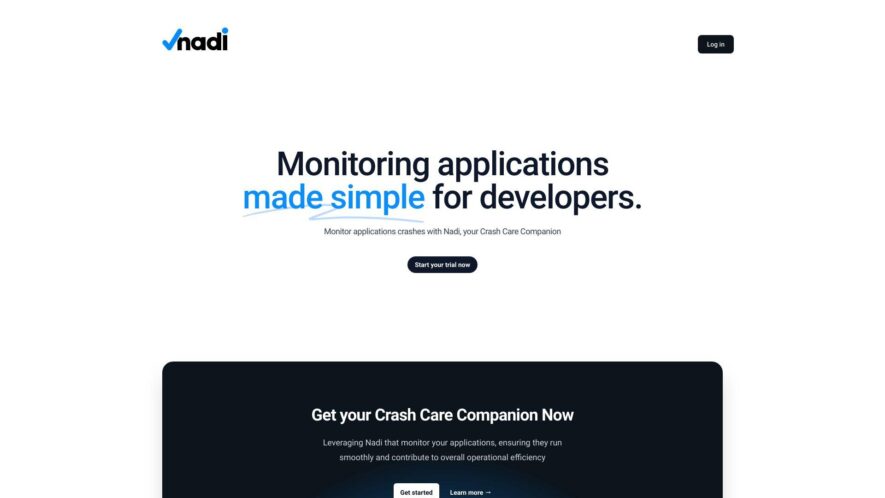
Nadi is presented as an application monitoring solution with a specific emphasis on pinpointing and analyzing the fundamental reasons behind application failures and crashes. This tool offers compatibility across a range of popular programming languages and development frameworks, making it versatile for various tech stacks. The...
Nadi is presented as an application monitoring solution with a specific emphasis on pinpointing and analyzing the fundamental reasons behind application failures and crashes. This tool offers compatibility across a range of popular programming languages and development frameworks, making it versatile for various tech stacks. The core objective of Nadi.pro is to empower users to take a proactive stance in addressing potential issues, thereby optimizing the overall performance and stability of their applications. By providing detailed insights into the causes of crashes, Nadi.pro ultimately aims to enhance user satisfaction through more reliable software.
Provides comprehensive application monitoring for developers to ensure smooth operation
Acts as a reliable "Crash Care Companion" to help manage and analyze application crashes effectively
Includes an integrated issue tracker for streamlined bug reporting and resolution workflows
Offers robust application management capabilities for better control over deployments
Facilitates efficient log shipping for centralized logging and easier troubleshooting
Helps developers monitor their applications, ensuring they run smoothly and efficiently.
You Got Questions,We Got Answers
What is Nadi?
Nadi is an AI-powered crash monitoring and error tracking tool designed for developers. It detects application crashes, investigates root causes, and provides detailed insights to ensure smooth application performance.
How does Nadi work?
Nadi operates through a three-component system: the Nadi Client captures events like exceptions and slow queries; the Nadi Shipper reads logs and sends them to the Nadi Collector; and the Nadi Collector stores and analyzes the data to provide actionable insights.
Is Nadi free to use?
Nadi offers a trial version for users to explore its features. For extended use and access to advanced functionalities, users can opt for paid plans. Specific pricing details can be found on their official website.
What programming languages does Nadi support?
Nadi supports multiple programming languages and frameworks, including PHP, Laravel, Python, Node.js, and Java, making it versatile for various development environments.
What platforms is Nadi compatible with?
Nadi is compatible with web applications and supports installation on macOS, Windows, and Linux platforms, ensuring broad accessibility for developers.
How can I install Nadi?
To install Nadi, users need to set up the Nadi Client in their application and install the Nadi Shipper on their system. Detailed installation guides are available in the official documentation.
Use cases
Healthcare
nadi.pro can be used for monitoring healthcare applications, ensuring their smooth operation and contributing to overall efficiency
Manufacturing
nadi.pro can monitor manufacturing applications, ensuring they run smoothly and contribute to overall operational efficiency
Retail
nadi.pro can be used for monitoring retail applications, ensuring their smooth operation and contributing to overall efficiency
Marketing
nadi.pro can monitor marketing applications, ensuring they run smoothly and contribute to overall operational efficiency
Education
nadi.pro can be used for monitoring educational applications, ensuring their smooth operation and contributing to overall efficiency
Finance
nadi.pro can monitor financial applications, ensuring their smooth operation and contributing to overall operational efficiency.
Traffic and Engagement
Feb 2026 - Apr 2026
World wide
Monthly visitors (April)
0.2k
Page/Visit
1
Visit Duration
N/A
Bounce Rate
100%
Pricing
Free
$0
Nadi Embeds
Copied!
Let your community know you're live on Skillcurb! Just drop a badge on your site’s homepage with just a few clicks. Showcasing the badge helps increase your visibility and connects you with users actively exploring top AI tools.