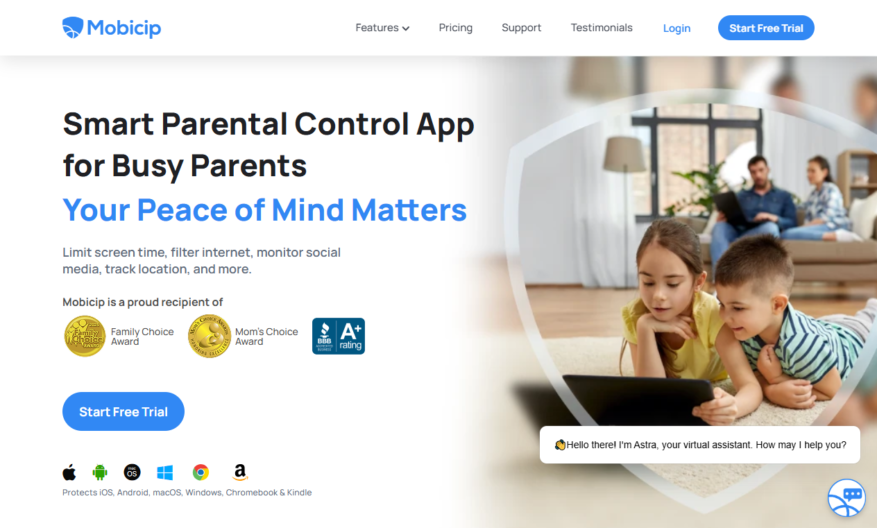
Mobicip is an all-encompassing parental control app that empowers parents to manage their family's digital activities across various devices including iOS, Android, Kindle, Windows, Mac, and Chromebook. With features such as screen time scheduling, website blocking, and social media monitoring, Mobicip enables parents to create a...
Mobicip is an all-encompassing parental control app that empowers parents to manage their family's digital activities across various devices including iOS, Android, Kindle, Windows, Mac, and Chromebook. With features such as screen time scheduling, website blocking, and social media monitoring, Mobicip enables parents to create a safe online environment for their children. The app allows for family location tracking, ensuring peace of mind while keeping tabs on the loved ones whereabouts. Parents can also block distracting apps and gain access to expert parenting advice to foster healthy digital habits. By providing activity summaries, Mobicip helps parents stay informed about their child's online interactions. The collaborative tools within the app facilitate shared parenting responsibilities, making it an ideal choice for co-parenting households. With Mobicip, busy parents can effectively limit screen time and foster a balanced approach to technology in their family life. Discover the benefits of Mobicip and create a safer digital landscape for your children today.
Real-time monitoring of online activities and app usage.
Customizable blocklists and allowlists for websites and apps.
Detailed reports on browsing history and app usage.
Customizable daily time limits for internet and app usage.
Scheduled screen time and bedtime modes for device use.
Location tracking and geofencing for device security.
Remote device locking and wiping for lost or stolen devices.
Customizable alerts and notifications for suspicious activities.
You Got Questions,We Got Answers
What is Mobicip?
Mobicip is a comprehensive parental control solution that provides a safe and secure online experience for families, offering a range of features such as website blocking, app monitoring, and location tracking.
How does it work?
Mobicip works by installing a small app on your child's device, which then reports back to your parent dashboard, providing you with real-time information and allowing you to set boundaries and restrictions as needed.
Is it compatible with my device?
Mobicip is compatible with a range of devices, including iOS, Android, Windows, and Mac, making it easy to use across multiple platforms and devices, providing a comprehensive solution for your family's online safety.
Can I customize the settings?
Yes, Mobicip allows you to customize the settings to suit your family's specific needs, including setting time limits, blocking specific websites or apps, and receiving alerts and notifications when necessary.
Is my child's privacy protected?
Yes, Mobicip takes the privacy and security of your child's information very seriously, using robust security measures to protect their data and ensure that it is only accessible to authorized individuals.
How do I get started?
To get started with Mobicip, simply sign up for an account, install the app on your child's device, and start configuring the settings to suit your family's needs, with easy-to-follow instructions and guidance throughout the process.
Use cases
Healthcare
A hospital uses Mobicip to monitor and control internet access on patient tablets, providing a safe and secure way to access health information while preventing access to inappropriate content
Finance
A financial institution uses Mobicip to monitor and block access to unauthorized websites on company-owned devices, protecting sensitive customer data and preventing cyber threats
Retail
A retail chain uses Mobicip to restrict employee access to social media and online shopping during work hours, improving productivity and reducing distractions
Manufacturing
A manufacturing company uses Mobicip to block access to streaming services on factory floor devices, reducing bandwidth consumption and improving overall network performance
Traffic and Engagement
Mar 2026 - May 2026
World wide
Monthly visitors (May)
157.1k
Page/Visit
2.6
Visit Duration
51s
Bounce Rate
0.5%
Pricing
Freemium
$2.99
Mobicip Embeds
Copied!
Let your community know you're live on Skillcurb! Just drop a badge on your site’s homepage with just a few clicks. Showcasing the badge helps increase your visibility and connects you with users actively exploring top AI tools.