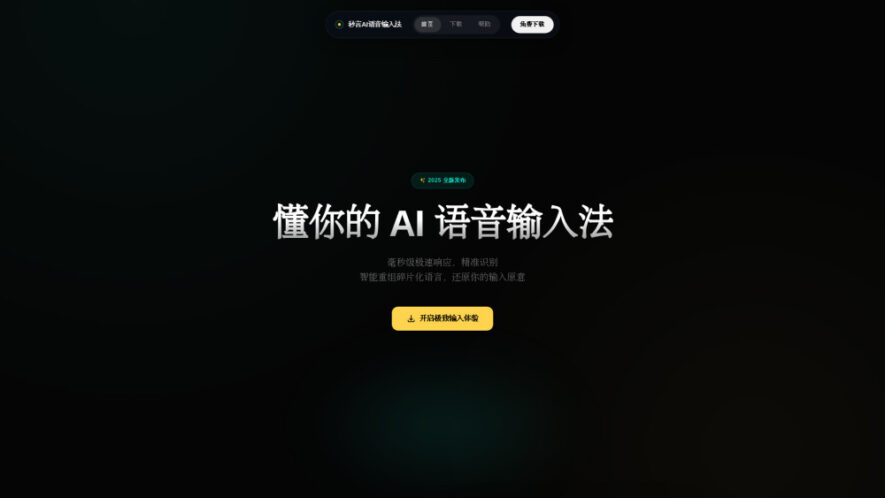
Miaoyan is an AI-powered voice input tool for Windows and macOS that converts spoken Chinese into clean, structured text in real time. Designed for writers, professionals, developers, and everyday users, it works across desktop applications without copy-pasting or switching windows. Miaoyan automatically removes fillers, corrects common...
Miaoyan is an AI-powered voice input tool for Windows and macOS that converts spoken Chinese into clean, structured text in real time. Designed for writers, professionals, developers, and everyday users, it works across desktop applications without copy-pasting or switching windows. Miaoyan automatically removes fillers, corrects common speech recognition errors, and inserts polished text directly into active input fields, improving productivity, communication, and long-form writing workflows.
System-wide voice input works seamlessly across desktop applications and productivity tools.
AI-enhanced speech recognition converts spoken Chinese into polished text instantly and accurately.
Real-time text insertion eliminates unnecessary copy-paste and application switching completely.
Automatically removes filler words, repetitions, and common speech recognition mistakes efficiently.
Optimized for long-form writing, documentation, and continuous voice-based text creation workflows.
Compatible with both Windows and macOS desktop operating systems for flexibility.
Global keyboard shortcut enables quick voice activation from any active application window.
Improves productivity with natural voice-driven text input and streamlined communication workflows daily.
You Got Questions,We Got Answers
1. What is Miaoyan AI Voice Input and how does it work?
Miaoyan is an AI-powered desktop voice input tool that converts spoken Chinese into clean, structured text. It processes speech in real time and inserts polished text directly into active applications automatically.
2. Which operating systems are supported by Miaoyan Voice Input?
Miaoyan is available for both Windows and macOS computers. It runs in the background and provides system-wide voice input functionality across supported desktop applications without interrupting your workflow.
3. Does Miaoyan automatically correct speech recognition mistakes and filler words?
Yes. Miaoyan intelligently removes filler words, repetitions, and common speech recognition errors while adding proper punctuation, producing cleaner and more readable text suitable for immediate use.
4. Can Miaoyan be used with different desktop applications simultaneously?
Yes. Miaoyan works system-wide and inserts processed text directly into active input fields, including chat applications, browsers, documents, note-taking software, and code editors without manual copying.
5. Is Miaoyan suitable for long-form writing and professional productivity tasks?
Yes. Miaoyan is specifically designed for extended writing sessions, note-taking, communication, and productivity workflows where continuous typing may slow creativity or reduce overall efficiency.
6. How do users activate voice input while using Miaoyan?
Users simply press the global keyboard shortcut to activate voice input. After speaking naturally, Miaoyan instantly converts speech into structured text and inserts it into the selected application.
7. Who can benefit most from using the Miaoyan voice input platform?
Writers, students, professionals, programmers, researchers, and anyone frequently typing in Chinese can improve productivity by replacing manual typing with efficient AI-powered voice input.
8. Does Miaoyan require switching applications or copying generated text manually?
No. Miaoyan inserts processed text directly into the current active input field, eliminating the need to switch applications, copy content, or perform additional manual editing steps.
Use cases
Writing
Create articles, reports, and documents faster using natural Chinese voice input technology.
Notes
Capture meeting notes, ideas, and reminders instantly without interrupting your workflow.
Communication
Compose messages, emails, and chats efficiently using accurate real-time voice transcription.
Programming
Write code comments, documentation, and technical notes through voice-assisted text input.
Meetings
Record spoken discussions into organized text for easier review and collaboration later.
Research
Quickly dictate observations, findings, and research notes during academic or professional work.
Productivity
Reduce typing effort while maintaining smooth workflows across multiple desktop applications.
Brainstorming
Capture creative thoughts and spontaneous ideas immediately before they are forgotten.
Traffic and Engagement
Jun 2026 - Aug 2026
World wide
Monthly visitors (August)
1.9k
Page/Visit
1.13
Visit Duration
0s
Bounce Rate
37.92%
Pricing
Free
$0
Miaoyan Embeds
Copied!
Let your community know you're live on Skillcurb! Just drop a badge on your site’s homepage with just a few clicks. Showcasing the badge helps increase your visibility and connects you with users actively exploring top AI tools.