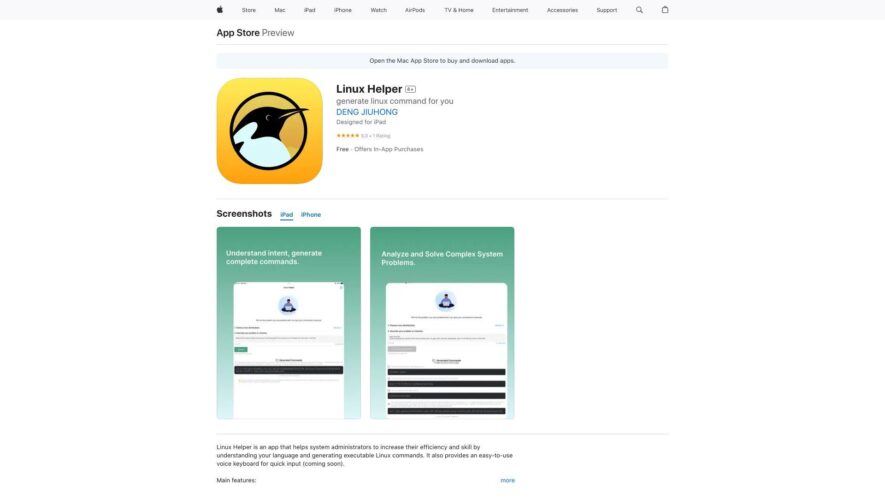
Linux Helper is a comprehensive guide to Linux commands, providing an offline reference for beginners and experienced users alike, featuring a searchable database of over 1,000 commands, detailed explanations, and examples, covering topics such as file management, system administration, networking, and more, with the ability to...
Linux Helper is a comprehensive guide to Linux commands, providing an offline reference for beginners and experienced users alike, featuring a searchable database of over 1,000 commands, detailed explanations, and examples, covering topics such as file management, system administration, networking, and more, with the ability to bookmark and favorite frequently used commands, making it an essential tool for anyone working with Linux.
Remotely access and control Linux servers from iPhone or iPad devices.
Execute complex Linux commands with a simple and intuitive interface.
Automate repetitive tasks using custom scripts and workflows.
Monitor system resources, such as CPU, memory, and disk usage.
Receive push notifications for critical system events and errors.
Manage multiple Linux servers and switch between them easily.
View and edit files on remote Linux servers with a built-in editor.
Use SSH keys for secure authentication and authorization.
You Got Questions,We Got Answers
What is Linux Helper?
Linux Helper is a comprehensive guide to Linux, providing tutorials, commands, and troubleshooting tips for Linux users of all levels, from beginners to advanced users
How do I install Linux?
The app provides a step-by-step guide on how to install Linux, including creating a bootable USB drive, partitioning your hard drive, and configuring your network settings
What Linux commands are available?
The app includes a comprehensive list of Linux commands, including basic commands, file management commands, system administration commands, and more, with examples and explanations
Can I use Linux Helper offline?
Yes, Linux Helper is designed to be used offline, allowing you to access Linux tutorials, commands, and troubleshooting tips even without an internet connection
Is Linux Helper suitable for beginners?
Yes, Linux Helper is suitable for beginners, with clear and concise tutorials and explanations, making it easy to learn Linux from scratch
How often is Linux Helper updated?
Linux Helper is regularly updated to ensure that the information is up-to-date and relevant, with new tutorials, commands, and troubleshooting tips added regularly
Can I customize Linux Helper?
Yes, Linux Helper allows you to customize the app to suit your needs, including creating bookmarks, notes, and customizing the layout and appearance of the app
Is Linux Helper free to use?
Linux Helper offers a free version with limited features, as well as a premium subscription that provides access to additional features, tutorials, and support
Use cases
Finance
Linux Helper enables financial analysts to run complex data models and simulations on their iOS devices, leveraging the power of Linux to analyze large datasets and make informed investment decisions
Healthcare
Medical researchers use Linux Helper to run bioinformatics tools and analyze genomic data on the go, accelerating the discovery of new treatments and therapies
Education
Students and teachers utilize Linux Helper to access virtual Linux environments, providing a flexible and portable learning platform for computer science and programming courses
Manufacturing
Quality control engineers employ Linux Helper to run automated testing scripts and simulate production environments, ensuring the reliability and efficiency of manufacturing processes
Government
Law enforcement agencies use Linux Helper to analyze digital evidence and crack encryption, helping to solve crimes and keep communities safe
Aerospace
Engineers at NASA and other space agencies leverage Linux Helper to run complex simulations and analyze data from spacecraft and satellite systems, advancing our understanding of the universe
Traffic and Engagement
May 2026 - Jul 2026
World wide
Monthly visitors (July)
117.3m
Page/Visit
1.6
Visit Duration
48s
Bounce Rate
0.8%
Pricing
Freemium
$0.99
Linux Helper Embeds
Copied!
Let your community know you're live on Skillcurb! Just drop a badge on your site’s homepage with just a few clicks. Showcasing the badge helps increase your visibility and connects you with users actively exploring top AI tools.