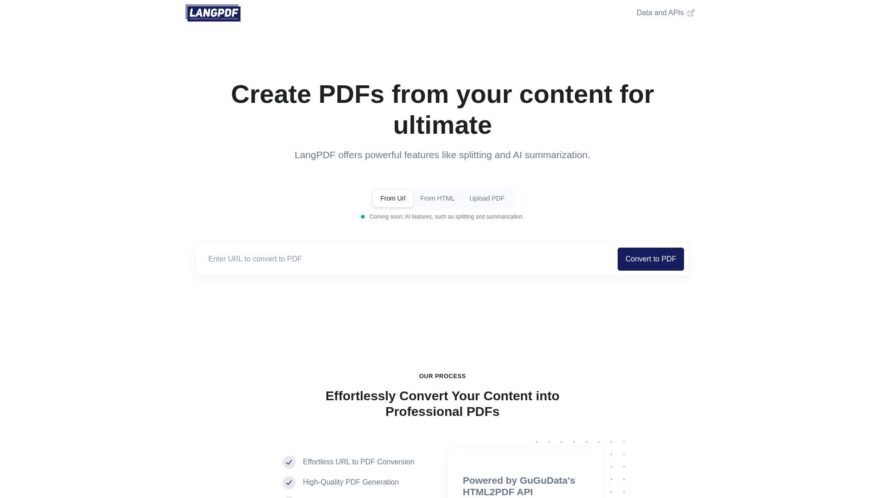
Langpdf is a free online PDF editor that allows users to edit, convert, and annotate PDF files without registration or installation. It supports over 40 languages and offers a range of tools, including text editing, shape drawing, and image insertion. Users can also convert PDFs to...
Langpdf is a free online PDF editor that allows users to edit, convert, and annotate PDF files without registration or installation. It supports over 40 languages and offers a range of tools, including text editing, shape drawing, and image insertion. Users can also convert PDFs to other formats like Word, Excel, and PowerPoint. Additionally, Langpdf provides OCR technology to recognize and extract text from scanned documents, making it a comprehensive and convenient solution for PDF management.
Convert PDF files to editable Word documents with high accuracy and speed.
Extract text from scanned PDF files with Optical Character Recognition technology.
Merge multiple PDF files into a single editable document with ease.
Split large PDF files into smaller, more manageable parts with custom settings.
Protect sensitive PDF files with passwords, watermarks, and permissions control.
Edit and annotate PDF files with sticky notes, highlights, and shapes.
Convert PDF files to other file formats, including Excel, PowerPoint, and more.
Compress large PDF files to reduce file size and improve sharing efficiency.
You Got Questions,We Got Answers
What is LangPDF?
LangPDF is a free online PDF converter, compressor, and editor that allows users to convert PDF to Word, Excel, PowerPoint, and other file types, as well as compress, edit, and merge PDF files.
What file formats supported?
LangPDF supports a wide range of file formats, including PDF, Word, Excel, PowerPoint, JPG, PNG, GIF, TIFF, and more, making it a versatile tool for various needs.
How to convert PDF to Word?
Simply upload your PDF file to LangPDF, select the output format as Word, and click "Convert" to get your converted Word document in seconds, with original layout and formatting preserved.
Can I compress PDF files?
Yes, LangPDF allows you to compress PDF files easily, reducing their size while maintaining the original quality, making it ideal for sharing or storing large PDF files. Is LangPDF free to use? Yes, LangPDF is completely free to use, with no hidden fees or subscriptions, allowing users to convert, compress, and edit PDF files without any limitations or restrictions.
How to edit PDF files?
LangPDF provides a range of editing features, including adding text, images, and annotations, allowing users to easily edit and modify their PDF files according to their needs.
Use cases
Healthcare
Doctors can use LangPDF to quickly translate medical records and prescriptions for patients who speak different languages, ensuring accurate and timely care
Finance
Auditors can utilize LangPDF to translate financial statements and reports for global clients, facilitating international business transactions
Retail
Online retailers can leverage LangPDF to translate product descriptions and user manuals, expanding their global customer base
Manufacturing
Quality control teams can use LangPDF to translate product labels and instructions, meeting international regulatory standards
Marketing
Ad agencies can employ LangPDF to translate marketing campaigns and materials, targeting diverse linguistic demographics
Education
Professors can utilize LangPDF to translate academic papers and course materials, facilitating cross-cultural learning and collaboration
Traffic and Engagement
N/A
World wide
Monthly visitors (January)
N/A
Page/Visit
N/A
Visit Duration
N/A
Bounce Rate
N/A
Pricing
Free
$0
LangPDF Embeds
Copied!
Let your community know you're live on Skillcurb! Just drop a badge on your site’s homepage with just a few clicks. Showcasing the badge helps increase your visibility and connects you with users actively exploring top AI tools.