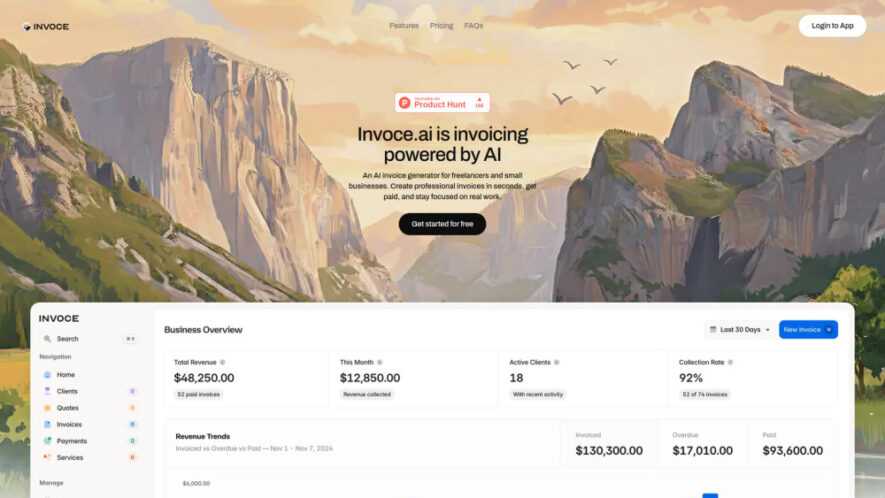
Invoce.ai is an AI-powered invoicing platform built for freelancers, entrepreneurs, and small businesses seeking a faster way to manage billing. Users simply describe completed work in natural language, and the AI instantly generates professional invoices or quotes. With zero transaction fees, customizable branding, integrated payment links,...
Invoce.ai is an AI-powered invoicing platform built for freelancers, entrepreneurs, and small businesses seeking a faster way to manage billing. Users simply describe completed work in natural language, and the AI instantly generates professional invoices or quotes. With zero transaction fees, customizable branding, integrated payment links, client management, and financial tracking, Invoce.ai simplifies invoicing while helping businesses save time and improve cash flow.
1. How does Invoce.ai generate invoices using artificial intelligence automatically?
Users describe completed work in plain English through chat. The AI identifies services, applies pricing from stored information or suggestions, and instantly creates a professional invoice ready for sharing.
2. Is there a free plan available for new users?
Yes. The Starter Plan allows users to create up to five invoices and five quotes monthly while providing AI-powered invoice generation features and email support without subscription costs.
3. Does Invoce.ai charge transaction fees for received payments ever?
No. Invoce.ai follows a Bring Your Own Link payment model, allowing users to receive payments directly through their preferred providers without paying transaction fees to the platform.
4. Which payment services work with Invoce.ai invoice payment links?
Users can connect payment links from popular services such as Stripe, PayPal, Wise, and other supported payment providers, enabling clients to pay invoices directly and securely.
5. Can invoices be customized with business branding and logos?
Yes. Businesses can personalize invoices by adding company logos, selecting brand colors, and customizing footer messages to maintain a consistent and professional business identity.
6. Does Invoce.ai help monitor business revenue and outstanding payments?
Yes. The platform provides financial tracking tools that monitor revenue, pending invoices, monthly performance, and payment status to help businesses stay organized and informed.
7. Can users export invoices and accounting records whenever needed?
Yes. Users can export invoices, quotes, client information, payment records, and related business data into CSV format for accounting software or professional bookkeeping purposes.
8. Who benefits most from using Invoce.ai for invoicing tasks?
Freelancers, consultants, agencies, startups, contractors, and small business owners benefit by creating invoices faster, managing payments efficiently, and reducing administrative workload with AI assistance.
Use cases
Invoicing
Generate professional invoices immediately after completing projects using simple conversational AI workflows.
Quoting
Create accurate business quotes quickly without manually entering repetitive pricing information each time.
Freelancing
Simplify billing processes while managing multiple clients, invoices, and payment records efficiently.
Payments
Send invoices containing integrated payment links for faster, more convenient client transactions online.
Tracking
Monitor business revenue, outstanding invoices, and payment progress from one centralized dashboard.
Branding
Customize invoices with company logos, colors, and personalized messaging for stronger brand identity.
Accounting
Export financial records into CSV files for accounting software, bookkeeping, and reporting requirements.
Automation
Reduce repetitive administrative work through AI-generated invoices and automated billing workflows every day.
Pricing
Freemium
$49
Invoce.ai Embeds
Copied!
Let your community know you're live on Skillcurb! Just drop a badge on your site’s homepage with just a few clicks. Showcasing the badge helps increase your visibility and connects you with users actively exploring top AI tools.