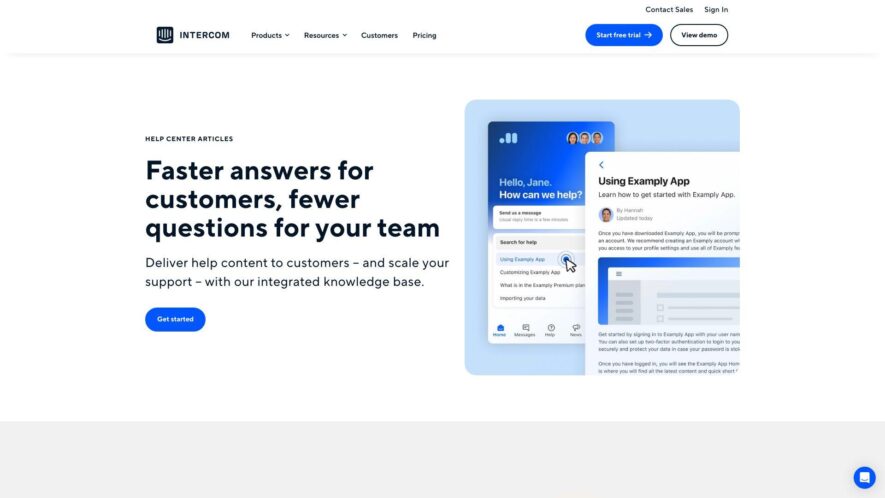
Intercom Help is a knowledge base that provides comprehensive guides, tutorials, and FAQs on using Intercom, a customer messaging platform. The help center is divided into sections such as Getting Started, Messaging, and Integrations, making it easy to find answers to specific questions. It also includes...
Intercom Help is a knowledge base that provides comprehensive guides, tutorials, and FAQs on using Intercom, a customer messaging platform. The help center is divided into sections such as Getting Started, Messaging, and Integrations, making it easy to find answers to specific questions. It also includes release notes, troubleshooting tips, and best practices for maximizing the potential of Intercom. With a simple and intuitive interface, Intercom Help is an essential resource for anyone looking to get the most out of Intercom's features and capabilities.
Customizable knowledge base for organizing and publishing help articles and guides.
Powerful search functionality for quick and relevant article discovery.
Personalized customer experience through targeted content and messaging.
Multi-language support for catering to diverse customer bases.
Robust analytics and reporting for tracking customer engagement metrics.
Streamlined content creation and editing workflow for teams.
Conditional logic and branching for creating dynamic help flows.
Seamless integration with Intercom's messaging and engagement products.
You Got Questions,We Got Answers
What is Intercom Help?
Intercom Help is a knowledge base that allows you to create, organize, and publish help articles to assist your customers in finding answers to their questions and issues.
Can I customize it?
Yes, you can customize the look and feel of your Intercom Help site to match your brand's style and voice, including adding your logo, changing colors, and modifying the layout.
How do I create articles?
You can create articles in Intercom Help by clicking on the "New Article" button, then adding a title, content, and any relevant tags or sections, and finally publishing it to make it visible to your customers.
What are collections?
Collections are a way to group related articles together in Intercom Help, making it easier for your customers to find information and for you to organize your content.
Can I translate articles?
Yes, you can translate your articles in Intercom Help into different languages, allowing you to reach a broader audience and provide support to customers in their native language.
How do I manage access?
You can manage access to your Intercom Help site and collections by setting permissions for different users and teams, controlling who can view, edit, or publish content.
What are redirects?
Redirects in Intercom Help allow you to redirect customers from one URL to another, ensuring that customers who visit an old or outdated link are taken to the relevant new article or page.
Can I track analytics?
Yes, you can track analytics in Intercom Help, including article views, searches, and clicks, providing insights into how customers are using your help resources and identifying areas for improvement.
Use cases
Healthcare
A medical research organization uses Intercom to onboard new researchers, provide access to critical documentation, and facilitate collaboration on groundbreaking projects, ensuring seamless knowledge sharing and accelerating life-saving discoveries
Finance
A global investment firm leverages Intercom to deliver personalized onboarding experiences for new clients, streamlining the account setup process and driving engagement with wealth management services
Retail
An e-commerce company utilizes Intercom to create customized product guides, offer targeted promotions, and provide multilingual support, resulting in increased customer satisfaction and loyalty
Manufacturing
A leading industrial equipment manufacturer employs Intercom to create interactive user manuals, offer real-time troubleshooting assistance, and facilitate equipment maintenance scheduling, reducing downtime and improving customer satisfaction
Traffic and Engagement
Feb 2026 - Apr 2026
World wide
Monthly visitors (April)
3.2m
Page/Visit
3.6
Visit Duration
1m 46s
Bounce Rate
0.6%
Pricing
Freemium
$0.99
Intercom Embeds
Copied!
Let your community know you're live on Skillcurb! Just drop a badge on your site’s homepage with just a few clicks. Showcasing the badge helps increase your visibility and connects you with users actively exploring top AI tools.