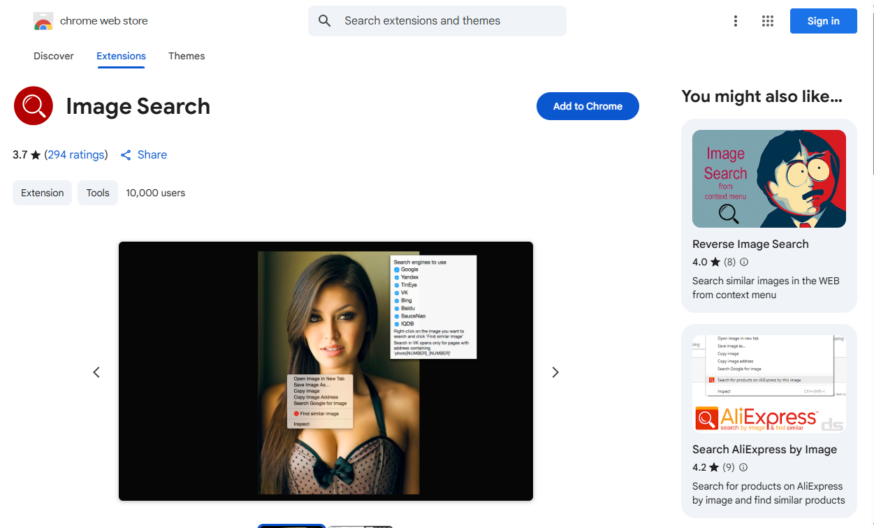
Image Search is a Chrome extension that allows users to search for images on various search engines like Google, Bing, and Yandex directly from the right-click context menu, without having to open a new tab or window, providing a convenient and time-saving way to search for...
Image Search is a Chrome extension that allows users to search for images on various search engines like Google, Bing, and Yandex directly from the right-click context menu, without having to open a new tab or window, providing a convenient and time-saving way to search for images, with features like customizable search engines, keyboard shortcuts, and the ability to search for similar images, making it a useful tool for designers, researchers, and anyone who frequently searches for images online.
Reverse image search using Google, Bing, or Yandex search engines.
Search for similar images on various websites and platforms.
Get image information, including dimensions, size, and format.
Find and download high-resolution images from the web.
Analyze image properties, such as colors, shapes, and objects.
Identify objects, people, and text within the image.
Search for images using keywords, tags, or descriptions.
Filter search results by image size, color, or type.
You Got Questions,We Got Answers
What is Image Search?
Image Search Image Search is a Chrome extension that allows users to search for images quickly using multiple search engines. It provides a convenient way to find visually similar images, higher resolution versions, and related content directly from the browser.
How does Image Search work?
Image Search Image Search works by integrating reverse image search functionalities into the Chrome browser. Users can right-click on an image and choose from various search engines to look for similar pictures or related content. The tool simplifies the process of finding and verifying image sources.
Is Image Search free to use?
Image Search Yes, Image Search is a free Chrome extension that allows users to perform image-based searches without any cost. There are no premium features or subscriptions required to access its functionalities.
Which search engines does Image Search support?
Image Search Image Search supports multiple popular reverse image search engines, including Google Images, Bing, Yandex, and others. Users can select their preferred search engine or use multiple sources to get comprehensive results.
Can I customize Image Search settings?
Image Search Yes, Image Search allows users to customize settings, such as choosing preferred search engines and adjusting search options. This flexibility makes it easier to tailor the extension to individual needs.
Does Image Search work on all websites?
Image Search Image Search works on most websites where images can be right-clicked. However, some websites may restrict right-click functionality or prevent direct image searches. In such cases, alternative methods may be required.
Is Image Search safe to use?
Image Search Yes, Image Search is a secure Chrome extension that does not collect or transmit personal data. It simply redirects users to trusted image search engines without storing any user activity.
Can I use Image Search on mobile devices?
Image Search Image Search is designed for desktop Chrome browsers and may not work on mobile devices. However, users can manually utilize reverse image search engines on their mobile browsers.
How do I install Image Search?
Image Search Users can install Image Search from the Chrome Web Store by visiting the extension page and clicking the "Add to Chrome" button. After installation, it is ready to use with right-click functionality.
How can I contact Image Search support?
Image Search Users can reach Image Search support through the Chrome Web Store listing or the developer's provided contact information. Support options may include FAQs, community forums, or direct email assistance.
Use cases
Healthcare
Doctors use the image search extension to quickly find and compare medical images, such as X-rays and MRIs, to aid in diagnosis and treatment of patients, improving accuracy and efficiency in medical decision-making
Finance
Financial analysts utilize the extension to search for and analyze images of company logos, products, and brand identities to identify trends and potential investment opportunities, enhancing their research and due diligence
Retail
E-commerce companies leverage the extension to find and compare product images from different suppliers, ensuring consistency and quality in their product offerings, and improving customer satisfaction and loyalty
Manufacturing
Quality control teams use the extension to search for and identify defects in product images, streamlining the inspection process and reducing the risk of defective products reaching customers
Marketing
Marketers employ the extension to find and analyze images of competitors' advertisements and branding, informing their own marketing strategies and staying ahead of the competition
Education
Students and researchers use the extension to find and explore images related to their studies, such as historical events, scientific concepts, and cultural artifacts, enhancing their learning experience and research capabilities
Traffic and Engagement
Apr 2026 - Jun 2026
World wide
Monthly visitors (June)
209.8m
Page/Visit
2.9
Visit Duration
1m 55s
Bounce Rate
0.6%
Pricing
FREE
$0
Image Search Extension – Chrome Extension Embeds
Copied!
Let your community know you're live on Skillcurb! Just drop a badge on your site’s homepage with just a few clicks. Showcasing the badge helps increase your visibility and connects you with users actively exploring top AI tools.