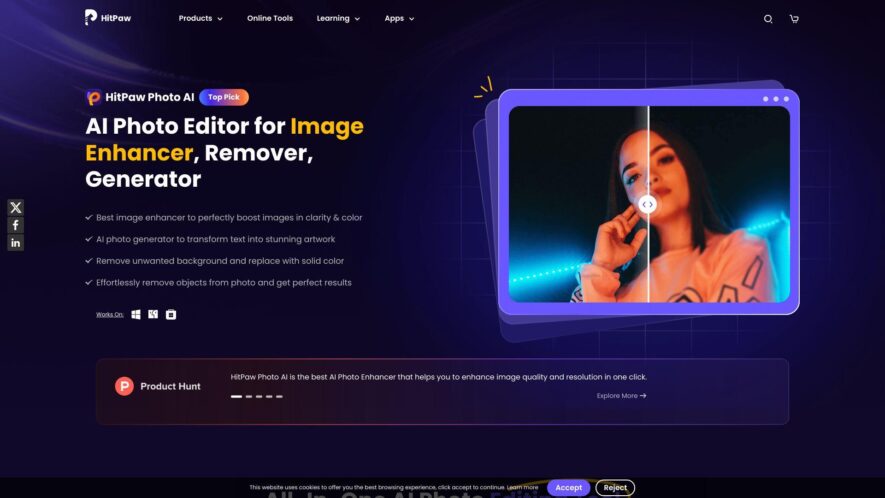
HitPaw Photo AI is an advanced photo enhancement tool that uses artificial intelligence to improve image quality effortlessly. It allows users to upscale images, remove noise, and restore old photos with ease, making it an ideal tool for photographers and casual users alike. With its AI-driven...
HitPaw Photo AI is an advanced photo enhancement tool that uses artificial intelligence to improve image quality effortlessly. It allows users to upscale images, remove noise, and restore old photos with ease, making it an ideal tool for photographers and casual users alike. With its AI-driven features, HitPaw Photo AI enhances visual content efficiently, ensuring high-quality results in no time. Explore its powerful capabilities and transform your photos today.
Enhance accuracy and precision with HitPaw Photo AI's state-of-the-art algorithms.
Take advantage of HitPaw Photo AI to simplify complex processes and accelerate results.
Stay ahead of the competition with HitPaw Photo AI, your go-to solution for efficiency.
Transform your workflow with HitPaw Photo AI, leveraging AI for smarter automation.
Optimize your productivity with HitPaw Photo AI's user-friendly and intuitive platform.
Designed for professionals and businesses, HitPaw Photo AI adapts to your needs effortlessly.
Seamlessly integrate HitPaw Photo AI with your favorite tools for hassle-free operations.
Enhance image quality with HitPaw Photo AI's powerful upscaling and restoration features.
You Got Questions,We Got Answers
What is HitPaw Photo AI?
HitPaw Photo AI is an AI-powered photo enhancement tool designed to improve image quality, restore details, and upscale resolution effortlessly. It offers features like unblurring, noise reduction, and background removal, making it suitable for both beginners and professionals.
How does HitPaw Photo AI work?
HitPaw Photo AI utilizes advanced artificial intelligence algorithms to analyze and enhance photos. Users can upload images, and the AI automatically processes them to improve clarity, remove noise, and restore details, all with just a few clicks.
Is HitPaw Photo AI free to use?
HitPaw Photo AI offers both free and premium versions. The free version provides basic enhancement features, while the premium version unlocks advanced tools like 16K resolution upscaling, batch processing, and additional editing options.
Can I upscale images using HitPaw Photo AI?
HitPaw Photo AI allows users to upscale images up to 16K resolution. This feature enables the enlargement of photos without significant loss of quality, making it ideal for printing and high-resolution displays.
Does HitPaw Photo AI support batch processing?
HitPaw Photo AI supports batch processing, allowing users to enhance multiple images simultaneously. This feature saves time and is particularly useful for photographers and designers working with large volumes of photos.
Is HitPaw Photo AI available on mobile devices?
HitPaw Photo AI is primarily available as desktop software for Windows and Mac. However, HitPaw offers mobile applications like AI Marvels for iOS and Android, which provide similar AI-powered photo enhancement features on mobile devices.
What photo formats does HitPaw Photo AI support?
HitPaw Photo AI supports various photo formats, including JPEG, JPG, PNG, and WebP. This compatibility ensures that users can enhance a wide range of image types without issues.
How secure is my data when using HitPaw Photo AI?
HitPaw Photo AI prioritizes user privacy and data security. The software operates offline on your device, meaning your photos are not uploaded to external servers, ensuring that your data remains private and secure.
Use cases
Marketing
HitPaw Photo AI enables marketers to enhance product images, create visually appealing social media content, and generate high-quality promotional visuals with minimal effort This helps in maintaining a strong brand presence and capturing audience attention effectively
Retail
HitPaw Photo AI assists retailers in improving product images for e-commerce platforms, ensuring that photos appear more professional and engaging Enhanced visuals can attract more customers and increase conversion rates by making products look more appealing
Education
HitPaw Photo AI supports educators and students by enhancing images for presentations, e-learning materials, and research projects This ensures that visual content is clear, professional, and impactful, improving comprehension and engagement in learning materials.
Traffic and Engagement
Jan 2026 - Mar 2026
World wide
Monthly visitors (March)
2.6m
Page/Visit
2.2
Visit Duration
1m 22s
Bounce Rate
0.6%
Pricing
Paid
$21.99
HitPaw Embeds
Copied!
Let your community know you're live on Skillcurb! Just drop a badge on your site’s homepage with just a few clicks. Showcasing the badge helps increase your visibility and connects you with users actively exploring top AI tools.