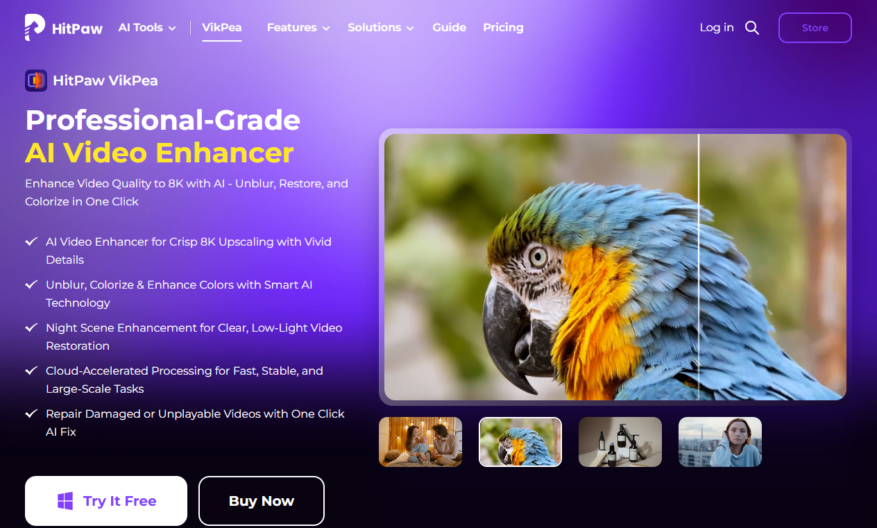
HitPaw Video Enhancer is a powerful video editing software that helps to improve video quality, remove noise, and upscale resolution up to 4K. It supports various formats, including MP4, AVI, and MOV, and offers advanced features like color correction, brightness adjustment, and stabilization. The user-friendly interface...
HitPaw Video Enhancer is a powerful video editing software that helps to improve video quality, remove noise, and upscale resolution up to 4K. It supports various formats, including MP4, AVI, and MOV, and offers advanced features like color correction, brightness adjustment, and stabilization. The user-friendly interface makes it easy to navigate, and the software is compatible with both Windows and Mac operating systems. With HitPaw Video Enhancer, users can enhance their videos with just a few clicks, making it an ideal solution for content creators, videographers, and social media enthusiasts.
Upscale video resolution to 4K or even 8K for crystal-clear visuals.
Enhance video quality by removing noise, grain, and artifacts.
Improve video brightness, contrast, and saturation for vivid colors.
Stabilize shaky footage with advanced video stabilization technology.
Remove unwanted watermarks, logos, and subtitles from videos.
Convert video formats to MP4, AVI, MOV, and other popular formats.
Trim, crop, and rotate videos to refine the viewing experience.
Add text, music, and transitions to create engaging video content.
You Got Questions,We Got Answers
What is HitPaw Video Enhancer?
HitPaw Video Enhancer is an AI-powered video editing software that helps to enhance and upscale low-quality videos to high-definition, making them more visually appealing and engaging
How to use HitPaw Video Enhancer?
To use HitPaw Video Enhancer, simply import your video, select the desired enhancement mode, adjust settings as needed, and click the "Enhance" button to let the AI algorithm work its magic
Is HitPaw Video Enhancer free?
HitPaw Video Enhancer offers a free trial version with limited features, but for full functionality and unlimited exports, a subscription or one-time purchase is required
What formats does HitPaw support?
HitPaw Video Enhancer supports a wide range of video formats, including MP4, AVI, MOV, and more, making it compatible with most devices and platforms
Can I enhance 4K videos?
Yes, HitPaw Video Enhancer is capable of enhancing 4K videos, as well as lower resolutions, to improve their quality and clarity without compromising on file size
Does HitPaw Video Enhancer have a watermark?
The free trial version of HitPaw Video Enhancer adds a watermark to exported videos, but the paid version removes this watermark, allowing for watermark-free exports
How long does enhancement take?
The enhancement process time varies depending on the video length, resolution, and computer specs, but HitPaw Video Enhancer's AI algorithm works efficiently to minimize processing time
Is HitPaw Video Enhancer safe?
HitPaw Video Enhancer is completely safe to use, with no malware or viruses, and it respects user privacy, ensuring that your videos and personal data remain secure and protected
Use cases
Healthcare
Medical researchers use Hitpaw Video Enhancer to upscale low-quality footage of surgical procedures, allowing for clearer analysis and improved training for surgeons
Finance
Financial analysts enhance low-light security footage to identify potential security threats and improve risk management in high-stakes trading environments
Retail
E-commerce companies use Hitpaw Video Enhancer to improve product demonstration videos, showcasing products in high definition and increasing customer engagement and sales
Manufacturing
Quality control teams enhance footage of production lines to identify defects and improve manufacturing processes, reducing waste and increasing efficiency
Marketing
Digital marketing agencies use Hitpaw Video Enhancer to upscale social media videos, increasing brand visibility and engagement on platforms like YouTube and Instagram
Education
Online course creators enhance lecture recordings to provide students with clear and detailed video content, improving learning outcomes and student satisfaction
Traffic and Engagement
Mar 2026 - May 2026
World wide
Monthly visitors (May)
1.7m
Page/Visit
2.5
Visit Duration
1m 27s
Bounce Rate
0.6%
Pricing
Paid
$43
HitPaw Video Enhancer Embeds
Copied!
Let your community know you're live on Skillcurb! Just drop a badge on your site’s homepage with just a few clicks. Showcasing the badge helps increase your visibility and connects you with users actively exploring top AI tools.