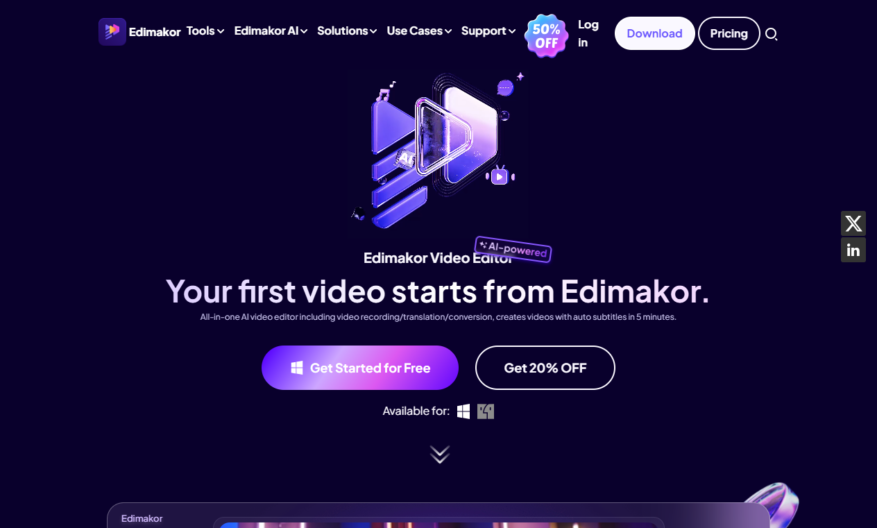
HitPaw Edimakor is an innovative AI-powered video editor designed to simplify the video editing process for creators of all levels. With a user-friendly interface and advanced editing features, users can effortlessly enhance their videos. The tool includes an AI video editing function, an auto subtitle maker...
HitPaw Edimakor is an innovative AI-powered video editor designed to simplify the video editing process for creators of all levels. With a user-friendly interface and advanced editing features, users can effortlessly enhance their videos. The tool includes an AI video editing function, an auto subtitle maker for accurate transcription, a comprehensive media library, video coloring options, and speed control features. Whether you aim to produce professional content for platforms like YouTube and TikTok or need to improve video quality with cutting-edge tools, HitPaw Edimakor meets diverse editing needs. Additionally, users can benefit from a range of support resources including customer service and refund information easily accessible through their website. HitPaw Edimakor continuously evolves, making it an essential tool for both amateur and professional video editors seeking to elevate their projects and engage their audiences. Join the community on social media platforms to explore more about its functionalities and updates.
Supports multiple video and audio formats for easy file importing.
Offers various editing modes, including timeline, magix, and storyboard.
Provides a vast library of transitions, effects, and color adjustments.
Allows users to add voiceovers, background music, and sound effects easily.
Enables users to trim, split, merge, and crop video clips precisely.
Offers advanced color grading and color matching tools.
Supports 4K and 60FPS video editing for high-quality output.
Exports edited videos directly to social media or saves to local devices.
You Got Questions,We Got Answers
What is HitPaw Video Editor?
HitPaw Video Editor is an all-in-one video editing software that allows users to trim, split, merge, and rotate videos with ease, offering a user-friendly interface and advanced features for both beginners and professionals.
Can I use it for free?
HitPaw Video Editor offers a free version with limited features, allowing users to test its capabilities before deciding to upgrade to the premium version, which unlocks advanced tools and removes watermarks.
Is HitPaw Video Editor safe?
Yes, HitPaw Video Editor is completely safe to use, with no malware or viruses, ensuring that users' computers and personal data remain protected and secure during the editing process.
What file formats are supported?
HitPaw Video Editor supports a wide range of file formats, including MP4, AVI, MOV, and more, allowing users to import and export files in their preferred format with ease.
How do I import media files?
To import media files, simply click the "Import" button, then select the desired files from your computer, and HitPaw Video Editor will automatically add them to the media library for further editing.
Can I add transitions and effects?
Yes, HitPaw Video Editor offers a vast library of transitions, effects, and filters that can be easily to videos, allowing users to enhance the visual appeal and engagement of their content.
Is HitPaw Video Editor compatible with Mac?
Yes, HitPaw Video Editor is fully compatible with Mac operating systems, offering the same features and functionality as the Windows version, ensuring a seamless editing experience across different platforms.
How do I get customer support?
HitPaw Video Editor offers 24/7 customer support through email, providing users with timely assistance and solutions to any issues or questions they may have during the editing process.
Use cases
Healthcare
Medical professionals can utilize Hitpaw Video Editor to create engaging educational content, such as explaining complex medical procedures or showcasing patient testimonials, to enhance patient understanding and improve healthcare outcomes
Finance
Financial advisors can leverage the video editor to create tutorial videos explaining investment options, simplifying complex financial concepts, and providing personalized investment guidance to increase financial literacy
Retail
Retailers can use Hitpaw Video Editor to create high-quality product demonstration videos, showcasing product features, and highlighting customer testimonials to drive sales, increase brand awareness, and improve customer engagement
Manufacturing
Quality control teams can utilize the video editor to create instructional videos, documenting manufacturing processes, and highlighting product quality checks to enhance quality control, improve product reliability, and increase customer satisfaction
Marketing
Marketing teams can employ Hitpaw Video Editor to create attention-grabbing promotional videos, showcasing product benefits, and highlighting brand experiences to drive marketing campaigns, boost brand awareness, and increase conversions
Education
Teachers can use Hitpaw Video Editor to create interactive lesson plans, incorporating video content, to enhance student engagement, improve learning outcomes, and provide personalized educational experiences
Traffic and Engagement
Mar 2026 - May 2026
World wide
Monthly visitors (May)
1.7m
Page/Visit
2.5
Visit Duration
1m 27s
Bounce Rate
0.6%
Pricing
Paid
$19.95
HitPaw Edimakor Embeds
Copied!
Let your community know you're live on Skillcurb! Just drop a badge on your site’s homepage with just a few clicks. Showcasing the badge helps increase your visibility and connects you with users actively exploring top AI tools.