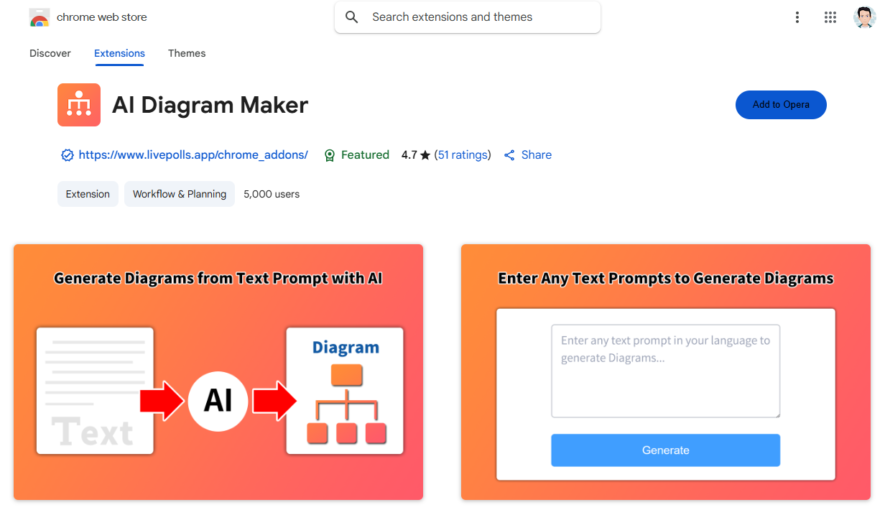
GPT Diagram Maker is a Chrome extension that utilizes AI technology to generate diagrams from text descriptions, making it easy to create flowcharts, mind maps, and other visualizations. With a simple and intuitive interface, users can input their text and the AI engine will automatically generate...
GPT Diagram Maker is a Chrome extension that utilizes AI technology to generate diagrams from text descriptions, making it easy to create flowcharts, mind maps, and other visualizations. With a simple and intuitive interface, users can input their text and the AI engine will automatically generate a diagram. The extension supports various diagram types and allows for customization of shapes, colors, and layouts. It's ideal for students, professionals, and anyone looking to create diagrams quickly and efficiently, and is compatible with Google Drive and other popular platforms.
Create diagrams with ease using drag-and-drop interface and intuitive design tools.
Visualize complex concepts with customizable shapes, colors, and fonts.
Collaborate in real-time with others using simultaneous editing capabilities.
Export diagrams in various formats including PNG, SVG, and PDF.
Access a vast library of pre-made templates and examples for inspiration.
Use automatic alignment and spacing features for professional-looking diagrams.
Insert images, icons, and other media to enhance diagram visual appeal.
Switch seamlessly between diagram types, such as flowcharts and mind maps.
You Got Questions,We Got Answers
What is GPT Diagram Maker?
GPT Diagram Maker is a Chrome extension that allows users to generate various types of diagrams using AI. It simplifies the process of creating flowcharts, mind maps, and other visual representations by utilizing AI-driven automation. This tool helps users visualize complex ideas quickly and effectively.
How does GPT Diagram Maker work?
GPT Diagram Maker uses AI to convert text-based descriptions into structured diagrams. Users input relevant information, and the tool automatically formats the data into an easy-to-understand diagram. This enables quick visualization of workflows, processes, and ideas.
Is GPT Diagram Maker free to use?
GPT Diagram Maker offers both free and premium versions. The free version includes basic diagram-making functionalities, while the premium version provides additional features such as advanced customization and export options.
What types of diagrams can GPT Diagram Maker create?
GPT Diagram Maker supports various types of diagrams, including flowcharts, organizational charts, mind maps, sequence diagrams, and more. The tool enables users to visualize different concepts effectively with AI-powered automation.
Can I customize the diagrams in GPT Diagram Maker?
GPT Diagram Maker allows users to customize diagrams by adjusting colors, shapes, line styles, and labels. Users can modify elements to fit their specific needs, making each diagram more effective and visually appealing.
Does GPT Diagram Maker require an internet connection?
GPT Diagram Maker requires an internet connection to function since it uses AI algorithms hosted online. Users must be connected to access the diagram generation and customization features.
Can I export diagrams created with GPT Diagram Maker?
GPT Diagram Maker allows users to export their diagrams in multiple formats, including PNG, SVG, and PDF. This makes it easy to use generated diagrams in presentations, documents, or reports.
Is GPT Diagram Maker safe to use?
GPT Diagram Maker prioritizes security and privacy by ensuring user data is handled responsibly. Diagrams generated using the tool are not shared unless explicitly saved by the user.
How accurate is GPT Diagram Maker?
GPT Diagram Maker provides high accuracy in generating structured diagrams, but results may vary depending on the complexity of the input. The tool continuously improves its AI models to enhance output relevance and quality.
How can I get support for GPT Diagram Maker?
GPT Diagram Maker provides support through its Chrome Web Store page, where users can access FAQs, contact the developer, or report issues. Additional help may be available through online communities and documentation.
Use cases
Healthcare
Medical researchers use GPT Diagram Maker to create visual representations of complex disease pathways, facilitating collaboration and accelerating discovery of new treatments and therapies
Finance
Financial analysts leverage GPT Diagram Maker to illustrate investment portfolios and risk management strategies, enabling clients to make informed decisions
Retail
E-commerce teams utilize GPT Diagram Maker to design and optimize supply chain logistics, streamlining product delivery and enhancing customer satisfaction
Manufacturing
Quality control engineers employ GPT Diagram Maker to create detailed process flowcharts, identifying areas for improvement and increasing production efficiency
Marketing
Digital marketers use GPT Diagram Maker to create engaging infographics, communicating complex data insights and driving campaign success
Education
Teachers and instructors use GPT Diagram Maker to develop interactive lesson plans, enhancing student understanding and retention of complex concepts
Traffic and Engagement
Apr 2026 - Jun 2026
World wide
Monthly visitors (June)
209.8m
Page/Visit
2.9
Visit Duration
1m 55s
Bounce Rate
0.6%
Pricing
FREE
$0
GPT Diagrams Generator – Chrome Extension Embeds
Copied!
Let your community know you're live on Skillcurb! Just drop a badge on your site’s homepage with just a few clicks. Showcasing the badge helps increase your visibility and connects you with users actively exploring top AI tools.