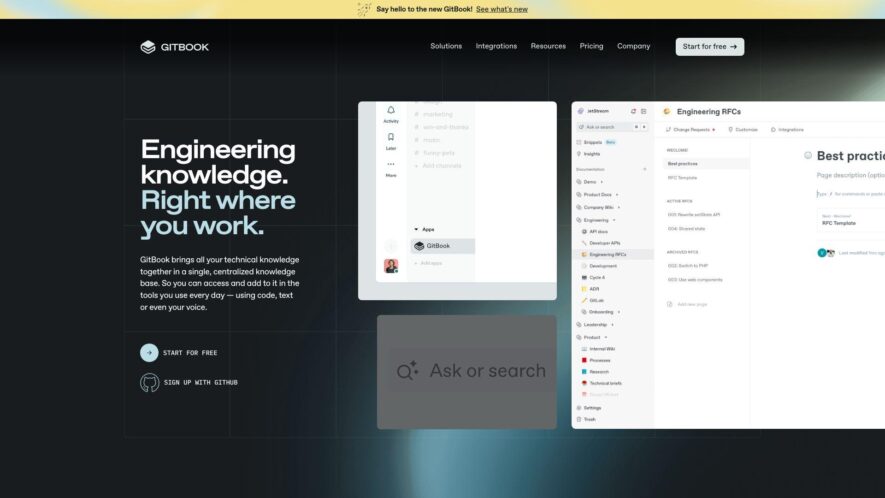
GitBook is a modern documentation platform that enables teams to create, collaborate, and maintain high-quality documentation in a single place, featuring a simple and intuitive editor, real-time collaboration, and version control, making it easy to create, update, and maintain documentation, knowledge bases, and more, with a...
GitBook is a modern documentation platform that enables teams to create, collaborate, and maintain high-quality documentation in a single place, featuring a simple and intuitive editor, real-time collaboration, and version control, making it easy to create, update, and maintain documentation, knowledge bases, and more, with a flexible and customizable platform that integrates with popular development tools and workflows, and supports multiple formats and languages, allowing teams to focus on writing great content.
Collaborative editing with real-time commenting and feedback.
Version control with branching and merging.
Customizable layouts and templates for branding.
Integrated search and filtering for easy discovery.
Support for Markdown, LaTeX, and AsciiDoc formats.
Customizable permissions and access controls for teams.
Embeddable widgets and plugins for extensibility.
AI assistant to summarize, edit, and improve technical documentation.
You Got Questions,We Got Answers
What is GitBook used for?
GitBook is a modern documentation platform that enables users to create, collaborate, and publish content in a seamless and efficient manner, perfect for teams, organizations, and individuals alike.
How do I create a book?
To create a book, simply sign up for a GitBook account, click on the "New Book" button, and follow the prompts to set up your book, including title, description, and permissions.
What is a space in GitBook?
A space in GitBook is a top-level container that holds all your books, allowing you to organize and manage your content in a structured and hierarchical manner, making it easy to find and access my books.
Can I invite others to edit?
Yes, you can invite others to edit your book by clicking on the "Invite" button, entering their email addresses, and assigning them the necessary permissions, making collaboration a breeze.
What is a draft in GitBook?
A draft in GitBook is an unpublished version of your book, which enables you to make changes, updates, and revisions before publishing it for others to view, ensuring that your content is perfect.
Can I customize my book's design?
Yes, GitBook provides a range of customizable themes and layouts, allowing you to tailor the design and appearance of your book to suit your brand, style, and preferences.
How do I publish my book?
To publish your book, simply click on the "Publish" button, select the desired publishing options, and follow the prompts to make your book live and accessible to your audience.
What support does GitBook offer?
GitBook offers extensive support through its documentation, community forums, and email support, ensuring that you get the assistance you need to get the most out of the platform.
Use cases
Healthcare
Medical researchers use GitBook to document and collaborate on clinical trial protocols, ensuring compliance with regulatory requirements and facilitating knowledge sharing among team members
Finance
Financial analysts create interactive GitBook reports to visualize complex market trends and risk assessments, enabling stakeholders to make data-driven investment strategies
Manufacturing
Quality control teams utilize GitBook to document and standardize manufacturing processes, reducing errors and increasing efficiency in production workflows
Marketing
Marketing teams leverage GitBook to create and share interactive customer journey maps, enhancing customer experience and improving sales conversion rates
Traffic and Engagement
Feb 2026 - Apr 2026
World wide
Monthly visitors (April)
792.5k
Page/Visit
7.2
Visit Duration
5m 39s
Bounce Rate
0.4%
Pricing
Freemium
$65
GitBook Embeds
Copied!
Let your community know you're live on Skillcurb! Just drop a badge on your site’s homepage with just a few clicks. Showcasing the badge helps increase your visibility and connects you with users actively exploring top AI tools.