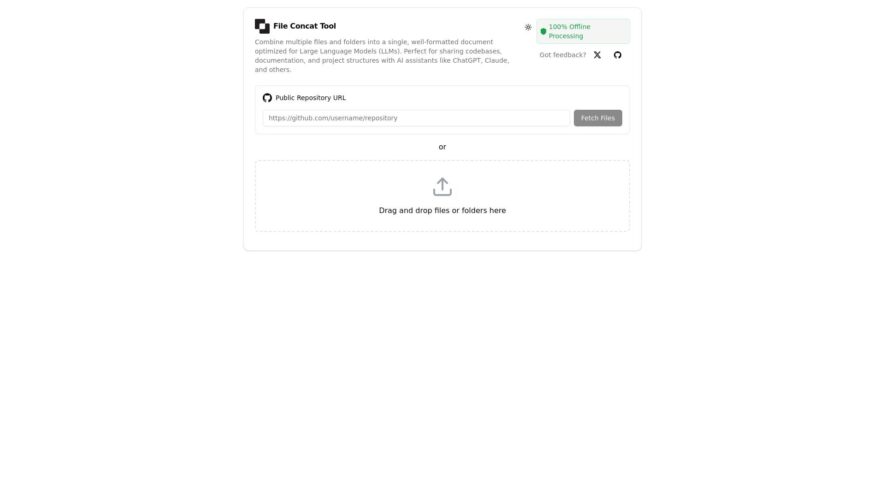
FileConcatTool helps developers and AI practitioners prepare large, structured inputs for language models by combining multiple files into a single prompt-ready document. It streamlines the process of feeding codebases, documentation, or datasets into LLMs by offering browser-based, offline file concatenation with smart formatting. With features like...
FileConcatTool helps developers and AI practitioners prepare large, structured inputs for language models by combining multiple files into a single prompt-ready document. It streamlines the process of feeding codebases, documentation, or datasets into LLMs by offering browser-based, offline file concatenation with smart formatting. With features like drag-and-drop uploading, markdown and code block preservation, and token usage estimation, it enhances prompt clarity and reduces manual prep time.
Combines multiple files and folders into a single, well-formatted document
Specifically optimized for Large Language Models (LLMs) to enhance overall performance
Offers completely offline processing, ensuring maximum data privacy and security
Supports various file types, including code, documents, and configuration files
Provides a user-friendly interface for simple drag-and-drop file selection
Enables secure local processing to protect sensitive information effectively.
You Got Questions,We Got Answers
What is FileConcat?
FileConcat is an online tool that allows users to merge multiple files of different formats into a single file. It simplifies file management by combining documents, images, audio, and more.
Which file formats does FileConcat support?
FileConcat supports a wide range of file formats, including PDF, DOCX, images (JPG, PNG), audio files (MP3), and more, ensuring versatility in combining different content types.
Is FileConcat free to use?
FileConcat offers both free and premium plans. The free version allows basic file merging, while premium plans unlock advanced features and larger file sizes.
How do I merge files using FileConcat?
FileConcat allows users to upload multiple files and simply click a button to combine them into one. The tool handles the rest, ensuring a seamless experience.
Can I merge files of different types?
FileConcat enables merging of different types of files, such as combining PDFs with images, documents with audio, and more, offering flexible file management.
Is there a file size limit on FileConcat?
FileConcat has file size limits based on the chosen plan. The free plan has smaller limits, while the premium version supports larger files and batch processing.
Is FileConcat secure to use?
FileConcat follows industry-standard security protocols to protect uploaded files, ensuring your data remains safe during the merging process.
Can I download the merged file immediately?
FileConcat provides an instant download link once the files are successfully merged, so you can get your combined file quickly.
Use cases
Healthcare
FileConcat could be used to merge multiple patient files, medical images, or research documents into a single, easily manageable file for streamlined access and analysis.
Manufacturing
Manufacturing companies can leverage FileConcat to combine multiple reports, design documents, or data logs from different production stages into a single file for comprehensive analysis and reporting.
Retail
Retail businesses can use FileConcat to merge multiple product catalogs, sales reports, or customer data files into a single file for efficient data processing and analysis.
Marketing
Marketing teams can utilize FileConcat to combine multiple campaign reports, social media analytics, or customer feedback files into a single document for comprehensive performance evaluation.
Education
Educational institutions can implement FileConcat to merge multiple student records, research papers, or course materials into a single file for streamlined management and distribution.
Finance
Financial institutions can leverage FileConcat to combine multiple financial reports, transaction logs, or customer statements into a single file for efficient auditing and analysis.
Traffic and Engagement
N/A
World wide
Monthly visitors (January)
N/A
Page/Visit
N/A
Visit Duration
N/A
Bounce Rate
N/A
Pricing
Free
$0
File Concat Tool Embeds
Copied!
Let your community know you're live on Skillcurb! Just drop a badge on your site’s homepage with just a few clicks. Showcasing the badge helps increase your visibility and connects you with users actively exploring top AI tools.