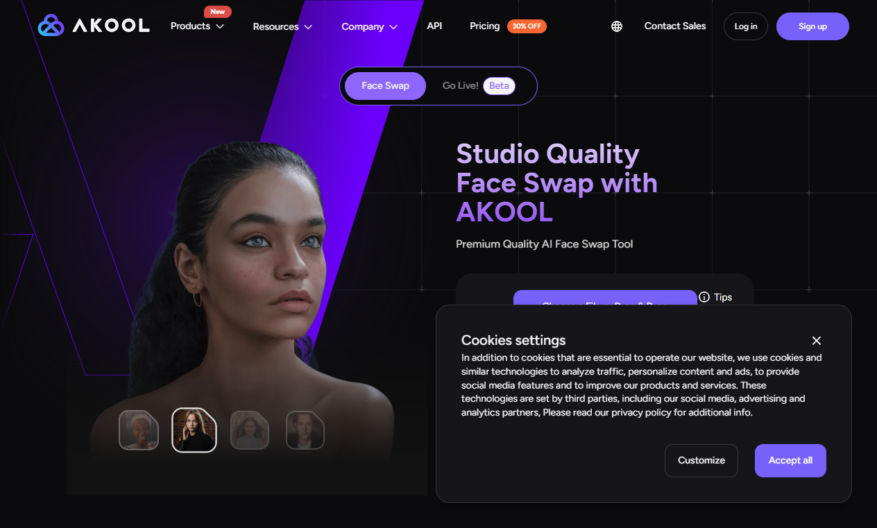
Faceswap.akool.com is a free online face swap tool that allows users to swap faces in images and videos with ease, using AI-powered technology. The platform offers a simple and intuitive interface, where users can upload their images or videos and select the faces they want to...
Faceswap.akool.com is a free online face swap tool that allows users to swap faces in images and videos with ease, using AI-powered technology. The platform offers a simple and intuitive interface, where users can upload their images or videos and select the faces they want to swap. The tool supports various formats, including JPEG, PNG, and MP4, and allows users to download or share their creations on social media. With its user-friendly design and fast processing, faceswap.akool.com is a popular choice for creating humorous and entertaining content.
Swap faces in photos and videos with AI-powered face detection technology.
Automatically identify and extract faces from images and videos.
Supports various image and video formats, including JPEG, PNG, and MP4.
Adjust and refine face swaps with manual editing tools and options.
Create funny and realistic face swaps with advanced blending modes.
Share face-swapped creations on social media or save to device.
Process face swaps quickly with fast and efficient processing algorithms.
Access a user-friendly interface with easy-to-use face swap tools.
You Got Questions,We Got Answers
What is FaceSwap.akool.com?
FaceSwap.akool.com is a free online face swap tool that allows users to swap faces in images and videos with just a few clicks, providing a fun and easy way to create hilarious and realistic face swaps
How does FaceSwap work?
FaceSwap uses AI-powered technology to detect and extract faces from images and videos, and then swaps them with another face, ensuring a seamless and realistic result, with options to adjust and refine the swap
Can I use FaceSwap for free?
Yes, FaceSwap.akool.com is completely free to use, with no subscription or registration required, allowing users to access the tool and create unlimited face swaps without any cost or commitment
What file formats are supported?
FaceSwap.akool.com supports a wide range of file formats, including JPEG, PNG, GIF, MP4, AVI, and MOV, making it easy to upload and swap faces in various types of images and videos
How do I upload my image or video?
To upload your image or video, simply click the "Upload" button on the FaceSwap.akool.com homepage, select your file, and wait for it to be processed, then follow the prompts to swap faces and adjust settings as needed
Are my uploaded files safe?
Yes, FaceSwap.akool.com takes the privacy and security of user-uploaded files seriously, using secure servers and encryption to protect files, and deleting them from the system after processing, ensuring complete confidentiality
Can I save my face swap results?
Yes, once you've created a face swap, you can save the result to your device or share it directly to social media platforms, with options to download in various formats, including JPEG, PNG, and MP4
Is FaceSwap available as a mobile app?
Currently, FaceSwap.akool.com is only available as a web-based tool, accessible from any device with an internet connection, but a mobile app is planned for future development, stay tuned for updates
Use cases
Healthcare
Doctors can use FaceSwap to create personalized avatars for patients, enhancing engagement and understanding of complex medical procedures, improving health literacy and patient outcomes
Finance
Financial advisors can create customized avatars for clients, making investment planning more relatable and engaging, increasing client trust and loyalty
Retail
Online retailers can integrate FaceSwap into e-commerce platforms, allowing customers to see themselves wearing virtual clothing, increasing sales and reducing returns
Manufacturing
Companies can use FaceSwap to create personalized safety training simulations, reducing workplace accidents and improving employee engagement
Marketing
Brands can leverage FaceSwap to create interactive, personalized ads, increasing customer engagement and brand recall
Education
Teachers can use FaceSwap to create immersive, interactive lesson plans, making complex concepts more accessible and engaging for students
Traffic and Engagement
Mar 2026 - May 2026
World wide
Monthly visitors (May)
1.4k
Page/Visit
1.4
Visit Duration
38s
Bounce Rate
0.9%
Pricing
Freemium
$21
Faceswap by Akool Embeds
Copied!
Let your community know you're live on Skillcurb! Just drop a badge on your site’s homepage with just a few clicks. Showcasing the badge helps increase your visibility and connects you with users actively exploring top AI tools.