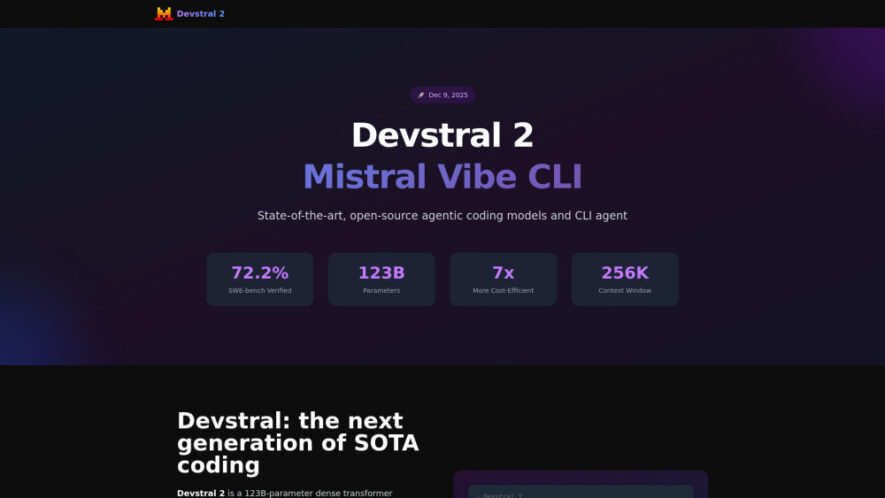
Devstral 2 is a state-of-the-art open-source coding model designed for complex software engineering tasks and autonomous code agents. With 123 billion parameters and a 256K context window, it delivers strong performance across challenging coding benchmarks. The Devstral family supports codebase exploration, multi-file modifications, error handling, and...
Devstral 2 is a state-of-the-art open-source coding model designed for complex software engineering tasks and autonomous code agents. With 123 billion parameters and a 256K context window, it delivers strong performance across challenging coding benchmarks. The Devstral family supports codebase exploration, multi-file modifications, error handling, and architecture-aware development. Alongside the model, Mistral Vibe CLI provides an open-source command-line coding assistant that can explore, modify, and execute changes across projects using natural language, making advanced coding workflows more efficient.
Mistral Vibe CLI Use an open-source command-line coding assistant powered by Devstral models.
Customizable Development Workflows Adapt coding assistance for specific programming languages and enterprise codebases.
Image Input Support Enable multimodal coding workflows with image understanding through Devstral Small 2.
You Got Questions,We Got Answers
1. What is Devstral 2 designed for?
Devstral 2 is designed for software engineering tasks, including codebase exploration, debugging, multi-file development, architectural changes, and autonomous coding workflows powered by advanced open-source AI technology.
2. What is Mistral Vibe CLI?
Mistral Vibe CLI is an open-source command-line coding assistant powered by Devstral. It can explore codebases, modify files, execute changes, and help solve engineering tasks through natural language.
3. How large is Devstral 2s context window?
Devstral 2 supports a 256K context window, allowing it to process substantial amounts of code and maintain broader project context while working across complex software engineering tasks.
4. What is Devstral Small 2 used for?
Devstral Small 2 is a smaller 24B-parameter coding model designed for local and edge deployment. It supports image inputs and can run on consumer-grade GPUs or CPUs.
5. How can developers access Devstral 2?
Developers can access Devstral 2 through an API or deploy it on their own infrastructure with NVIDIA-supported hardware. It can also integrate with compatible coding tools and development workflows.
6. What makes Devstral 2 cost-efficient for developers?
Devstral 2 combines strong software engineering performance with open-weight availability and efficient deployment options. Its design aims to provide capable coding assistance while reducing operational costs.
7. What hardware does Devstral 2 require?
Devstral 2 requires a minimum of four H100-class GPUs for data-center deployment. Devstral Small 2 has lighter requirements and can operate on consumer-grade GPUs or CPUs.
8. Can Devstral models support specialized coding workflows?
Yes, the Devstral ecosystem supports customizable workflows for specific programming languages and enterprise codebases. Mistral Vibe CLI can also be adapted for specialized development requirements.
Use cases
Software Engineering
Solve complex development tasks with AI-assisted code exploration, modification, debugging, and execution.
Bug Fixing
Identify and resolve software issues across multiple files and interconnected project dependencies efficiently.
Code Modernization
Modernize legacy applications by analyzing existing architectures and implementing structured improvements.
Codebase Exploration
Understand large repositories, locate relevant files, and explore project architecture using AI assistance.
Agent Development
Build powerful coding agents and AI-driven software engineering tools using open-source models.
Multimodal Coding
Use image inputs with Devstral Small 2 to support visual software engineering workflows.
Local Deployment
Run smaller coding models locally on consumer hardware for practical development and experimentation.
Enterprise Development
Customize AI coding workflows for enterprise repositories, programming languages, and specialized software environments.
Pricing
Freemium
$2
devstral2 Embeds
Copied!
Let your community know you're live on Skillcurb! Just drop a badge on your site’s homepage with just a few clicks. Showcasing the badge helps increase your visibility and connects you with users actively exploring top AI tools.