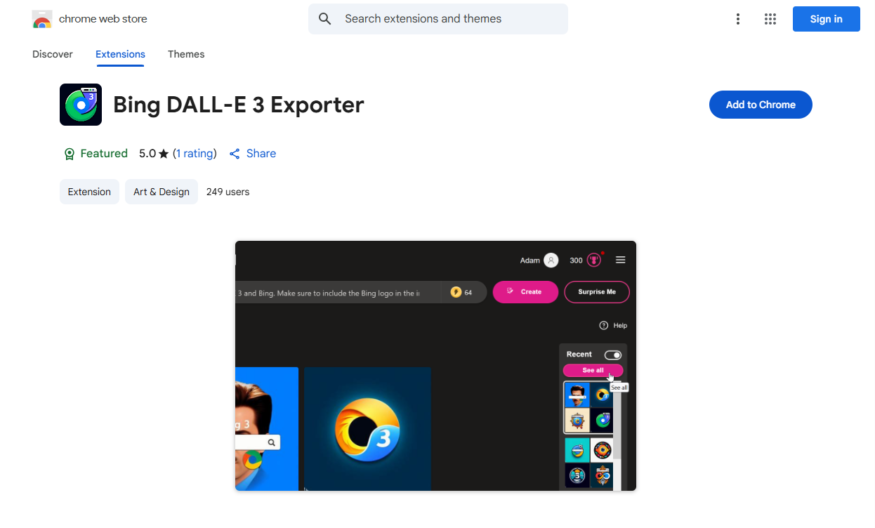
Bing DALL-E 3 Exporter is a Chrome extension that allows users to export images generated by Bing's DALL-E 3 AI model directly from the Bing search results page. With a single click, users can download the generated images in various formats, including PNG, JPG, and SVG....
Bing DALL-E 3 Exporter is a Chrome extension that allows users to export images generated by Bing's DALL-E 3 AI model directly from the Bing search results page. With a single click, users can download the generated images in various formats, including PNG, JPG, and SVG. The extension also provides options to customize the export process, such as selecting the image size and format. This tool is ideal for creatives, designers, and anyone looking to utilize AI-generated images for personal or commercial projects.
Exports DALL-E 3 images as PNG files with customizable resolution and aspect ratio.
Generates unique image descriptions and keywords for SEO optimization purposes.
Allows users to select from various image sizes and formats for export.
Provides an intuitive interface for easy image generation and export.
Supports batch export of multiple images with a single click.
Offers customizable watermarks and overlays for image branding.
Includes a built-in image editor for basic editing and cropping.
Automatically saves exported images to a designated folder for convenience.
You Got Questions,We Got Answers
What is Bing DALL-E 3 Exporter?
Bing DALL-E 3 Exporter is a Chrome extension that allows users to download and export images generated by Bing's DALL-E 3 AI model directly from the Bing website, providing an easy and convenient way to access and utilize these images
How does the extension work?
The extension works by injecting a download button into the Bing website, allowing users to download the generated images in various formats, including PNG, JPEG, and SVG, with customizable resolution and quality settings
Is the extension free to use?
Yes, the Bing DALL-E 3 Exporter extension is completely free to use, with no hidden costs or subscription fees, making it accessible to anyone who wants to explore the capabilities of DALL-E 3 AI model
Can I customize the download settings?
Yes, the extension provides various customization options, including image resolution, quality, and format, allowing users to tailor the download process to their specific needs and preferences
Is the extension compatible with all browsers?
No, the Bing DALL-E 3 Exporter extension is specifically designed for Google Chrome and may not be compatible with other browsers, such as Firefox or Safari, due to differences in browser architecture and APIs
Can I use the extension for commercial purposes?
Yes, the extension can be used for commercial purposes, such as generating images for advertising, marketing, or other business needs, as long as the user complies with Bing's terms of service and usage policies
How do I install the extension?
To install the Bing DALL-E 3 Exporter extension, simply visit the Chrome Web Store, click the "Add to Chrome" button, and follow the prompts to complete the installation process, which should only take a few seconds
Is the extension secure and safe to use?
Yes, the Bing DALL-E 3 Exporter extension is secure and safe to use, as it does not collect or store any user data, and only interacts with the Bing website to facilitate image downloads, ensuring a safe and private user experience
Use cases
Healthcare
Medical researchers use Bing Dall-E 3 Exporter to generate images of rare diseases, enhancing patient education and facilitating more accurate diagnoses
Finance
Financial analysts leverage the tool to create visualizations of complex market trends, enabling more informed investment decisions and reducing risk
Retail
E-commerce companies utilize Bing Dall-E 3 Exporter to generate high-quality product images, improving customer experiences and increasing online sales
Manufacturing
Engineers employ the tool to create detailed diagrams of complex machinery, streamlining production processes and reducing errors
Marketing
Advertisers use Bing Dall-E 3 Exporter to generate eye-catching ads, increasing brand engagement and driving conversions
Education
Teachers use the tool to create interactive lesson plans, making complex concepts more accessible and engaging for students
Traffic and Engagement
Apr 2026 - Jun 2026
World wide
Monthly visitors (June)
209.8m
Page/Visit
2.9
Visit Duration
1m 55s
Bounce Rate
0.6%
Pricing
FREE
$0
DALL-E 3 Image Exporter – Chrome Extension Embeds
Copied!
Let your community know you're live on Skillcurb! Just drop a badge on your site’s homepage with just a few clicks. Showcasing the badge helps increase your visibility and connects you with users actively exploring top AI tools.