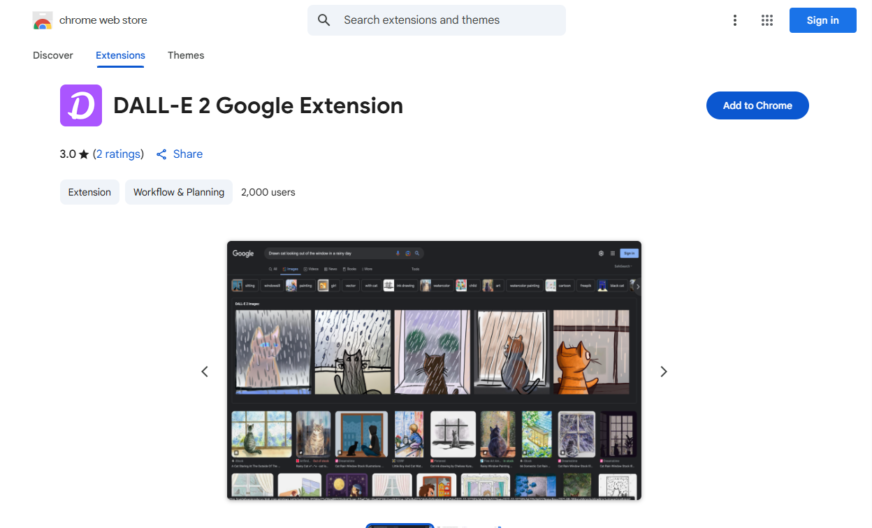
DALL-E 2 Google Extension is a browser add-on that brings the power of AI-generated art to your browser, allowing you to create stunning images from text prompts directly in your browser, with no coding or artistic skills required, featuring a user-friendly interface, high-resolution image generation, and...
DALL-E 2 Google Extension is a browser add-on that brings the power of AI-generated art to your browser, allowing you to create stunning images from text prompts directly in your browser, with no coding or artistic skills required, featuring a user-friendly interface, high-resolution image generation, and the ability to save and share your creations, making it an ideal tool for artists, designers, writers, and anyone looking to unleash their creativity.
Generates realistic images from text prompts using AI-powered algorithms.
Allows users to create custom prompts for unique image generation.
Provides a user-friendly interface for easy prompt input and image output.
Supports multiple image styles, including photorealistic, cartoon, and more.
Enables users to share generated images on social media platforms.
Offers a built-in image editor for further customization and refinement.
Includes a gallery feature to showcase and organize generated images.
Provides access to a community-driven prompt library for inspiration and collaboration.
You Got Questions,We Got Answers
What is DALL-E 2 Google Extension?
DALL-E 2 Google Extension is a free browser add-on that utilizes AI to generate images from text prompts, allowing users to explore their creativity and generate unique visuals directly within their Google browser
How does DALL-E 2 work?
DALL-E 2 uses a sophisticated AI model to interpret user input and generate corresponding images, leveraging complex algorithms and machine learning techniques to produce stunning and often surreal visuals
Is DALL-E 2 free to use?
Yes, DALL-E 2 Google Extension is completely free to use, with no subscription or hidden fees, allowing users to experiment and create without any financial constraints
Can I use DALL-E 2 for commercial purposes?
While DALL-E 2 is free for personal use, commercial applications may require additional licensing or permissions, so it's essential to review the terms and conditions before utilizing the extension for business purposes
How do I install DALL-E 2?
To install DALL-E 2, simply navigate to the Chrome Web Store, click the "Add to Chrome" button, and follow the prompts to complete the installation process, which should only take a few seconds
Can I use DALL-E 2 on other browsers?
Currently, DALL-E 2 Google Extension is exclusively available for Google Chrome browsers, but the developers may consider expanding support to other browsers in the future
Is DALL-E 2 suitable for all ages?
While DALL-E 2 can be a fun and creative tool, parental discretion is advised, as the AI-generated images may occasionally produce unexpected or mature content, especially with user-inputted prompts
How do I get started with DALL-E 2?
To get started, simply click the DALL-E 2 icon in your browser toolbar, enter a text prompt, and let the AI generate an image you can then refine your prompt, explore different styles, and experiment with various creative possibilities
Use cases
Healthcare
Medical illustrators use DALL-E 2 to generate realistic images of human anatomy for educational materials, reducing costs and increasing accuracy, allowing for more effective patient communication and improved health outcomes
Finance
Financial analysts leverage DALL-E 2 to create visualizations of complex market trends and data, enabling more informed investment decisions and identifying potential risks and opportunities
Retail
E-commerce businesses utilize DALL-E 2 to generate high-quality product images, reducing photography costs and enhancing customer experience, resulting in increased sales and brand loyalty
Manufacturing
Design engineers employ DALL-E 2 to generate concept art and designs for new products, streamlining the prototyping process and reducing time-to-market, improving competitiveness and profitability
Marketing
Marketing teams use DALL-E 2 to create engaging and personalized ad content, increasing campaign effectiveness and ROI, and enhancing brand awareness and customer engagement
Education
Educators utilize DALL-E 2 to create interactive and immersive learning materials, enhancing student engagement and understanding, and improving learning outcomes in subjects like art, history, and science
Traffic and Engagement
Apr 2026 - Jun 2026
World wide
Monthly visitors (June)
209.8m
Page/Visit
2.9
Visit Duration
1m 55s
Bounce Rate
0.6%
Pricing
FREE
$0
DALL-E 2 Google Extension – Chrome Extension Embeds
Copied!
Let your community know you're live on Skillcurb! Just drop a badge on your site’s homepage with just a few clicks. Showcasing the badge helps increase your visibility and connects you with users actively exploring top AI tools.