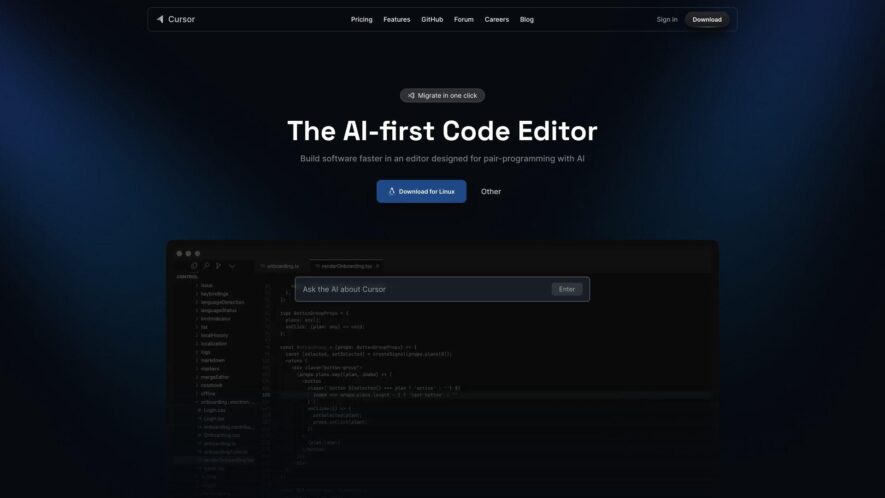
Cursor is an AI-powered code editor aimed at boosting developer productivity. It utilizes specialized and advanced AI models to offer intelligent and rapid coding assistance. Core functionalities include smart code completion, natural language-based editing, deep codebase understanding, and support for importing existing editor settings like extensions...
Cursor is an AI-powered code editor aimed at boosting developer productivity. It utilizes specialized and advanced AI models to offer intelligent and rapid coding assistance. Core functionalities include smart code completion, natural language-based editing, deep codebase understanding, and support for importing existing editor settings like extensions and themes. Cursor also prioritizes user privacy, providing a Privacy Mode that prevents remote code storage, and is SOC 2 certified, ensuring a secure coding environment.
Offers specialized Actions APIs for ChatGPT functionality enhancement
Provides unlimited access to GPT, enabling diverse actions without limitations
Includes over 30 APIs to improve ChatGPT's capabilities and support user needs
Allows users to streamline and automate tasks efficiently within ChatGPT workflows
Facilitates the creation of custom API keys for effective integration management
Enables integration of tools, including search, email, and drawing APIs.
You Got Questions,We Got Answers
What is Cursor?
Cursor is an AI-powered code editor designed to enhance developer productivity. It offers intelligent code completion, error detection, and automated documentation features.
Who can benefit from using Cursor?
Cursor is ideal for software developers, data scientists, and anyone involved in coding who wants to improve efficiency with an AI-driven code assistant.
What programming languages does Cursor support?
Cursor supports multiple programming languages, including Python, JavaScript, Java, C++, and more, helping developers across various domains.
Does Cursor provide real-time collaboration?
Cursor allows real-time collaboration, enabling teams to work together seamlessly on coding projects, with instant feedback and code suggestions.
Can I integrate Cursor with my existing development environment?
Cursor integrates with popular IDEs and version control systems like VS Code, GitHub, and GitLab for a smooth workflow integration.
Does Cursor help with debugging?
Cursor provides smart debugging tools that automatically suggest fixes, identify errors, and offer solutions to improve code quality.
Is Cursor customizable?
Cursor is highly customizable, allowing developers to configure themes, shortcuts, and plugin integrations to suit their preferences.
Is there a free version of Cursor?
Cursor offers both free and premium plans, with the premium plan unlocking advanced features such as extended code suggestions and enterprise-level support.
Use cases
Healthcare
Cursor could assist healthcare software developers by providing an AI-powered code editor to streamline the development of medical applications, automate code generation for patient management systems, or facilitate collaboration on telemedicine platforms
Manufacturing
Manufacturing companies can leverage Cursor to accelerate the development of automation software for their factories, create custom interfaces for industrial robots, or build AI-powered quality control systems with enhanced code editing capabilities
Retail
Retail businesses can use Cursor to quickly develop e-commerce platforms, build personalized shopping experiences with AI assistance, or create AI-powered chatbots for customer service with efficient code editing and generation
Marketing
Marketing teams can utilize Cursor to automate the generation of marketing copy, create custom scripts for data analysis with AI assistance, or build AI-powered tools for campaign optimization with streamlined code editing
Education
Educational institutions can implement Cursor to accelerate the development of online learning platforms, create interactive educational tools with AI-powered code suggestions, or build AI-powered grading systems with efficient code editing and generation
Finance
Financial institutions can leverage Cursor to speed up the development of trading platforms, automate financial modeling tasks with AI assistance, or build AI-powered fraud detection systems with enhanced code editing capabilities.
Traffic and Engagement
Feb 2026 - Apr 2026
World wide
Monthly visitors (April)
4.7m
Page/Visit
2.7
Visit Duration
2m 20s
Bounce Rate
0.6%
Pricing
Freemium
$20
Cursor Embeds
Copied!
Let your community know you're live on Skillcurb! Just drop a badge on your site’s homepage with just a few clicks. Showcasing the badge helps increase your visibility and connects you with users actively exploring top AI tools.