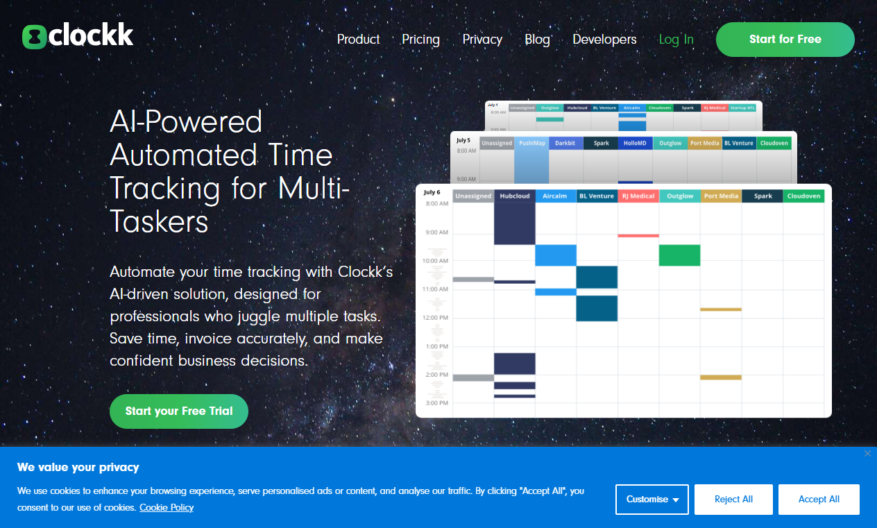
Clockk is a free online time tracking and productivity tool that helps individuals and teams manage their work hours, projects, and tasks efficiently. It offers a simple and intuitive interface to log time, track progress, and generate reports. Clockk also integrates with popular project management tools...
Clockk is a free online time tracking and productivity tool that helps individuals and teams manage their work hours, projects, and tasks efficiently. It offers a simple and intuitive interface to log time, track progress, and generate reports. Clockk also integrates with popular project management tools like Trello, Asana, and GitHub, allowing seamless time tracking across multiple platforms. With features like automated time tracking, customizable workflows, and real-time analytics, Clockk is an ideal solution for freelancers, remote teams, and businesses looking to optimize their workflow and boost productivity.
Customizable clock faces with various themes, colors, and layouts for personalization.
High-accuracy timekeeping with automatic daylight saving time adjustments.
World clock feature displaying time zones from over 500 cities globally.
Countdown timer for tracking events, deadlines, and appointments.
Stopwatch for precise time measurement with lap and split functionality.
Alarm system with multiple reminders and customizable notification settings.
Time zone converter for easy conversion between different time zones.
Shareable clock links for collaborative timekeeping and scheduling purposes.
You Got Questions,We Got Answers
What is Clockk.com?
Clockk.com is a free online time tracking tool that helps users manage their time more efficiently by tracking hours spent on tasks, projects, and clients, providing insights to optimize productivity and profitability
How does it work?
Clockk.com works by allowing users to create tasks, projects, and clients, and then track time spent on each one using a simple start/stop timer or manual time entry, with automated calculations and reports
Is Clockk.com free?
Yes, Clockk.com is completely free to use, with no limits on the number of tasks, projects, or clients, and no hidden fees or subscription costs, making it an ideal solution for freelancers, small businesses, and teams
Can I use Clockk.com on mobile?
Yes, Clockk.com is fully responsive and accessible on mobile devices, allowing users to track time on-the-go, with a user-friendly interface that adapts to smaller screens and touch input
How secure is Clockk.com?
Clockk.com takes data security seriously, using industry-standard encryption and secure servers to protect user data, with regular backups and updates to ensure the highest level of security and reliability
Can I export my data?
Yes, Clockk.com allows users to export their time tracking data in CSV format, making it easy to import into accounting software, invoicing tools, or other applications, with customizable export options
Is Clockk.com suitable for teams?
Yes, Clockk.com is designed to support teams of all sizes, with features like team member management, task assignment, and permission controls, making it easy to track team productivity and performance
Does Clockk.com offer customer support?
Yes, Clockk.com offers dedicated customer support through email and online resources, with a comprehensive knowledge base and FAQs section, as well as responsive support team to help with any questions or issues
Use cases
Healthcare
Doctors can use Clockk to schedule patient appointments and surgeries, ensuring timely care and minimizing delays, while also tracking staff availability and allocating resources efficiently
Finance
Clockk helps investment firms coordinate client meetings and portfolio reviews, streamlining communication and improving advisor productivity
Retail
Store managers utilize Clockk to schedule employee shifts, manage inventory, and optimize store operations, reducing labor costs and improving customer satisfaction
Manufacturing
Production teams leverage Clockk to schedule equipment maintenance, manage supply chains, and coordinate logistics, increasing efficiency and reducing downtime
Marketing
Agencies use Clockk to schedule campaign launches, track project timelines, and coordinate team tasks, ensuring successful project delivery and meeting client deadlines
Education
Professors and administrators use Clockk to schedule classes, office hours, and meetings, streamlining academic operations and improving student outcomes
Traffic and Engagement
Mar 2026 - May 2026
World wide
Monthly visitors (May)
4.5k
Page/Visit
2.1
Visit Duration
38s
Bounce Rate
0.5%
Pricing
Freemium
$12
Clockk Embeds
Copied!
Let your community know you're live on Skillcurb! Just drop a badge on your site’s homepage with just a few clicks. Showcasing the badge helps increase your visibility and connects you with users actively exploring top AI tools.